CalendarSync - CalDAV and more
November 14, 2025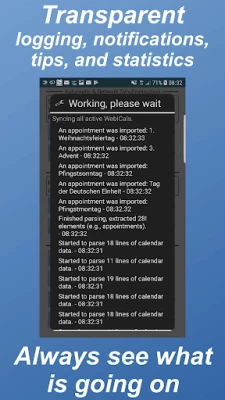
More About CalendarSync - CalDAV and more
You would like to access the next major update bringing a novel user interface, new features, and guidance/support system?
Then check out the open beta test here: https://play.google.com/apps/testing/com.icalparse
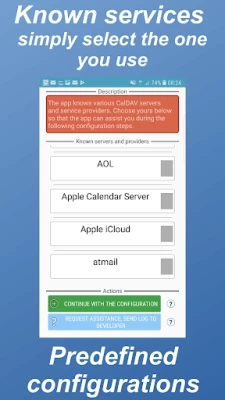
The app has been successfully tested with more then 50 different CalDAV Servers like Owncloud, Apple iCloud, Zimbra, OSX/iCal Server, eGroupware, GMX, Oracle Beehive, david.fx, Synology NAS, DAViCal, SOGO... You can find an overview here: http://ntbab.dyndns.org/apache2-default/seite/caldavprovider.html
Features:
⊛Comprehensive support - Questions or suggestions? Simply write us a mail.
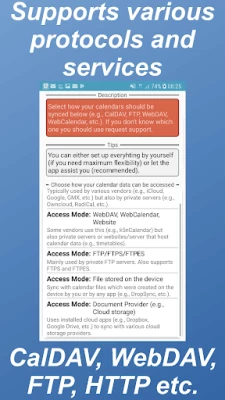
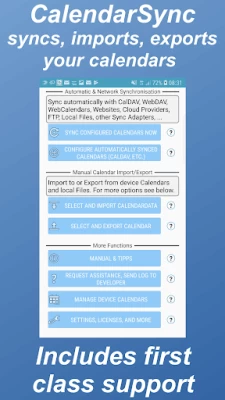
⊛Syncs with many different sources - CalDAV, WebDAV, FTP, HTTP, WebCal, Cloudstorage, Local files, Between multiple Device Calendars, Mail attachments and many more. Of course, it also supports encryption and two way sync
⊛Fully supports the current iCalendar standard and partly the older VCalendar standard
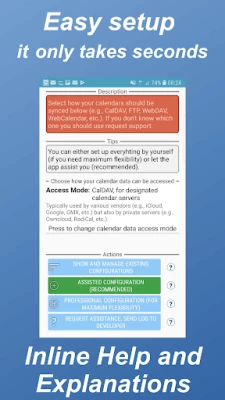
⊛Complex configuration? No worries, the app guides you through all the steps
⊛Manage your calendars and create backups with just a few steps manually and even automatically
⊛Flexibility - There are already appointments stored on the device which should be pushed to the server? You need individual sync intervals for each of your calendar data sources? You want to exchange appointments between multiple servers and sources? No worries, this and more is possible!
⊛Designed for high speed calendar synchronization
⊛Seamless integration with your device and your preferred calendar apps
⊛Secure: All the sensitive information are encrypted before they are stored
⊛No secrets, you can - if you wish - always see what is happening and why
⊛Supports complex calendar situations and timezones, servers, and clients
⊛Supports self-signed certificates and client certificate based client\server authentication
⊛Unique solutions for a variety of challenges. You have special requirements? Then the app has likely a solution
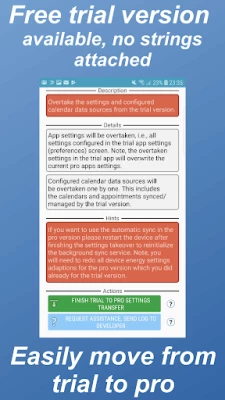
⊛New device? Simply export\backup your configuration and import it on the new device
⊛Multilingual: Supports English, German, French, Spanish, Portuguese
If you are interested in translating the app then simply send me a mail
Interesting features for large-scale orders:
⊛Setup and configure your server connections through adb
⊛Licensing for large-scale orders
Permissions:
You can find detailed information to the permissions at our website.
You would like to get assistance? More details on the features or large scale orders are of interest to you? Then please contact us at calendarsync@gmx.at. Be aware, that if you just give us a bad review we can hardly help you as additional information about your configuration is required to provide assistance. We were already able to address tricky and unique scenarios, so simply contact us :)
Latest Version
November 14, 2025
Calendar/Task/Contact Sync Mobile
IT Tools
Android
10,486
$9.99
com.icalparse
Report a Problem
User Reviews

A Google user
6 years ago
works well

John Rotert
4 years ago
Works well

George Morton
3 years ago
Fixed my issue, works perfectly.
A Google user
6 years ago
No support for MS Exchange? Kind of useless
A Google user
6 years ago
UI is terrible, but it works and does exactly what I need.

Mark Whitfield
5 years ago
Tricky to setup on a couple of shared cals from my work server but once done its been rock solid

Kandaswami R
3 years ago
I paid & bought but difficult to understand as to how synchronise the data.
A Google user
6 years ago
Wow, great app. A few (much needed) option providing better control/functionality. The developer does a tremendous job with support.
A Google user
7 years ago
Only product I've find that correctly synchronizes. Developer is very responsive to all issues.

Mark Cooper
3 years ago
Does what all the others can't. You just need to work through it, after a short time you can see how logical the setup is.

Tom
1 year ago
Error with syncing and widget due to adding 1 hour to start time. Sometimes its correct, sometimes its wrong.
A Google user
6 years ago
Free version worked like a charm. Moved over to this upgrade and have spent hours and it still doesn't work. Have asked for help and got nothing back. Going to try something else.
A Google user
7 years ago
The only app I have found that reliably connects my CalDAV calendars to my Android phone calendar, UI is not pretty but it is functional with a ton of settings
A Google user
6 years ago
App looks like it was designed by a blind person. Actually hurts my eyes to look at it. Don't even know or care if it works or not... can't bear to read the full-justified walls of text done in low contrast colors palettes. Please, dev... learn how to design a UI.

Drex Dobson
4 years ago
Excellent app excellent support one of the best purchases ever. Does everything you need it to. If you can't configure it the developer will personally assist you. Best in class.
A Google user
6 years ago
Works perfectly to sync Outlook work calendar with Google calendar. Interface is truly hideous, but ended up being easy to set up if you read everything carefully.

Brian Emmons
3 years ago
The UI is certainly a little clunky, but once sorted out it just works. Been using it for a long time alongside Syncthing to sync the .ics file. Goodbye cloud calendars, hello personal storage.

Sue Donim
2 months ago
Works seamlessly with my Synology NAS. Great tech support if needed.

Tabitha Freeman
5 years ago
Edit: it only worked a few hours 2 months ago. I think Annemarie gave up. The email support from Annemarie is great. So, yes, it's a lot to take in when you first install the app and it can be intimidating. It's easier than it appears. Scroll down to Manual & Tipps to start to get the step by step. I wanted my iCal to show up on my android. In options I used CalDav not cloud. That temp apple password goes in step 8. Syncnow manually in your new calend after each change and it's instant.

Tim Boorman
4 years ago
I had an issue with getting scheduled synchronisation to work in another CalDAV app, so decided to give CalendarSync a try instead. It works absolutely flawlessly. It is very easy to configure, and provides useful information about the status of each synchronisation attempt. I only wish that I had found CalendarSync first!









