

Capitol Federal® Mobile
November 10, 2025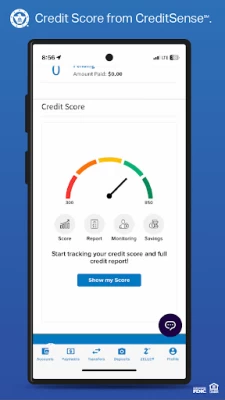
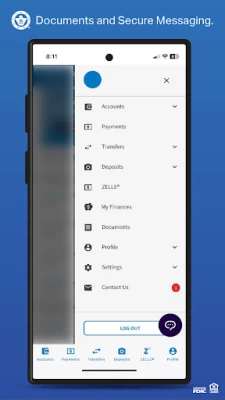
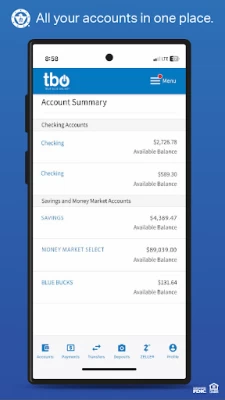
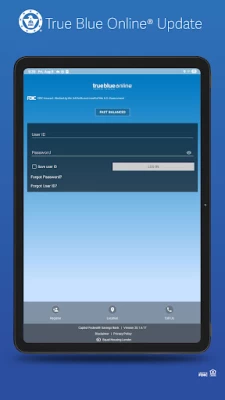
More About Capitol Federal® Mobile
- Enroll in True Blue Online® banking directly from your device.
- Check your account balances and search recent transactions.
- Easily transfer between your CapFed® accounts.
-Schedule payments or add and edit payee information.
- Deposit checks from your mobile device.
- Find nearby Branches and ATMs.
For Customer Service, call 1-888-8CAPFED.
Member FDIC, Equal Housing Lender.
Latest Version
25.1.6
November 10, 2025
Capitol Federal®
Finance
Android
20,237
Free
com.capfedmobile.bank
Report a Problem
User Reviews

Chris Golledge
1 month ago
Makes banking pretty easy.

christian
3 months ago
It's a coin flip if the app will let you log in. There's always an error.

Valley Scharping
4 months ago
the app has crapped out. i have to uninstall and reinstall every time to log in. i get an error message that wont let me log in every time if I dont

Terri Lynn Barnett
5 months ago
There are many features that simplify the banking process and make life easier. I have needed to call a few times (3? 4?) to be able to access all the features.

Emily McCulley
6 months ago
Great for on-the-go banking! you can easily transfer money, deposit checks, etc. Very useful!

collin pritzel
1 month ago
easy to use. Really like the mobile check deposite feature

Daphne Estelle
5 months ago
App will only let me log in once then after that, it keeps giving me error messages. It won't remember my log in credentials either. I have to uninstall then reinstall the app to get it to work. Please fix this. The app worked fine before this last update.

Deborah Yvonne StClair-Vasquez
2 months ago
I love banking with CapFed. their app is easy to use and when banking inside everyone is always very helpful and friendly.

Justin
6 months ago
Edit - Things have improved. App is in a much better state. They reworked the app, and it still has the same old problems! 1) Not remembering my user id 2) Not recognizing my fingerprint credential 3) Infinitely loading when manually entering credientials I cannot access my account from the mobile app, but i can get in just fine from the website. How is this still happening...

Sam Lee
5 months ago
The back button does not work on Android. It looks unorganized and cluttered. The abbreviations make it confusing. Why would I sign up for something that shares my data? It is insanely slow for an app. I feel like I'm in Windows 98. It also appears there is a location for future ads...

C Jack
1 month ago
If I check save user ID button it won't log in and gives an error message saying call support. Call support and they tell me i don't know how to type in my passwor. If I don't check save user ID i can log in just fine but have to type user ID every time to log in. Just got off the phone with support and they said they are not aware of this issue?

Sandra Dickison
2 years ago
Could not read any of the things I needed to agree to because the words on the left were off the phone screen. I clicked I Agee only bec ause I wanted to view my recent transactions. Although having a balance next to each transaction is OK. You can now only view a couple of transactions at a time. Much prefer the previous app transactions view. Plus agree with most others negative comments. Disappointed. Sure hope app truly is more secure. I really appreciate the people in the local branches!

Lee Jones, II
2 years ago
The New App to use after August 7, 2023 is INEFFICIENT and Frustrating!!! Can't access account info efficiently without having to wait. Reminds me when you're watching a movie and it continues to BUFFER! Very Annoying!!! Most times having to log all the way out and get back in to see detailed transactions. Additionally the app shows advertisements like credit score info, cartoon pics, etc. I want to see my account info Only, nothing more!!! Very Disappointed!!!

Sarah Bengtson
5 months ago
Ever since I updated the software on my phone, I have not been able to log into the app either at all or once every few days. I have uninstalled and reinstalled multiple times for it to work once after doing that and then not being able to log in the next day. The CapFed app is up to date. I haven't seen any other reviews specifically talking about this issue recently so if anyone else is dealing with this, it would be much appreciated if this issue could be fixed.

Laura Garinger
2 years ago
Won't let me access the app because it "doesn't support debugging", whatever that means. I just want to see my balance. Edit 3 days later: I brought this issue to the attention of the devs and was completely blown off because "we haven't heard of this error from anyone else" how many people have to be locked out of the app before this is addressed??

Ken Godwin
1 year ago
The mobile deposit feature does not work. I gave up after 10 tries resulting a "can't read the numbers at the bottom" error. I tried using dark and light backgrounds, covered the flash, natural light with no success. The routing and account numbers are CLEARLY legible in all photos, but the app's photo sharpening actually worsens the image (you can see it happen). I now have a check endorsed per the instructions as "CapFed Mobile Deposit Only" that I fear cannot be deposited it elsewhere.

Abigail Davis
4 months ago
Lately, I have barely been able to login using the mobile app. I thought it was just my phone because it was 4 years old, but I purchased a brand new phone and this is still happening. I've Uninstalled and reinstalled multiple times, and contacted customer service who claim it's a connection issue. This needs to be fixed asap!

Sarah Hopefully
4 months ago
It's so frustrating that when you use the app to pay bills, when you click on a payee to schedule the payment it gradually zooms in until you can no longer click the calendar to choose the pay date but instead have to type it in manually. You also can't scroll to the right to see the things that have moved off screen. Not sure why it does this and it is only fixed by closing and re-opening the app.

Alan S.
2 months ago
On this new version of the app, I can only view account transactions for the last 30 days. I cannot find any control or setting that allows me to see several months back like I am accustomed to doing using the old version. Other than that I haven't had any problems yet but the 30 day history thing is a huge problem. Almost enough to change banks idk.

Morris Turing
2 months ago
Abysmal first experience. Thought I entered my password wrong because it asked me to set up a new account- Wouldn't let me paste my password from my password manager. Turns out I had to set up a new account anyways and couldn't just use the old one. I had to set up everything from ground zero, all my security settings, everything. Absolutely infuriating when I needed to check my bank account ASAP for a purchase and instead spent 10 minutes just trying to log in. Why did we need a new app?!









