
DroidJoy: Gamepad Joystick
November 11, 2025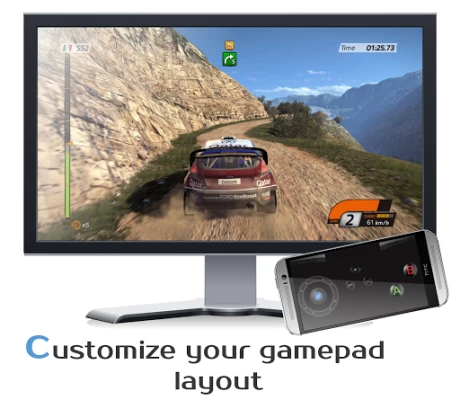
More About DroidJoy: Gamepad Joystick
*Server supports now XInput and DInput emulation*
*DroidJoy server 2.0.1. works on Windows 7 and above*
Before installing the app
1. Download the DroidJoy server software from https://grill2010.github.io/droidJoy.html#download
2. Install and start the server on your PC (If you have any problems, don't hesitate to contact me)
3. Be sure that your server and your Smartphone are in the same network. If you intend to use Bluetooth, be sure your PC is set to visible.
4. Start the DroidJoy app. Navigate to the "Connect" window and click "Search server".
Windows 10 1903 problem:
DInput is no longer supported in the server version 2.1.0. If you still need to use DInput you must use the DroidJoy server version 2.0.4 and you must have installed an older Windows version than Windows 10 build 1903.
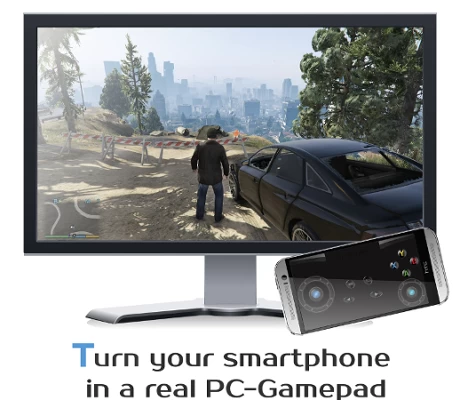
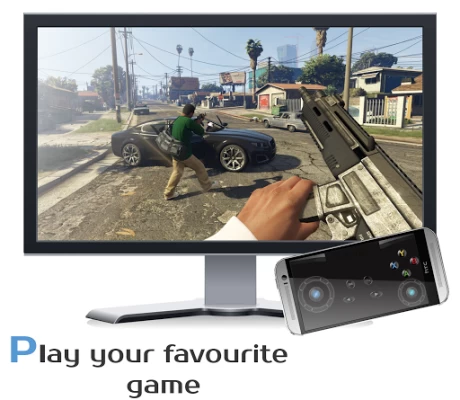
With DroidJoy you can use your Android Smartphone as PC Joystick / Controller. Almost every game is supported due DInput and XInput emulation. Play games like GTA V, Call of Duty, Need for Speed, Sonic Mania, GTA San Andreas, Counter Strike and many more.
If you have any problems with the installation of the server, don't hesitate to contact me. I will reply as soon as possible.
!Be sure the DroidJoy server is running when you start your game or emulator. The game may not recognize gamepads which are plugged in during its runtime. In this case, simply restart your game!
For further information, please have a look at
General information
• https://github.com/grill2010/DroidJoy_Server/wiki
FAQ
• https://github.com/grill2010/DroidJoy_Server/wiki/FAQ
Server Tutorial
• https://github.com/grill2010/DroidJoy_Server/wiki/DroidJoy-Server-Tutorial
How to install the DroidJoy server
• https://youtu.be/jCHxhcYih1Y
Description
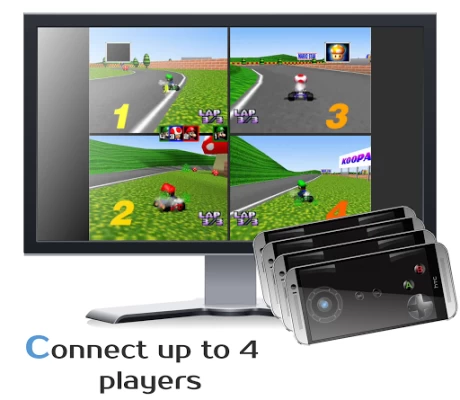
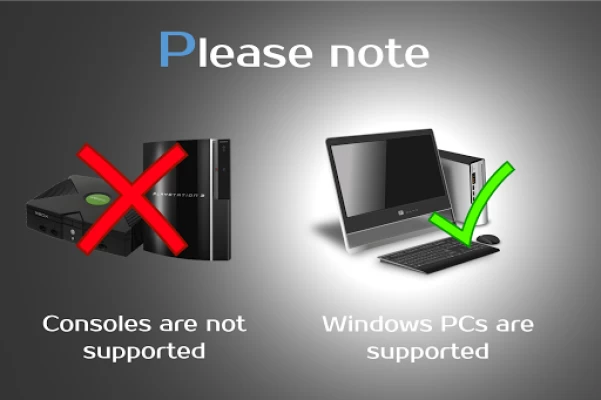
DroidJoy turns your Android Smartphone in a real gamepad device for your Windows PC. It offers many controller configuration possibilities, so that you can use it for multiple game genres. DroidJoy is not a simple Keyboard Mouse emulator, it is a real gamepad. The driver and the server are available for Windows 7 and above. The server can handle up to 4 DroidJoy Clients so that you can easily play multiplayer games with your friends by using only your Smartphones.
All you need is the DroidJoy server software, which you can download from the official website for free:
https://grill2010.github.io/droidJoy.html#download
If you receive some warnings from Windows or your Firewall, please don't worry.
The server has been tested on Windows Windows 7, Windows 8, Windows 8.1 and Windows 10. If you have any problems with the installation of the server please feel free to contact me at f.grill160@gmail.com.
Requirements
- Running DroidJoy server on your PC
- Android version 5.0 (Lollipop) or higher
Version 2.0
- Real gamepad emulation
* Multi Client support
* Up to 14 Buttons
* G-Sensor support
* Buttons, volume keys, d-pad, left/ right joystick
* Use WiFi or Bluetooth connection
- X-Box 360 controller emulation with native XInput driver
- Gamepad layout configuration
* Customization of template layouts
- Easy connection Setup
Information
- If you want to connect more than one Smartphone with your PC, you have to configure the same amount of virtual gamepads in the server application.
Note: It can have several reasons if your game doesn't recognize the virtual gamepad as input device. Some new games just support X-Box gamepads and won't work with DInput gamepads. Please try the free lite version before purchasing the full version.
Latest Version
November 11, 2025
Stream Game Dev
Tools
Android
12,782
$3.49
com.grill.droidjoy
Report a Problem
User Reviews

A Google user
5 years ago
Good app accept the AYXB button cant be place sperat from each other. There r only four options u can only just use one big A button or just AB button or all 4 button. If possible please add the the ability to place those 4(XYBA) button separately anywhere on the screen or put one more button layout like the one you have with AB,XY,ZC accept with just AB,XY. Just 4 button instead of 6 as ZC doesn't seem to work.

Andy B.
4 years ago
Works, but only supports touchscreen and gyro, no support for physical gamepads that you insert your phone into. Would of been perfect if i could of used my mobile type-c gamesir x2 gamepad but you can only move withing the apps menus using it, which shows the app can see the controller, just will not map it when in gamepad mode.

Jasper Galvin
5 years ago
Working really well for me. It has all the options I need. Only things that would improve it for me is a server that works with raspberry pi, and the option to set the phone volume buttons mapped to control buttons.

Glenn Wensley-Greaves
1 year ago
This is a great app. Up and running in mere seconds. It takes longer to download than set up. The fact it is customisable and and affordable makes it a true winner. 5 stars all the way.
A Google user
6 years ago
Perfect, emulates analog input properly. A bit of lag though that is to be expected. Using this for Elite Dangerous to supplement the mouse and keyboard for when delicate lateral/vertical thrust is required.

TheAtom
4 years ago
COMPLETELY USELESS! It could not connect to my PC no matter what I tried or what connection method I used not even bluetooth when my phone was clearly connected to my PC. They also expect you to install a server program on your PC that almost does try to install something that seems suspisious before the setup is complete. Also on the website they are not clear about which server program you need & there are at least 8 versions(both US & UK) & its not clear on which one you'll need.

Argha Mandal
1 year ago
Such a great app and far far better than the other gamepad apps! It provides seamless connection between PC and Android with customizable buttons. Please add gyroscope support if you can that would take the experience to next level 🙂🤌

Chukwumaeziokwu Emejulu
4 years ago
A developer who loves his creation! In addition to this being the best of such apps I've come across so far, I'm also impressed with the developer's commitment to consumer satisfaction and responsiveness. Like some others, I initially thought all the positive ratings looked off and strange but after trying the lite version I just had to go pro ! 😂 Kudos to the developer. The app is worth the cost. Runs smoothly and I can customize to suit my preference.

Dominik Badel
5 years ago
Great app, but when using accelerometer there is no way to calibrate it, meaning that its resting position is always flat, and playing anything holding the phone flat is quite difficult. Its a pretty important feature for any racing game to get fine tuned input.

Thaung Than Han
4 years ago
I love it so much! It made my dreams come true. I've always wanted a console for gaming. This is the perfect controller app since all the key mappings and auto xinput work quite awesome. And it works online too. Thanks to who developed this. May your life be blessed.

Traveler VII
3 years ago
My current dedicated Bluetooth gamepad only works with my Android devices, but not my Windows 10 laptop. DroidJoy solved this problem as it worked immediately after setup and was very easy to customize. A worthwhile purchase. Please keep up the excellent work!

Solomon Roller
4 years ago
Amazing app! I am over the moon that you can make your own customized controller and calibrate each item to fit the game being played. Using the accelerometer on the phone basically gives you a steering wheel for your racing games on the computer. I recommend this to everyone!

Mirza Golos
5 years ago
The best android gamepad out on playstore. Keep up the good work! Everything works brilliantly, however controls sometimes freeze (if i go forward for example for one second approximately I can't do anything else or stop), but bluetooth connection solves the problem :)

Amadei Šaršanski
2 months ago
A great app, only downsides being: 1- no slider type buttons (minor as can be mitigated with stick settings) 2- No zero-point calibration fkr the accelerometer! This second part makes it mostly useless for flight games sadly.
A Google user
6 years ago
This app works as described. This developer has put in extra time to provide documentation and a walkthrough. Additionally, they use github, the Windows 10 driver is signed properly, the app looks great, and above all else... it works and is detected by Windows 10 as a proper gamepad! Awesome job. To those people who have given 1 star because you need tech support, ask for help before you give a bad rating. This is a great app!
A Google user
6 years ago
Good app with great dev support. I've listed the main reasons why in the lite version. Also, to further enhance your experience, make some r1/l1 triggers (for the lack of a better term) then insert it in the top corners of your phone. This way, you can basically turn yout phone into a nearly accurate controller.

Vares
4 years ago
This is a great app! I was on the search for something like a keyboard script that toggles the movement keys to be able to give "slower" input for video game movement speeds. I was close to buying an actual controller but for such a small gimic this does even better! Thank you a lot! Hope you doing good out there ^^

Phillip Braden
2 years ago
Couldn't get it working even after going through the owner's site and the only video tutorial I found wasn't able to explain why it wasn't connecting to the app on my computer either. The video shows it working and the app maker offers to help by email, but I don't have any more time to spend on this app I paid for.

Alicia Jimenes
3 years ago
This works well and set up was a little bit of work, but eventually we figured it out. I used the lite version for a few hours to be sure that it would work with the games we wanted to play, and I ended up buying it. Worth the few bucks to be able to use my tablet and phone to play on PC with multiple people versus having to buy more controllers.

Linh Pham
1 month ago
I set it up today and it was working for about 30 mins, then the app just randomly become unresponsive and responsive again multiple times. I checked the connection and it looked fine. We wasted a lot of time trying to troubleshoot but can't do anything









