

KeyBank Mobile Banking
July 16, 2024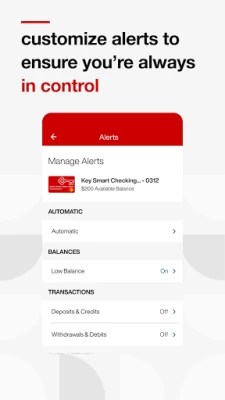
More About KeyBank Mobile Banking
● Pay bills
● Send money to friends and family
● Open a checking or savings account
● Deposit checks on the app
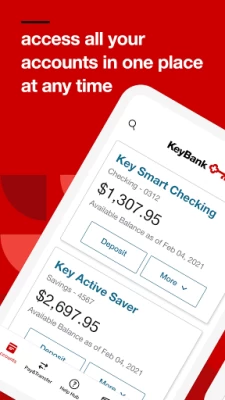
● Monitor and manage bank accounts and cards
● View KeyBank credit card rewards points
Safe and Secure Online Banking
Confidently use the KeyBank mobile banking app without compromising your personal banking information. It’s backed with a multitude of safety and security features, including:
● Same high-level security used for KeyBank Online Banking
● User ID and password required to access banking app†
● Secure connection to view banking account and transaction details
● No banking information is stored on your Android™ device to minimize risk if your mobile phone or tablet is lost or stolen
Convenient Banking on the Go
Easily manage your personal finances when and where it’s most convenient for you and your schedule. With the KeyBank mobile banking app, you can:
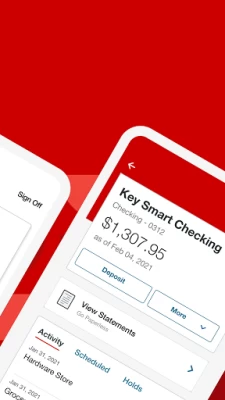
● View account balances and recent transactions with one swipe using QuickView
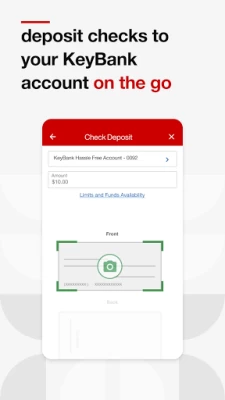
● Deposit checks right from your mobile device without having to visit a KeyBank branch or ATM
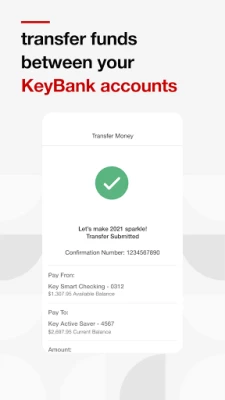
● Transfer funds between your KeyBank checking and savings accounts
● Open an account right from your mobile device
● Search and view your banking transaction history for the last 90 days
● Access your KeyBank account statements and tax forms
● Review and manage scheduled Online Bill Pay payments and transfers
● Send money to existing payees and add new payees
● Search for KeyBank branch and ATM locations
Personalized Mobile Banking Settings
Customize your in-app experience for your unique needs and preferences with account settings and seamless access to the KeyBank features and products you use:
● Add a profile picture
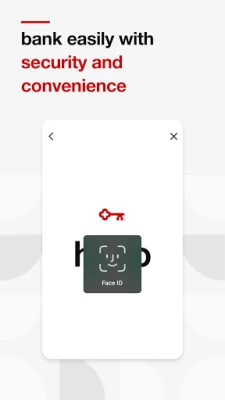
● Set up fingerprint or face ID sign in capabilities
● Manage and edit account alerts
● Access your credit card Reward Points balance
Connect with KeyBank
Please call 1-800-539-1539 if you have questions about the mobile banking app or need additional help or support.
Follow KeyBank on social media:
● Twitter: twitter.com/keybank
● Facebook: facebook.com/keybank
● LinkedIn: linkedin.com/company/keybank/
● YouTube: youtube.com/user/keybankcommunity/
● Instagram: instagram.com/keybank/
Important Disclosures
† Anyone can download, but you must be enrolled in KeyBank Online Banking to use the app.
Android™ is a trademark of Google Inc. Use of this trademark is subject to Google permissions.
©2024 KeyCorp. Member FDIC.
Latest Version
4.4.81
July 16, 2024
KeyBank, N.A.
Finance
Android
2,240,726
Free
com.key.android
Report a Problem
User Reviews

Kestrel
4 years ago
It is constantly freezing and doesn't open up ...it says Hello, goes to next screen and stops. It does not make it to the Log In screen UPDATE- The app only allows me to use it once maybe twice without issue then I have to Uninstall, Install, and Restart. This is ridiculous!! I do check updates every couple of days so that isn't the problem either. Still a TERRIBLE App.....still 1 star.

Rachel Travis
5 years ago
I've had KeyBank since I got my 1st paycheck. The app was amazing when it was first released and it was very helpful. But now, this year in particular, it updates every other week and I have to delete so many things just for an update that makes it more difficult than the last one two weeks ago. Now, I can't change/stop my automatic transfer from one account to the other, I have to go deep into the app to see more than 5 transactions, and it kicks me off after so much time spent in it.

A Google user
6 years ago
get rid of the banner ad for stuff in the middle of the page. nobody has ever in the history of the internet wanted banner ads. ever. completely annoying. also, the app is setup a bit wonkey. its functional but somehwat difficult to understand whats actually pending and whats been taken out of the account. a bit of clarity on those deposit and withdrawals would help. all in all, not bad. but could definately be improved.
A Google user
6 years ago
Have had nothing but horrible experiences with this app. New updates are fixing some issues but I swear they only create more issues as well. I have had password problems repeatedly even double checking triple checking what I type still says invalid and you get the account locked after like 3 or 4 tries it seems then you have to call tech support. (Tech support is awesome one of the only things that deserves 5 stars) I have had the app off and on for two years plus the problems keep me from it.

Thomas Downie
4 years ago
When it works, it does what I need. Check balance, transfers, mobile deposit. But more often than not, I open it and get a Connectivity Lost message. Probably 70% of the time. Even though I can see my balance, etc behind the message. And I'm on WiFi and having 0 connectivity issues with other apps. So that makes it barely usable and leaves me cursing Key Banks name.

Scott B
4 years ago
App is completely broken. Just get a giant "connectivity lost" message that covers the whole screen, but can still log in and see my balance under it but cannot interact with anything. Even uninstalled and reinstalled. Also, takes days sometimes to see balance changes. All my other CC apps are instantaneous but the most important account, my bank account, isn't.

Das L
4 years ago
Edit: I found check images. App is also constantly updating to add new features and make more user friendly. i don't like app. i switched to keyBank bec of convenience but app is Not convenient. some features will not always work, like mobile deposits and viewing certain items. And you can't see deposited check images! this is definitely something i would suggest adding. i was getting charged for paper statements but it took me about an hour to find the option to switch to online statements.
A Google user
5 years ago
The check deposit function is glitchy. I've been trying all day to deposit rent and it just sits on the confirmation screen no matter how many times you tap the button to deposit the check. No errors, no messages, no way to go back or forwards in the process but kill the app and walk downtown to an ATM. I'm switching to a credit union. Edit 2/7/2020: as of the most recent update, the login button no longer works. You tap it and it blinks, but it won't log you in. Doesn't give you any error.

Jack Mcwhackass
2 years ago
In it's current state it's getting unusable. I've used it for about a year now and have dealt with minor bugs in the app, to the app crashing or freezing, and as of writing this the app is completely down for the second time in 2 days, a long with the website sign in. I love keybank, the customer service is second to none, but im glad I've started moving money away from those accounts.
A Google user
6 years ago
Not much good when you keep getting system errors. I should not have updated the app. It is not a network data issue if I can watch videos before and after attempting to log in. update. still not impressed. can't trust that the balance is correct. App said I had plenty of money in the account but wound up getting charged for an overdraft. Also there is no running balance. my OnPoint app balances show instant transactions, even let's me list what each transaction is and what it is for.

Mitch V
5 years ago
App crashes when using check deposit. If you are successful in taking a picture of the front of check and save the image, then while taking picture of the back the app crashes usually after saying "move closer" several times even though the image is clear and centered. Very frustrating. Should have manual picture mode as default. The crashing just started happening. I even tried rebooting the phone...no luck.

AnOkAlias
4 years ago
Doesn't always connect to the servers. Plus, when there's an update, you can't use it until after you've updated the app. I just want to check my balance and recent account activity. Plus, I (unfortunately) dropped my phone or something and the SD card is corrupted and I CAN'T update the app any more. But, I still want to check my balance and recent account activity. Thanks for such a user friendly and functional, member experience. 👎💩

Caroline Lawrence
5 years ago
The mobile app often opens and freezes the app with an overlay message that there are connectivity issues. However I can get into the web site without problem. The only way to clear the message from the app is to restart my phone. Also the fingerprint sign on is very twitchy. It is the only app I can't get to recognize my fingerprint. So that's useless. This was a good app, but whatever has happened to it in the last 6 months hasn't all been good. Like the new sign on boxes.

Cale Price III
3 years ago
App has been great for many years, then all of a sudden a couple months ago the finger print sign on started having issues. My phone is up to date, the app is up to date, and I have no issues at all with my finger print unlock in any other app. But I have to uninstall and reinstall the key bank app about once a week, to get the biometrics working for the app again. It's really getting old. Can we please get this problem fixed.
A Google user
6 years ago
Absolute worst bank to rely on if you're traveling overseas! I had to call more than 5 times, sometimes multiple times in a single day, spending hours, asking them to please stop freezing my account! They never did! Entire days of my trip got wasted because i was not able to get cash. Luckily i was able to PayPal friends and do cardless withdraw. Then they add a feature to the app they claim was as a result of feedback I gave that allows you to add travel notes from the app. It doesn't work!!
A Google user
7 years ago
With the update to Oreo on my V20, the Keybank app is constantly causing a "The Keybank app has stopped working" popup on my phone. This happens when I don't even have the app open. I have uninstalled and reinstalled multiple times. It will stop happening for a while, but then starts happening again in a few days. Once reinstalled, there are also frustrating loops in getting it set up again. For example, when I enable fingerprint ID, it always asks to set it up again next time the app is open. These problems have been ongoing, and it does not appear that Key is super-motivated to get them fixed.
A Google user
5 years ago
Update: Got a new phone and everything works fine. :) This would be great if it worked all the time. Can't take pics of checks to deposit. Keeps taking front image over and over again. Like the set up of accounts. Update: still won't work with deposit taking photos. when I take a picture of the front of the check it just keeps repeating itself and I can't get anywhere with it. need to still try turning off wifi. I have reinstalled multiple times on my android and my fire tablet. same issue.

Tery Steelman
1 year ago
The deposit function is buggy as hell. Three out of four times it will tell me my deposit amount is invalid, and/or not accept the front photo of the check. If it *does* take it -- after a few tries -- it bails and restarts the app. I have been having the same issues for over a year now, explaining via phone, online and at the branch. I have to go to my local branch to deposit checks. Please FIX THIS!!

Joy Richardson
1 year ago
Over 5 yrs, this has been a clean, simple app. Just in past month I've had the same issues posted by others: Freezing, stopping, can't sign in-says "unable to use try back later". Also, I've never had issued with fingerprint on any apps-this past month fingerprint has been glitchy. I had to go online & make a password. AND...not getting all alerts signed up for since a month ago (alerts only when card is used, not when items post to account). Please fix these issues! This is my 'go to' app!

Frederick Peters
1 year ago
6.14 didn't fix old problems Followed the instructions below. Type in 2fa and app goes back to first login page (name&password) deleting app. App is the worst. Brick & mortar and online banking is good. App is not good. App is way slower than any other banking or credit card app. Other apps let you switch to another app for 2 - 3 min. and back without a problem. The Key Bank app goes back to the login page if you leave the app for a second. My "FIX?" Delete/uninstall the app and use the browser.









