

Squircle CE - Code Editor
November 14, 2025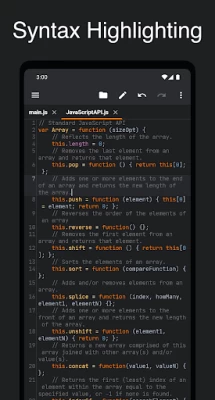
More About Squircle CE - Code Editor
• Multi-language Support
Code in 30+ languages: Java, Kotlin, Python, C/C++, HTML, JavaScript, TypeScript, PHP, Rust, Go, and more.
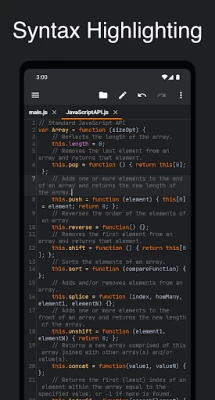
• Syntax Highlighting
Clean and colorful syntax highlighting helps you understand your code at a glance.
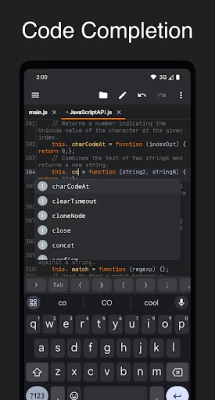
• Code Completion
Speed up coding with smart suggestions for variables, functions, and keywords based on your file content.
• Git Integration
Version control your code directly in the editor. Commit, push, pull, and manage branches with ease.
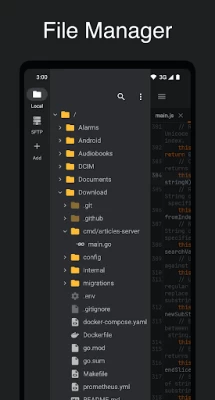
• File Manager
Manage files locally or remotely with SFTP/FTP(S) support - you don't need any other file managing app.
• Cross-session Editing
Never lose your work — all changes are saved automatically, so you can pick up right where you left off.
• Unlimited Undo/Redo
Correct mistakes easily with unlimited undo and redo, even after restarting the app.
• Bracket Matching
Quickly understand code structure with automatic highlighting of matching brackets (), [], and {}.
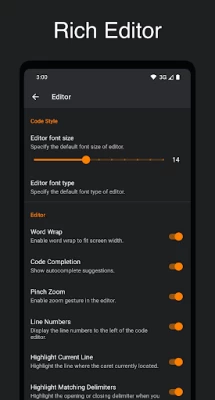
• Code Style
Write cleaner code with automatic indentation and smart closing of brackets, braces, and quotes.
• Advanced Editing Tools
Easily select, delete, or duplicate lines with convenient editing options.
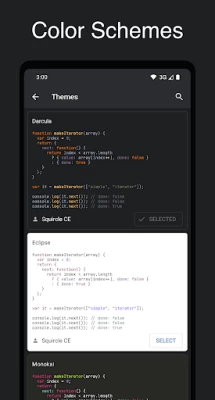
• Color Schemes
Choose from a variety of themes that match your preferred coding environment.
• Open Source
Explore and contribute: https://github.com/massivemadness/Squircle-CE
Latest Version
2025.1.3
November 14, 2025
blacksquircle.
IT Tools
Android
51,150
Free
com.blacksquircle.ui
Report a Problem
User Reviews

S D
2 years ago
I have tried a few editors but so far this one is the most helpful. I can zoom the code which is great for me and made coding so much easier. A few hiccups but I am very pleased with the use so far.

Jan Banas
2 years ago
At first it look exactly like what i needed, but it adds extra emlty line uder all lines when i just alt tab from opened document (plain text saved in xxl - it's just txt with different extension) - so from 25 line file it's 50 line just because i tabbed to picture (to check some notes) and tabbed right back.

kianoosh Azarvandi
1 year ago
The app is great and It would be great if there was a "reading mode" which we can turn on and off to prevent keyboard and text edition option from popping up, each time I touch the screen while reviewing the code I wrote.

Роман Канайкин
2 years ago
Indents are very Important in Python. So, this code editor doesn't add indents after ":" automatically and continues adding indents after "return ..." in functions. It is annoying when you need to add and remove indents manually after getting an error about indenting from interpreter. Also app crashes without any errors when attempting to create new file

Ada Wong
3 years ago
Displays open documents in individual "tabs" across the top of the screen. Sane (non-mobile) file and folder management. The file tree etc. looks like a file tree. Files actions have well grouped set of options (Save, Save As, etc.).

Zade Danielle Iconio
1 year ago
Overall great app. but thers is one basic function that won't work properly. when i scroll to left (the wrap text was off) to check the rightmost part of my code, it scrolls but the editor thinks i clicked the next line so it goes back to leftmost part of the editor. pls fix it 🥺

Hoàng Dương Quang Ngọc Phụng
7 months ago
An error occurred /: open failed: EACCES (Permission denied) now go away. Now I can edit the EACCES but I when I add some character and save, it work, but when I delete text on that file and save it still apper. Another normal access file can save the file that I have deleted something in the file. the problem still not have fix

Roke Beedell (RokeJulianLockhart)
2 years ago
Adequately powerful, but slightly unintuitive because it does not appear to support wrtiting to memory without creating a file previously, and attempts to unnecessarily duplicate functionality that is better provided by the OS. For instance, it doesn't use com.android.documentsui's file picker interface, thereby preventing it accessing files in remote repositories inadherent to FTP(S) (which must be manually added anyway) such as OneDrive and Google Drive, or even external local storage devices.

Smelya Layter
2 years ago
Looks good, but there's one, singular thing that makes this editor unusable for me. There is no planning feature. Usually, you can drag around on empty space in editors to pan over to other parts (most importantly, panning to the right to check/work on very long lines). This editor is only able to navigate by dragging the cursor around, i.e. all the way to the edge of the screen, but only on a line that has text off screen. If you move lines, the view changes. And no, I will not use word wrap

niobe trinity
2 years ago
Appreciate the work the dev is doing. Simple file explorer that works and has correct access permissions. Multiple color schemes and fonts, both which have examples so you can see what you are choosing. Syntax highlight for the languages I code. Doesn't have all the features I need so not my primary editor.

Ömer Faruk Çelik
1 year ago
I love the app, it is so fast and quick responded. I only need one thing please add this. I have been using this app for months for projects translation jobs and my homeworks. So i write a lot but as i can see that there is no spell checker feature or button to activate. I would love to have that for English and Turkish language. Because i need it really. Hopefully u can help me ~

Will Psillas
2 months ago
bug found? I'm fairly sure did the UI element for git clone occupies the space that is supposed to be the paste button for remote directory.. so, you can't paste to the remote. but actually, it's a very nice app other than that- ui, size, and functions are sound! color schemes, etc, bueno!

Artem Zvyagin
4 months ago
Finally, I have found the editor for Android that has all I need. It is free and open source (no ads), it is customizable (fonts, themes, editor options), it is very comfortable to use. It can open files from remote servers. I wish all the best to the author of this great app.

Karol Kijowski
4 weeks ago
This is a great app for code editing. It is very customisable. However, I encountered one annoying problem where, for some reason, when I stopped typing for a couple seconds, it would move where I was looking to the start of the last line. Other than this, the app is flawless.

Candra Sniper
3 years ago
This is a good clean code editor. Even though, it's only can access local storage. It's good, related to appreciate user privacy. Feel confuse related to the error checking can't run for cpp or ino. And maybe auto identifier should be added as a good feature (editor could recognize the type of syntax by its extension file). Hopefully, it will add other language lib (php, etc). Keep it free and no ads, bro. It's light and suitable for making code notes.

Justin Gunn
2 years ago
Great text (code) Editor. It's always inspiring to find well made free (inc. no ads) apps like this; it's better than the ones that are pay-wall'ed through Google's Play Pass. One random suggestion: having a couple of extra slots for recently used colours in the style editor would make it a bit easier to reuse them. Thank you.

LuIu5239
6 months ago
There were nice visual improvements, but the app became much slower in my 1 MB scripts since the recent update; typing a special character (like ]) when there already is that special character doesn't replace the special character anymore; finding search results became slower because it doesn't directly search while typing; auto-complete suggestions' size doesn't adapt to font size; keyboard's auto-complete doesn't work if there is a word next in the text we edit. I now use the previous version.

Szabolcs Szász
2 years ago
Couldn't really use it, as it fails to create any files from its file explorer, for some obscure reason! :-o Storage perm. granted, vanilla "Documents" folder (or same with "Downloads"), default "untitled.txt" (or any other nam/ext. I tried): "Invalid filename"... (Android 10 here.) Other apps could of course write anything there just fine. This app can at least open those created by them, and then Save works, too. Looks like a promising, pleasant app, once some quirks get ironed out.

Dmitri Samo
2 months ago
i was thinking, such an awesome app and only 10k downloads and no reviews, but yeah, i know why. You cannot save anything from the phone, it has ctrl+s but the phone keyboard doesn't have the ctrl. No other options to save it, auto save saves to some cache and doesn't save the file peer se, awesome piece of tool but useless, otherwise would've given it 5 stars

Gargamel M
2 years ago
Nice enough look. REALLY WISH there was code folding, like in Notepad++. Panning around can be a little cumbersome. The app's file browser on the left-hand side, under the 3 bars: cannot navigate to or see my SD card; only my 'Local Storage.' I have to use a different file browser to select my file and then select 'Open with' and choose to open it with Squircle.









