

UKG Dimensions
June 17, 2024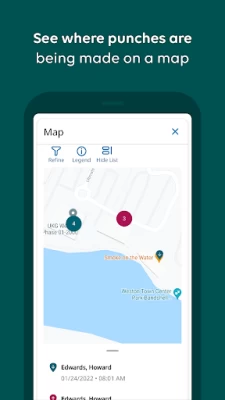
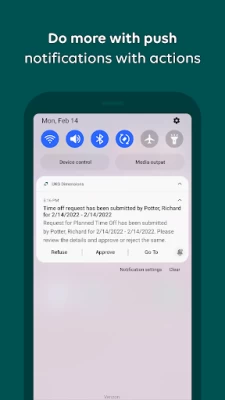
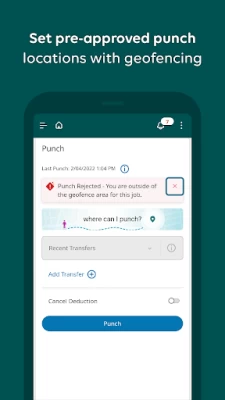
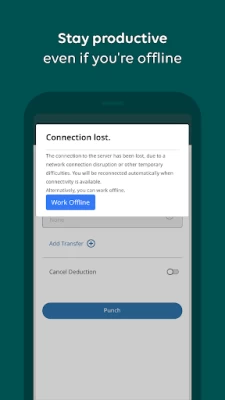
More About UKG Dimensions
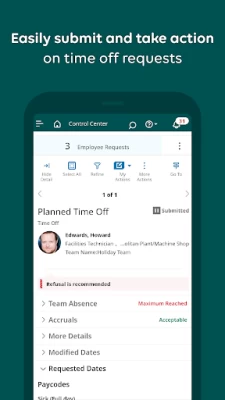
Are you a manager? Manage on the fly — stay productive while also being there for your people. Take care of exceptions as they happen with real-time alerts and notifications. Quickly flex schedules to accommodate employee requests. With a glance, gain insight into team productivity and inspire their best.
Gain real-time UKG Dimensions access right from your mobile phone and get connected today.
Need help getting started? Check out our simple guide for employees and managers! https://community.kronos.com/s/wfd-mobile?language=en_US#Emp
Latest Version
2.07.00.0027
June 17, 2024
Kronos Incorporated
Finance
Android
1,974,850
Free
com.kronos.dimensions.enterprise
Report a Problem
User Reviews

Julie Johnson
1 year ago
Horrible app. Deserves no stars. Internal server error. Worthless. Your new update made it so much worse. You took away the function of seeing your calendar showing what days you work, you have to click on every individual day to see your schedule. This app is the worst. All of a sudden I went to log into today and it is in 2 step verification mode, and I need to put in a pin number. I don't have a pin number so I can't log in. What the hell?????????

Michael Perez
1 year ago
The app kicks me off of the main info page with clock in, time off options, etc. tiles back to the login page where it will sit and only display a circular loading icon for infinity time. This happens every time I leave the app or let the screen shut off. That means every time I want to clock in or out, I have to restart my phone and immediately go to the app and punch in or out. The app seems to work other than that, however.

L
1 year ago
very repetitive setup that is not user friendly even for someone used to using employee applications like this. slow loading times. design is poor. the biggest issue is an obvious one. a schedule should be shown in the form of a CALENDER. the current schedule setup is in a list form, which is both tedious, confusing, inefficient, frustrating and slow. applications like this should help employees streamline the viewing of their necessary information and the current setup does not provide that.

Cristian Orrego
1 year ago
Works well to record punches and see and request modification of schedules. The adjustments options via the GUI needs better labeling. Dots, circles, squares, all used on the same card, it's confusing. Some options are not accessible so why even show them. Recently, as of late May 2024, there is a big 👁️ icon overlaying the log in screen. It's creeping me out.

Sir Isley
1 year ago
My workplace uses this app but this app never works when I need it to. Typical scenario: opens app to check schedule, app continuously spins, never stops spinning so cannot fully "load" the login screen. Closing and reopening does nothing. App sometimes does work but even when it does, it times you out in an instant. I navigate away to set my alarms and I have to relog. I now navigate to my schedule via Google's chrome browser. Useless? Just about.

SDP
1 year ago
Update: Issue never was fixed. Still cannot punch in on this app, despite others with basically identical phones being able to do so. Possibly the worst app/company on Google Play. "Punch in" button disappeared (again) and now so has the icon at the bottom of the home screen to access settings to bring it back. Can no longer use it to clock in and out so basically worthless. Just a big buggy mess that will cause you more frustration than anything. Wish my employer would ditch this company.

Canada is Beautful
1 year ago
At the moment the app is refusing to let me sign out or punch in. When I click the punch button all I get is a white screen. It is only the punch screen as I can still see my schedule even though it slightly freaks out when I do so. I tired logging out but it gives the "Single Logout Failed" which means it isn't letting me sign out. I have turned my phone off and on, closed out of the app, and I have cleared the Cache. It was working buggy but fine yesterday. Android Phone.

Joe Renfro
1 year ago
The login process is atrocious. Often times I have to enter my credentials 3 or 4 times to check my schedule. And if I have the audacity to want to look at another app, like say the calander on my OWN phone, I'm automatically logged out and have to go through the super irritating process again. This is a normal experience with my coworkers too.

Cor
1 year ago
This app is horrible. It forces you to change your password every 2 or 3 months, and then it won't recognize your login information and locks you out. Sometimes, it takes 5 or six attempts over several hours just to get in. It is not compatible with Mac computers and seems to have a serious problem working with them even through a browser. Even while using an Android phone, certain parts of the app consistently will not work or lock up.

Jarod Walker
1 year ago
Awful. The login does not work, it spins on loading infinitely so I have to close and open the app again each time I want to use it. You get 2 punches daily it seems, and if the app glitches then you gotta call HR to fix the punch. Been using it 2 days and already I'd like to go back to pen and paper, as nothing here seems to function correctly. The features seem nice enough, but I think the backend for each company linked to this app is just... Not working as intended. Please fix soon.

Atomix Age
1 year ago
It loads slowly, randomly logs you out and sometimes refuses to allow you to log in. These are not ideal characteristics for an application meant to allow you to easily access information related to your job. I mean, it works sometimes (which is why I gave it two stars instead of one) but if that was at least semi-consistent I probably would have scored this higher. I haven't been able to log in via the app for two days. My employer's browser website still works fine but this is just sad.

BokuShinigami
1 year ago
a large step down in GUI from their last app. viewing your weekly schedule used to be concise and informative .so only one screen shot . this new setup is bloated and takes anywhere from 3 to 5 screen shots to geta single week of information. Edit:the app is very very very slow and buggy. I've also had to one time verify my acount 3 times through my work email(wich I cant use outside of work) wich mean if I'm not at work when this triggers I cant log into see when I work

C.J. DiVito
1 year ago
I don't understand how this has a 4.1 rating with all of the1 star reviews. This app glitches, freezes, and shuts down constantly. I can't ever view anything. When the home screen finally loads I'll try clicking a button and then the screen goes white with three dots in the top right corner and will not load. It's a garbage app that needs to be worked on for it's functionality. What's worse is that this an app for my job so it's messing with people's lives with it's lack of accessibility.

Michael Gerald
1 year ago
Can log in, but then there is just a plain white screen with three menu dots that link back to the tenant url screen. Cleared cached data, checked permissions, and network. I lost count how many times I've opened, closed, uninstalled, and reinstalled this p.o.s. app. Online customer support doesn't offer any solutions, just says "talk to your manager." It's like it was never finished or tested before being released. Bottom line is, it's a completely unusable garbage app.

Court Nerd
1 year ago
Have to close out of the app and reopen it to get it to perform basic functions. It always freezes. It's actually the worse functioning app I've ever had to use. Sucks that it's for work. It randomly signs me out or tells me to start a timer for things when the timer is clearly running at the bottom. I have a Samsung galaxy s 22 ultra. So I know it isn't an issue with my device.

Michael Cobb
1 year ago
Terrible app. It doesn't remember your login information even when you check the box telling it to. It takes minutes, yes, up to 3 minutes at times for the app to open. You can also easily push the wrong button when trying to clock in or out as they are directly next to each other. In fact their should only be one button to clock in and out. Two buttons leave room for confusion and error. It's pretty sad that people are expected to track their time on a faulty app.

Charlie Berge
1 year ago
Only works sometimes on Android. Keeping up with all updates doesn't make a difference. I'll get a plain white, blank screen with 3 little dots in the top right corner. I've tried uninstalling it, restarting my phone, reinstalling it, and restarting my phone again. I've tried using my cellular service and tried using wifi. With the same result. I'll get notifications that my schedule has changed,but the app won't let me check for those changes. Or to even see what my new schedule is. Fix it.

Duncan Egbert
1 year ago
This should NOT have 4 stars. Barely functions. Geolocation won't work no matter what account I'm on. What would work better is if we had a physical device that connected directly to the system. Perhaps make it more simple programming, but add finger print sensors for increased security. Wouldn't require geolocation either as the machine is stationary. It would be more efficient and cause less issues than a slow and sluggish phone application that barely works properly.

Shima Yamagoto
1 year ago
The user interface is not intuitive, nor does it seem to lead very well (no idea if there are differences based on company, version, etc..., so this could be a very isolated experience). The BIG issie is that I have to uninstall and reinstall every so often. This is because sometimea the app will sit on the login screen forever, persisting even through closing the app and/or restarting my phone.

Jordan Fussell
1 year ago
Finding it quite slow and tedious to use. Also everytime I close it for a moment it disconnects and i have to go to offline mode then select reconnect. I should at least be able to select reconnect right away. Update: 05/24 Improvements have been made. It seems more responsive now and im getting less random logouts. I would like to be able to log in faster for when it does log me out though, as clock out time for work is time sensitive and the time it takes can cause payroll issues









