

Arvest Go Mobile Banking
August 08, 2024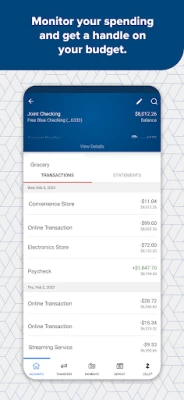
More About Arvest Go Mobile Banking
Arvest Go features include:
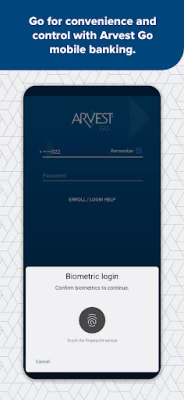
• Log in quickly using one of multiple secure options on your compatible device such as fingerprint and facial recognition or your secure passcode.
• Set up Quick View to see account balances without having to log in
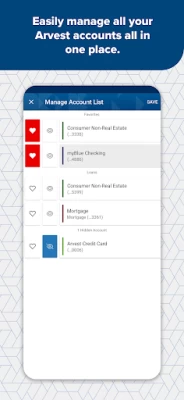
• View all of your accounts together on one screen — banking, credit card or loan balances as well as select investment account balances
• Get Push Notifications to your lock screen for account activity
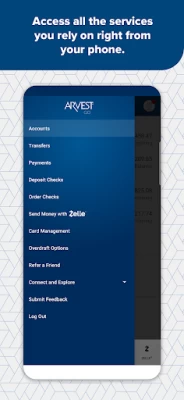
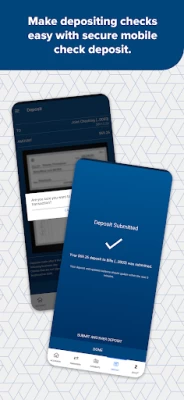
• Schedule and pay bills, transfer funds and deposit checks
• Lock your debit or credit card immediately if you need to. Or unlock it and continue using it right away
• Quickly and easily refer a friend (or more) to open a personal checking account at Arvest.
• Learn about and set up Overdraft Coverage options
• Search through your account transactions
• Send secure messages directly to Arvest Bank
• Set up an appointment to meet with a banker (by phone or at a branch)
• Customize your app with a profile photo and designate favorite accounts
• Open new checking or savings accounts
• Reorder checks conveniently through the app
• Apply for auto or personal loans
• Find the home loan that is right for you
• Select Dark Mode screen option for easier viewing in low light
• View and print eStatements
• Easily find Arvest ATMs and branches
Getting started is simple. Download the app, log in using your Arvest online banking user ID and password and you’re ready to go!
Not enrolled in online banking?
Call us at (866) 952-9523 to get your credentials.
https://www.arvest.com/
Member FDIC
Equal Housing Lender
Zelle® and the Zelle® related marks are wholly owned by Early Warning Services, LLC and are used herein under license. U.S. checking or savings account required to use Zelle®. Transactions between enrolled users typically occur in minutes.
Notes:
Check back often! We regularly enhance Arvest Go with new features.
Latest Version
1.24.0
August 08, 2024
Arvest Bank
Finance
Android
692,021
Free
com.arvest.arvestgo
Report a Problem
User Reviews

Krista Tweed
3 years ago
Same as other recent reviews, I cannot get a check to deposit. It is a printed check (not hand written). The pictures are on a dark background and clear but the app always says there is an issue with the front picture. I shouldn't have to mail a check in or go to a branch to do a deposit. Very disappointing that this is clearly an issue for a lot of people and it has not been fixed. I spoke to customer support. They recommended rotating the check 180 degrees. That didn't change the result.

A Google user
6 years ago
Usually great, but not so much lately. When i run my card and check my balance it will not show the withdrawal on the correct date. Insted it goes back about a month and shows my balance going negative multiple times. It might need an update or something but other than that I love it. Its very convenient.

Amanda Steeley
5 years ago
Looks like I am not the only one having trouble. I have been using the app for a long time now and never had any issues besides for routine maintenance work. Then all of the sudden, it kicks me off right after log in. I keep reporting the problem but never hear back anything about it. As many people complaining, you would think that the problem would be looked into and not telling people that it is their phones.....

Mark Donoway
4 years ago
Please add option to save multiple log in user names. After logging out of one account and back into the other- you have to disable then reenable fingerprint option. It's a minor hassle, but all the same would like it to be a smoother transition when going from my business account to my personal accounts. Thank you, Mark I appreciate your response, the current app is a vast improvement over the previous iteration.

Machinist71
4 years ago
I use this app for both personal and business accounts. It easy to navigate and set up new accounts such as loans and credit cards. Makes it easy to keep an eye on balances and transfer money/make payments when I need to. I have only had a couple occasions where the system was down or not accessible versus the countless times another one of my banking apps has let me down. I would recommend this app to anyone as it does not take much tech savvy to use it.

Kelsy
4 years ago
This app is truly awful. There's no choice on it, but I wish they would fix a few things. When it times out and makes you log in again, an "unexpected error" occurs. I can't log in again until I reinstall it or turn my phone on and off. I've done both things. Another is that you can't actually hide inactive accounts. And yes, I've logged in to the actual website. They're still there. But when I try to hide them, I can't click on the hide button. It's hiding off to the side

Adam Willard
3 years ago
When this app used to work, it was good and simple. For a long time now, the check deposit rarely works and it drives me crazy. I take the picture over and over (with great internet speed, and trying lots of different networks) and then the deposit resets with no check photos (front or back) and with no account selected and no amount input. I do it over and over and nothing changes - always resets. Sometimes on a different day it works, but most days it doesnt. Also, the biometric login sucks.
A Google user
6 years ago
Every since the most recent update, when I try to login using the fingerprint option it opens the iris scan window instead. I finally disabled the fingerprint option. Also, used to when I had notifications enabled, I received almost immediate responses when I used my debit card. Now it doesn't notify you until much later, sometimes the next day. I also disabled the notifications due to the delay.

Amanda Kay
4 years ago
It's pretty easy to use but it was confusing when it came to setting up the initial login information. I've also had it show my current balance screen days after I closed the app, then when I click on it, before I even enter my password it showed my balance screen. I'm sure it was a glitch but I really don't like that! But overall it's a pretty good app.

Veneta Romero
4 years ago
Update: after uninstalling the app and reinstalling it, the fingerprint scanner worked again. Not sure if it is an app glitch or phone glitch but as of yesterday I need to reinstall it again. I did up the star because the features on the app has improved. Absolutely love the card suspension option. Would like to suggest changing the notifications options so I can set it to tell me only when money is transferred between an account that is not mine. As of now I get to many notifications. Thanks

Barry Tatum
3 years ago
The longer I use this app the more issues I run into. While attempting to do mobile deposits, the app won't save an image that it's captured, and pretends like no image was taken. Well, I can finally get it to register both images of a mobile deposit, it's telling me that the amount inter does not match the amount on the check. This application is starting to become a buggy mess, and needs to be dealt with.

Greg Davis
2 years ago
The 7/27/23 app update is unusable. After login you are met with a pop up over the top to "Enable Camera Permissions". This is where the loop starts. if you click cancel, the app closes and when you reopen it you must log back in and you get the same pop up. If you click settings, there is no setting that will satisfy the "Enable" prompt, I tried them all. And yes, I turned off/on my phone along with several of the obvious TS steps. Send the summer intern back to school and get back to work QC.
A Google user
6 years ago
When the app works it's great. Easy to maneuver and very self explanatory, however it consistently has log in issues. The quick access fingerprint system rarely works which wouldn't be so frustrating except for the fact that when I use my password it has a bug from time to time and won't let me log in at all! I have even tried reinstalling the app and I don't have time to call customer service every time it happens. Very frustrating.

Reina Gattino
3 years ago
App never verifies with biometrics. I use a passcode but it's log in feature is very buggy and occasionally it won't let me log on at all until I restart it several times. Is only consistent in its glitches. I have to shut down and restart it several times to get it to work properly when I'm trying to pay a bill or view my transactions as well. Very disappointed. The app used to be a lot better. I would also like a way to pay several bills at once on mobile without having to do each separately.

dana engelbert
3 years ago
As others have noted for some time, I experience problems with the deposit feature (for last year). I report them and get the same response that they'll share it with the development team. The solution I'm offered is to mail the deposit, which is not a solution. Today, in addition to getting the repeated error message that the amounts don't match, the app refuses to automatically capture the image of the front of the check though it does the back just fine. It's time to fix this.

Robert Corbin
4 years ago
Some features don't work at all. I turned on biometric login and it asked for my fingerprint. I put it in and it accepted it. But it won't let me use it as a way to log in. And the quick view feature also doesn't seem to work either. I turned it on, but every time I open the app, it just says "there was an error opening quick view" (something along those lines).

Ciara Flowers
2 years ago
EDIT: I had to set my phone to receive ALL the apps' notifications for it to work - not just the camera permissions. So far, no more problems!! 👏🏼👏🏼 Was working phenomenal. Then, all of a sudden, it tells me to enable the camera permission to make deposits. I did, but it still tells me to do it. When I click on "cancel," the entire app closes. Frustrating! I have uninstalled & reinstalled it several times to see if that helped. It didn't. What is going on?

Evan Carney
2 years ago
Recently, I assume after an update, the app won't let me do anything and just kicks me out if I don't have my camera permission enabled. It won't even accept the "ask everytime" option. Also, it does the same thing if I don't have its notifications enabled. I don't want your notifications. I have the majority of mine turned off, as I deem fit. Will have to discontinue using the app, and possibly the bank, if this isn't addressed soon. No issues regarding any of this prior to 08/01/23.
A Google user
6 years ago
I have used this app since it came out many years ago. They have updated it many times and it was working well until I switched to a Galaxy Note 10. There are two issues for me: 1. You cannot see the full account number anymore. When the show button is pressed, only the abbreviated account number is visible. 2. I needed to enlarge the print on the screen as the new Note 10 shrunk the print size. Because of the enlarged print, the upper pane of information on the account detail screen is blocked

Mr GG's Zero Money Down Realestate Structures
1 year ago
The App is Perfectly Fine. The Only thing I suggest they add is the "Times" and actual Push button Notifications Alerts of each Transaction in Real time. They only Show the "Dates" but they Don't show the specific "Times" of Each Transaction. I suggested to add that feature to help people more in general and add a suggestion and technical support option as well. There's No Section inside of the App to Type in Feed Back









