
AWS Console
April 16, 2025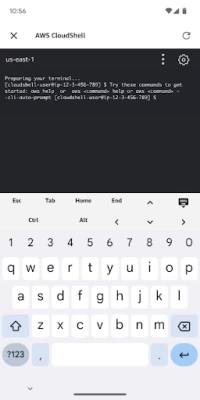

More About AWS Console
The Console Mobile Application requires an existing AWS account. Upon initial setup, the Console Mobile Application lets you stay signed in to multiple identities at once. Login process leverages biometric authentication (on supported devices), making access to AWS resources simple and quick.
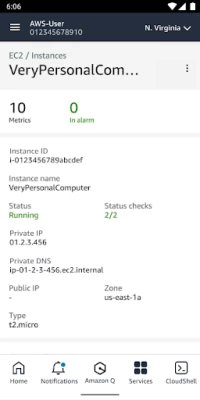
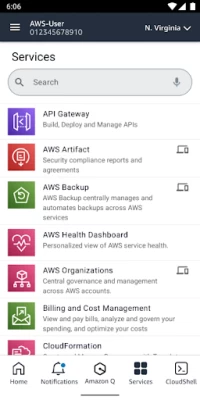
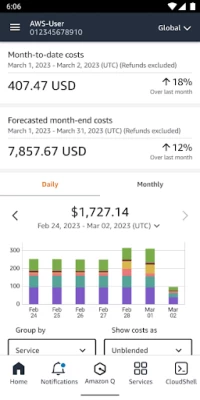
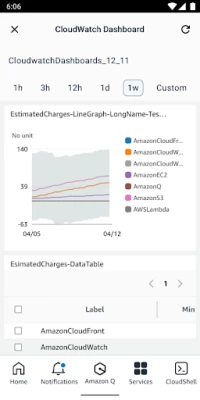
The Console Mobile Application supports Amazon API Gateway, AWS Billing and Cost Management, AWS Cost Explorer, AWS CloudFormation, AWS CloudShell, AWS CloudTrail, Amazon CloudWatch, Amazon DynamoDB, AWS Elastic Beanstalk, Amazon Elastic Compute Cloud (Amazon EC2), Amazon Elastic Container Service (Amazon ECS), Elastic Load Balancing, AWS Identity and Access Management, AWS Lambda, AWS OpsWorks, AWS Personal Health Dashboard, Amazon Relational Database Service (Amazon RDS), Amazon Route 53, Amazon Simple Queue Service features, Amazon Simple Storage Service (Amazon S3), Amazon Virtual Private Cloud (Amazon VPC). In addition, the Console Mobile Application supports 16 AWS services including AWS Systems Manager, AWS Developer Tools, and Amazon Elastic Kubernetes Service (Amazon EKS) via an integrated mobile web browser experience.
The Console Mobile Application supports US East (N. Virginia), US East (Ohio), US West (N. California), US West (Oregon), Africa (Cape Town), Asia Pacific (Hong Kong), Asia Pacific (Hyderabad), Asia Pacific (Jakarta), Asia Pacific (Melbourne), Asia Pacific (Mumbai), Asia Pacific (Osaka), Asia Pacific (Seoul), Asia Pacific (Singapore), Asia Pacific (Sydney), Asia Pacific (Tokyo), Canada (Central), Europe (Frankfurt), Europe (Ireland), Europe (London), Europe (Milan), Europe (Paris), Europe (Spain), Europe (Stockholm), Europe (Zurich), Middle East (Bahrain), Middle East (UAE), and South America (São Paulo).
We regularly release updates with new features. Tell us what features you need and how you would use them with the Feedback link in the Console Mobile Application's menu. We're listening!
Latest Version
3.9.3
April 16, 2025
AWS Mobile LLC
Finance
Android
1,235,082
Free
com.amazon.aws.console.mobile
Report a Problem
User Reviews

Paul Cadd
3 years ago
The update yesterday 22/08/2022 has broken switching roles. I had a number of roles set up prior to the change and they no longer work. I have reset the app and cleared cache and data, upgraded and can log in to my landing account but cannot switch roles into other account(s) which are set up. I can do this from the Web GUI or AWS CLI so it's not an access issue. It's asking me for my IAM username and password when I try to create a role to switch to..I have MFA enabled for my landing account

Gary Streeter
1 year ago
Since the Jan 2024 update I can no longer use biometric authentication and am forced to enter the password via the phone web browser. A very bad decision by the developers. Please roll this back Response to dev response: prior to the update I simply used fingerprint ID direct with the app. This is no longer possible and the app opens up a web page where I have to enter the password. I use Bitwarden auto-fill for this. This requests now adds steps to login and is NOT an improvement.

Francisco Laria Saldaña
3 years ago
I'm coming from mostly using another cloud and to be honest, I've found this AWS' app to be way better that the other. The biggest difference is speed and ease of use. The other app took forever to load my services. Here it's a breeze. Great job guys. It doesn't show every service that you have on the web console but it cover the ones I use the most. And it's way more convenient to quickly start or stop services.

A Google user
6 years ago
All I want from this is access to all cloudwatch resources. Logs, perf metrics, response times of my lambdas, RDS response times. Just CW alarms isn't enough. Cloudformation status is a nice thing though but no lambda or rds service healths so not enough for me. Using web interface on mobile still. The app is crazy fast compared to web UI ao that's a nice thing too.
A Google user
6 years ago
Check out authentication in gcp's console app authentication. Integration with fingerprint reader helps. Too few services and too few options within each service. For basic preview of what's going on with a select services it's ok. I'm missing CloudFront as it is slow to deploy/delete and could do with preview of the progress.

Moazzem Hossain
1 year ago
I’ve been using the AWS Console for several months now, and overall, I’m impressed with its functionality and the range of services it offers. The interface is intuitive, and the performance is reliable, which makes managing cloud resources quite efficient.

Thomas Morris
1 year ago
Hardly functional and NOT secure. Did NOT WORK with the QR code to launch the app. Not convinced it worked properly with biometric on the pixel 8 pro. Did not require biometrics on each new launch. Uninstalled. If an update were to fix that, this might be much more useful.
A Google user
6 years ago
The app can be improved a lot. I can't believe AWS didn't invest more. Like put the cool icons with their colors for each service, so users could find them more easily. Add more services. The fact that I have to type in my email and password every time I log in, almost made me uninstall it, but I like AWS. Cheers!

Carlos Capitine Alexandre Mutemba
8 months ago
I like the fact that I can manage my services anywhere and anytime easily

Hunter Stringfellow
9 months ago
very informative and very easy to understand the courses

Sergei Afanasev
8 months ago
Bangkok is not available for Android app. from web browser all good. fix it please

udayaditya barua
5 years ago
This app would be more useful if the entire billing module is shown with all features. Like i couldn't view my last month billing. Basic features of managing the machines is fine but this app seriously lacks the billing feature. That's the first i would want to do in a mobile app - keep a check at my costs at my finger tips. Also this app doesn't remember credentials. I have to login each time. Check out google cloud console app. Also Biometrics doesn't work.

Appu Raja
8 months ago
every time after 2-3, i have to login again with two factor authentication, very irritating.

samuel nelson
9 months ago
excellent for my usage and the UI is wonderful. clear and concise. Great job Amazon!

Subhrangshu Adhikary
11 months ago
Keeping the app does more harm than good. Very few features are present, and most of them are incomplete, leaving it unusual. Also while using the console from browser to use some features, it automatically redirecting to the app, and inside the app those features are not present. Thus I had to sign in to Incognito in browser everytime to use some features of the console. Overall, its better to not keep the app at all and use aws console with any internet browser.

Arul
7 months ago
The AWS Console mobile app is a great tool for quick access to your AWS resources on the go. It's perfect for monitoring services, checking alarms, and managing instances in emergencies. The UI is clean and easy to use. While it's not a full replacement for the desktop console and has some feature limitations, it's a reliable companion for basic AWS tasks when you're away from your computer.

Cheatfood
2 years ago
This app is probably the worst app I have ever used. The damn verification/capatcha is the most ridiculous difficulty I have ever seen. I have yet to get 1 right, after 30 tries. I will likely cancel my AWS subscription and entire account, the ONLY way to access my console and account is via web browser on my PC (which means this app is completely useless). Don't understand why AWS has the most difficult to see capatcha characters.
A Google user
7 years ago
I have no idea why or how this app has 4 stars. It looks like it was made in 2009 and hasn't been touched since. I know amazon views design like a child views veggies but this is ridiculous. Missing huge features making it almost unusable for anything more complicated then finding an IP address for an EC2 box. Come on Amazon! WORLD LEADER IN CLOUD SERVICES and this is your best foot forward? Disappointed.
A Google user
6 years ago
Overall decent app to monitor running instances and such. Doesn't have the ability to create new ones though. Loses a couple of stars for no fingerprint sign on option. Gets old constantly typing in username and password when other apps do fingerprint or other biometric sign in options. Constantly requires full sign in process. Annoying. Zero stars if possible.
A Google user
7 years ago
It's better than nothing, but it leaves me wanting more, like the other reviews say. One example (there are so many, just read the other reviews) - I can't stop rds instances. This functionality was introduced this year, but the app hasn't been updated since March. AWS functionality is advancing so rapidly that an eight month old release doesn't even come close to cutting it. Needs work. - EDIT a year later: why are they featuring this in the AWS console? It's still lacking. Better than nothing, but worse than most things.









