

cTrader: Trading Forex, Stocks
July 31, 2024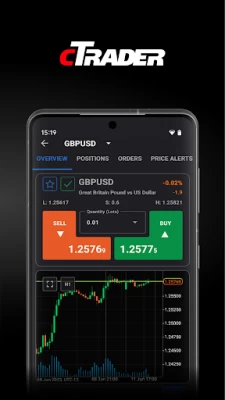

More About cTrader: Trading Forex, Stocks
Straight-through processing (STP) and No Dealing Desk (NDD) trading platform:
• Detailed symbol information helps you to understand the assets you are trading.
• Symbol trading schedules show you when the market is open or closed.
• Links to news sources inform you about events that may affect your trading.
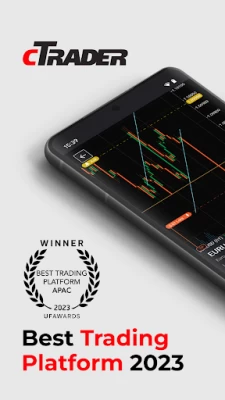
• Fluid and responsive charts and Quick Trade mode allow for one-click trading.
• Market sentiment indicator shows how other people are trading.
Sophisticated technical analysis tools with advanced settings for all indicators and drawings:
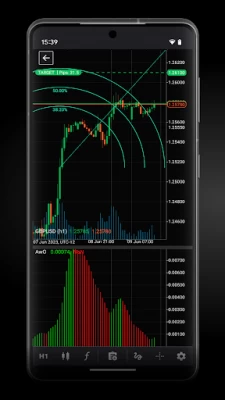
• 5 chart types: standard time frames, tick, Renko, range, Heikin Ashi
• 5 chart view options: candlestick, bar, line, dot, area
• 16 chart drawing tools: horizontal, vertical, arrow and trend lines, ray, Fibonacci retracement, Fibonacci fan, Fibonacci time zones, Fibonacci expansion, Fibonacci arc, equidistant price channel, rectangle, triangle, ellipse, text, pitchfork (three options)
• 65 popular technical indicators
Additional features:
• Push and email alert configuration: choose which events you want to know about.
• All accounts in one app: switch swiftly through your accounts with a simple click.
• Trade statistics: review your strategies and trade performance in detail.
• Price alerts: get notified when a price hits a specified level.
• Symbol watchlists: group and save your favourite symbols.
• Manage sessions: log off your other devices.
• Dark theme: trade on the platform's popular and eye-friendly dark interface.
• 23 languages: access all platform features translated into your native language.
Latest Version
5.0.54537
July 31, 2024
Spotware
Finance
Android
512,213
Free
com.spotware.ct
Report a Problem
User Reviews

fx supremo
1 year ago
Candles are bugged, I don't know if it is only me, a few timeframes work properly, but timeframes 6h, 8h, 12h and some others show me a candle with wrong closed time, fix this please ASAP, it is very annoying.. Update 17Jul24: not only candles still bugged but they even decided, out of nowhere, to do some maintenance at London session time, a warning email would have been appreciated.

mohammad emadi taj
1 year ago
a lot better then meta trader but still the drawinf interface is not as easy as tradingview , like having floating quick favourite drawing tools having c# instead of new custom language for auto trading is great too connection time is slow too, take 2 seconds to connect

am ash
1 year ago
One of the stupidest platform that doing maintanence session at peak hour...your latest version take too much time to start..always have loading time gap that sometime hang for no reason...after all the update,still just 20 entry view that can be seen?..seriously?..i have been using this platform for the past 3 years..how can this company become so slack after perform so well

Nitin Jain
1 year ago
Edit... No the app taking same time... It take 20 sec to show update chart... These 20 sec is a lot more for a trader... Kindly make it fast as meta trader 5.... The mt5 take 2 sec only... I tell I a secret the main reason for every broker have to partner with mt5 is.. because there app fast process... So kindly give your app also a fast run

Michael Ringlein
1 year ago
Slow, hanging, always reloading for no obvious reason. But a lot of not needed functions. Less functions again but more stable, fix that and it would be actually a really good trading app

Omar Cabrera
1 year ago
Coming from MT4, this feels like the future. A bit of getting used to, but is amazing, very intuitive, and even though I'm still learning the ropes, this totally makes trading more fluid. I recommend it!

Abayomi-Ola Kehinde Ayo
1 year ago
Great app, and much more thanks for the recent updates. Also, ability to edit chart color, candlestick color and background is very necessary. I would appreciate it in the next update, thanks again support..

Ritvik Shankar
1 year ago
App hangs a lot ..please fix the issue asap. Also for the trades taken, please indicate it by arrows or something on the chart. This is absolutely basic feature which u should have already added. One more thing, kindly include market replay feature in the app.

Amber Anand
1 year ago
Overall Experience of the mobile app is good. However, there is one annoying bug. It takes time to load the positions and also it takes much more time to modify the Sl, TP by dragging it on charts.

Brema Ezike
1 year ago
Good app but the number one reason I can't use it is not being able to input stop-loss price my self. I noticed when I input sl pp it the "estimate price " by the app won't show the accurate sl price it's, it maynot be faulty, it could be network issues but is proper I input sl price my self

Edwin Asare
1 year ago
Update 10th June 24, finally one can use the phone cTrader app conformably by dragging charts to far left of screen. Thank you & hoping other issues get resolved soon... Good app but please do something about the chart page or candlesticks to be adjustable to the middle or even far left of screen instead of being stuck at the far right hand side of screen. Please also make it possible to be able to see orders & PnL on the chart page instead of going to another page because the apps loads slowly

Aniebiet James
1 year ago
The app was the best but the new upgrade has made it bad. The current price on the chart can't be adjusted to the middle, which makes price to be printing at a corner instead of the mid-screen. making technical analysis very difficult for us.

prabu anand anand
1 year ago
Need to improve a lot in this app. Trading points, equity, balance, margin level everything is very very small to check it quickly. Deal open and close also takes longer time. Connectivity each time it is taking too much time. It is just like snail walk. Please check meta trader apps and it's faster connectivity and the fonts are in enough size easy to quickly check it. Must Need to improve.

RUKUNDO GILBERT
1 year ago
takes a long time loading. and the mobile app doesn't have many features. For example on the mobile app, there is no feature for taking partial profits, then, a feature for inputting Take Profit and Stop Loss before entering a trade. it's only when you enter a trade that you can place your stop loss and take profit. However, I love the trailing stop loss feature as it always protects my account.

Erick Ngumo
1 year ago
I've been using cTrader for a while now, and overall, it's a fantastic app for trading. The interface is user-friendly, and it offers a wide range of features. However, one thing that I think could be improved is the ability to set stop-loss using price and amount, rather than just limiting it to the number of pips. This would provide traders with more flexibility and precision in managing their trades. I hope the developer adding this feature in the future.

Dinesh Kuvarr
1 year ago
★ DON'T USE CTRADER IT WILL LOSE YOUR CAPITAL NOT BECAUSE OF TRADING BECAUSE OF TECHNICAL ISSUES AND THEY DIDN'T HELP YOU ★ Such a bad experience!!... It happens with me many time i always took trade and instant place SL and profit value but whenever trade near SL it cut my position but when my trade hit profit but not exit (two time hit that profit level but not exit that and I lose my profit) that reason it not good app. And too much lagging and loading problems..... IT NOT DESERVE ONE STAR.

Harmin M
1 year ago
You could at least give a heads up on when the app is under maintenance. Nothing would load on my screen and I had gotten up to map out trades for the upcoming session. Definitely need to find a better time to be doing these maintenance updates.

Gesling Bradshaw
1 year ago
Server or application takes too long to load up charts and assets. I suggest that prices for each lot size is shown when trying to place a buy or sell on any asset class, that would make it even better. All in all I like this app because it has great tools to use and is simple. It also allows more efficient trading due to its options of modifications to trades and wide range of tools to trade.

Joseph Uneze
1 year ago
let it load fast. I put this app to run in the background, but it still takes 4+ seconds to load/refresh the watch list, which mt4 can do in 2 seconds without running in the background. secondly, give me the option to have a non-floating chart experience. that's to say i can decide to switch between the floating and non-floating chart. I know no mobile trading app has this feature yet, but it'd make sense to have it in mobile. if you can do this two, then there's no competition anywhere & you ..

J Ek
3 years ago
One of the best I've used. Clean interface. I Scalp a lot (1 to 5min charts) and find that it's easy to make entry. It's tough sometimes exiting due to too many buttons to get to options. Please implement hot keys to scale out of trades. Preferable options to sell postions in 1/2, 1/4, 1/3. You guys have the option to DOUBLE position size but nothing to scale OUT to take partial profits. This feature would greatly help me with my Scalp into a swing position. Keep up the good work!









