
GoToMyPC
July 22, 2024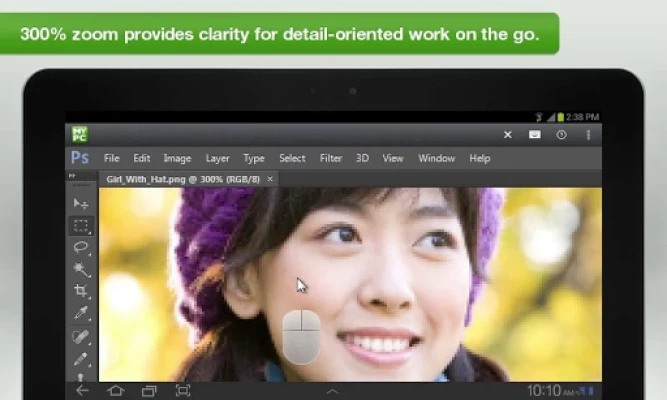
More About GoToMyPC
Your computer is always just a few taps away. GoToMyPC is…
Convenient
• Use your computer wherever you take your Android™ phone or tablet – meaning anywhere. It’s like having a remote control to your desktop in your pocket.
Simple
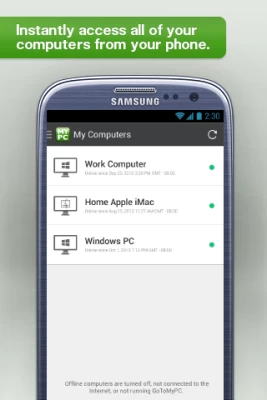
• Instantly access any application or file on your Mac or PC remote desktop.
Reliable
• GoToMyPC is famous for its reliability and free 24/7 Global Customer Support.
GETTING STARTED IS EASY
1) Download the GoToMyPC app from the Google Play store.
2) On the Mac or PC you want to access, visit http://www.gotomypc.com to quickly set up GoToMyPC.
3) On your Android phone or tablet, tap the GoToMyPC app, to access your computer.
*****
“If you want to access your computer remotely, this app is your best bet.” – LAPTOP Magazine
“GoToMyPC is definitely a hit in the business world. It's simple, clean, and gets to the point.” – HotHardware
*****
FEATURES
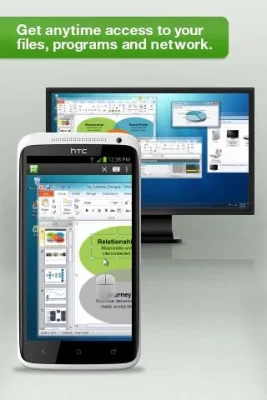
• Instant network, program and file access
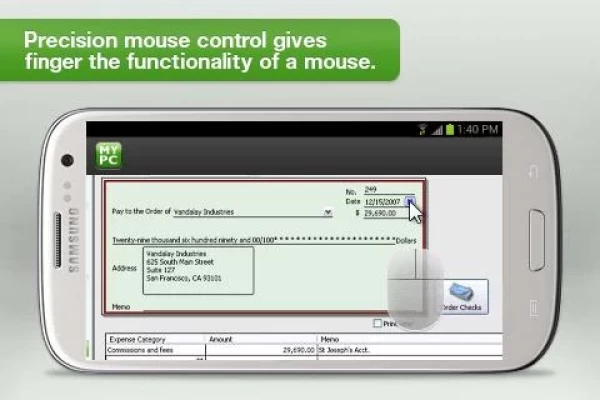
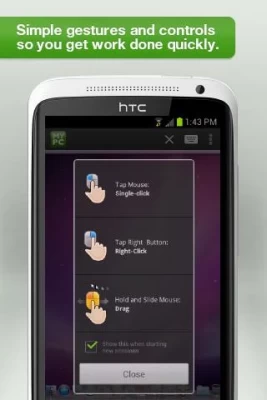
• Precision mouse control so it’s easy to tap exactly what you want
• 300% zoom to see details and work without straining your eyes
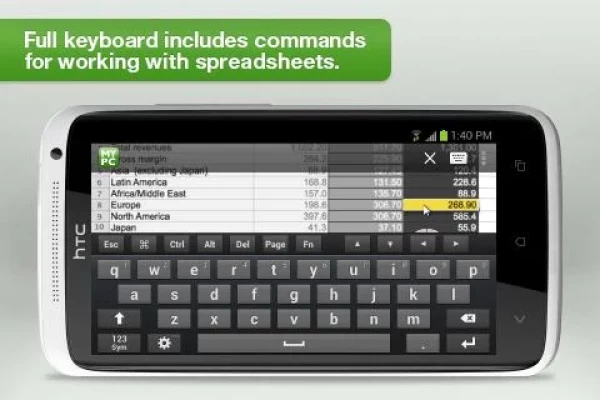
• Full keyboard functionality, including special keys like Alt, Ctrl and Tab
• Support for external keyboard and mouse (USB and Bluetooth)
• Multitasking with an inactivity timeout you can configure
• Keyboard locking and screen blanking on the computer you access (PC only)
• Multi-monitor support
• 128-bit AES as well as 256-AES GCM encryption, dual passwords and end-to-end user authentication
• Connects over 3G, 4G and Wi-Fi networks
• S Pen support for Samsung Galaxy Note II
REQUIREMENTS
• GoToMyPC subscription (free for 7 days at http://www.gotomypc.com)
• Android 4.2 (Jelly Bean) and up
• We recommend devices with a 1 Ghz or higher processor
For the computers you want to access:
• “Always on” Internet connection (cable, ISDN, DSL or better)
• PCs: Windows 2000 or newer
• Mac OS X 10.11 (El Capitan) or later
FEEDBACK
We genuinely want your feedback.
• For feature requests and enhancements, email: GoToMyPCMobileFeedback@logmein.com
• For 24/7 Global Customer Support visit: https://support.logmeininc.com/gotomypc
• Or just tweet us at @gotomypc
• Connect with other GoToMyPC fans and get helpful tips & tricks on Facebook:http://facebook.com/gotomypc
Latest Version
6.2.3093
July 22, 2024
GoTo Technologies USA, Inc.
Finance
Android
169,605
Free
com.gotomypc
Report a Problem
User Reviews

A Google user
6 years ago
Been a great app for me for work, however, since Android 9 released, I have a hard time connecting. Sometimes it will do it after a while, and sometimes it won't at all

Martin Ace
1 year ago
I used this happily for several months for about £7 per month. Then, without notice, the orientation increased to about £30 per month. As I worked in IT procurement at the time, I negated all contracts from that company and it's new oarent company.
A Google user
6 years ago
I used it to monitor my radio station as well, but the price we up, double from what I was paying for one computer. Price jumped from around 22.00 to 44.00. The company that owns Log Me In bought Go To My PC. I have found Google Cromre Remote does the same thing nearly nothing! Not everyone is rich!

Manuel Molina
2 years ago
Safe connectivity that provides for access and control of my facility whether on site or working remotely. App is a must for anyone who can't be in two places at one time.

Glenn
3 years ago
Unable to enter password. The area is grayed out. Tech. support was no support. They are going to send a communication to the developer team. Same issue that others have written about in February of this year. It is now March 5th and it seems nothing has been done. Very disappointing.

Angelena Handley Campos
1 year ago
Makes working from home easy!

Shoney Martinez
5 years ago
It always has connection problems. Keeps on saying that there's packet loss! Impossible! I asked my co-worker if we are losing internet connection in the office and the response was no. So why does gotomypc keeps on saying that there's packet loss??? So unreliable!!!

Sparrow7
1 year ago
Doesn't always work. App doesn't open at times.

K A Franks
1 year ago
Makes managing multiple Locations so much easier.
A Google user
6 years ago
Have been a gotomypc client for 15 years. Logmein bought gotomypc from Citrix in February 2017. In December 2017 they tried to double the fee I was paying. After haggling, they found a "special promotion" which raised the price only 30%. This December, 2018 they tried to triple the cost of my annual renewal, debiting my credit card $2100 for 5 computers. After more customer service haggling, they found a "special promotion" for $1200 - only doubling the fee. AVOID LOGMEIN & GOTOMYPC
A Google user
7 years ago
Everytime I open the app then log into my computer the next time I can't open the app and have to uninstall then reinstall. I emailed the support team, but never heard back. It's been a couple weeks and I can't easily login to my machine
A Google user
6 years ago
No changes for 2019 Android update (last posted update for GoToMyPC was in 2017). I can log in a couple times then stops working, forcing an uninstall/re-install. I don't understand how go to my PC and their programmers could miss the fact that the biggest Android update, in 5yrs, occurred in January 2019, they were not prepared.

Greyhawk Jones (John D Rivera)
3 years ago
Horrible experience. It loads great and all but when you go to log in you CANNOT keep the highlighted field on the password area. It goes right back to.email. I'm sure this would have been an awesome idea if I could get past the log in issue. Oh well...on to the next company. Hope itll work better than this companies software.
A Google user
5 years ago
Works sometimes, mainly using the desktop app to connect to our office computer. Me and my co-workers have to constantly restart the machines in the office, we'll at lest the IT guys still in the office do. It's not a good app, our IT department is currently looking for an alternative. Working on an iMac, remoting into another iMac.

Unknown User
3 years ago
So much of the screen is wasted on menus. There needs to be a full screen mode for use with mouse and keyboard. So outdated and inconvenient. They should really look at how Microsoft implemented their Remote Desktop app.
A Google user
5 years ago
Needs a lot of work! Have to restart the app continuously. Multiple screens don't display properly, as they would on a Windows machine. Very difficult to use... Only reason I'm not giving 1 star is that you can still access the host PC, even though it's difficult to use
A Google user
6 years ago
I have been a GTMPC subscriber for years. When I started out it was $99/year. The price has increased over time and I am fine with that to a degree. However, I just received my subscription update today and they were trying to increase me from my current amount of $237/yr. to $840/yr!!! I promptly called to cancel. I was then informed by them that they would give me a "promotional deal" at ONLY $487/yr. No thanks. I wont reward this kind of slimy behavior. Watch your emails from GTMPC.

Justin Lee
1 year ago
App keeps closing after last update. Tried uninstalling and reinstalling. Restarting my phone. Same results
A Google user
6 years ago
Massive price increase. Went from $99/yr in 2014 & 2015 then in 2016 & 2017 to $118/yr (okay no big deal) then $230/yr in 2018. Now $420/yr. I use the same capabilities that I have been using since day 1. Called to cancel service and they offered $200 off. Still cancelled and starting using Splashtop. So far seems to be a way better system anyway fraction of the cost and can log in to multiple computers. This is my first review I have ever left on any app.
A Google user
6 years ago
It's OK, some features are good, I have seen better remote access android apps. The keyboard special keys are cumbersome. The page up and down keys disappear each time you click them making paging throigh a ducument tiring. I am still looking for the Tab key. Very difficult if not impossible at times to drag a window splitter in some apps. I also have trouble left clicking on the far left of the screen. There really isn't any other option for an app on Android, so need to live with this.









