
iLock screen
October 16, 2025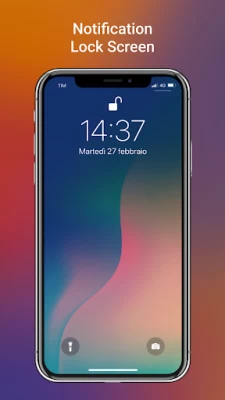
More About iLock screen
- Download “iLock – Lockscreen iOS 16” on Google Play
- Open app and go to iLock’s setting
- Allows get notifications to show on lockscreen
- Enable lock screen
- Swipe down from the top-left corner to open
- Set passcode for lock screen
🔐 Main features:
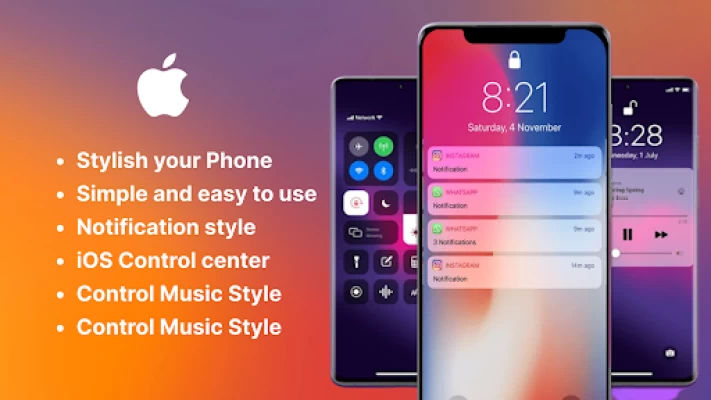
- The iLock Screen, which shows the current time and date and your most recent notifications, appears when you turn on or wake your phone
- From the iLock Screen, you can see notifications, open Camera and Turn on flash
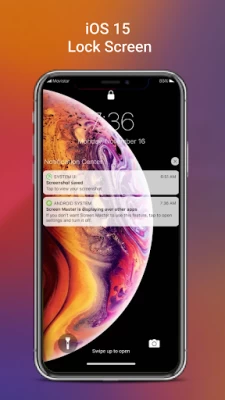
- From the lock screen, get notification from your apps
- Lockscreen with notifications
- Lockscreen no ads
- Show notification on the lock screen
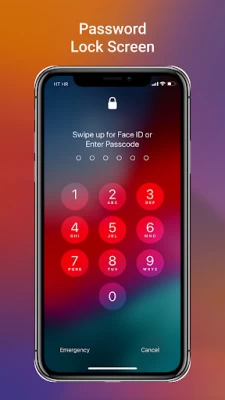
- Set a passcode on your phone to help protect your phone.
- Enable Passcode and enter passcode.
- Allows enter your passcode again to confirm and activate it.
- Long press on Flash to turn on/turn off Flash
- Long press on Camera to open Camera
- 100+ unique iOS wallpapers available
- Free for everyone
- you can use Spotlight from the lock screen
- You can also do this from the lock screen:
🗝️ Tap one notification or a group of notifications to see all of them for that app.
🗝️ Swipe over notifications to manage, view or delete notifications.
🗝️ Manage notifications for specific applications.
🗝️ Allows to hide message content on lock screen.
Permissions containers by app:
🔐 CAMERA: To open camera in your phone from the lock screen
🔐 READ_PHONE_STATE: To turn off lock screen while calling.
🔐 NOTIFICATION ACCESS: To get notifications in your phone.
🔐 READ/WRITE_EXTERNAL_STORAGE: To download and save more wallpapers.
🔐 DRAW OVER SCREEN: To show Lock Screen & Notification in over all apps.
🔐 QUERY_ALL_PACKAGES: To use this permission, your app must fall within permitted uses below, and have a core purpose to search for all apps on the device.
🔐 BIND_ACCESSIBILITY_SERVICE to allow apps to draw on phone's lock screen and status bar. The app needs to use this permission to open the iLock by swiping from the top left edge of the screen and commit not to collect any other information. We do not sell, trade, or otherwise transfer your personally identifiable information to outside parties.
if you have any feedback/issue regarding this app then you can contact at geetabenrj@gmail.com
======
Latest Version
1.10
October 16, 2025
Happy Trand
Tools
Android
39,771
Free
com.happytrand.ilockscreen.lockios
Report a Problem
User Reviews

Owo Labi
1 year ago
It was so good

Nouran Medhat
1 year ago
This is amazing ❤️

Jeremiah Okolie
10 months ago
I love this ilock screen

Nicole
10 months ago
Why does it have to go off all the tym

jevouney ireland
2 years ago
Very very amazing cool.

Nyamuon Lam
5 months ago
I love this app

Savita Waghchaure
2 years ago
It's not working in my phone even after removing laucher

Bhuvan Anand
2 years ago
Can you add face lock system in this app it would be great ❤️

CA Anoop Kumar V.P
1 year ago
Time on lock screen not change properly

D&G Hybrids
8 months ago
Its so amazing ! Please try it yes it has some issues at first but the next day (for me) if was working like a champ!!

Zach Scharneck
7 months ago
sometime it keeps me out and sometimes it does not kick me out the people made us make it more in vans and make it more likeable thank you I want everything correct if you don't make it correct then no one wants to waste of time

jit Roy
2 years ago
Very nice app 💯 easy to control and all features are very good 😊😊

Mark Tanner
1 year ago
Was really good and then it stopped locking my screen so I turned off my phone and turned it on and it went straight in no password 😔

Arsh
9 months ago
very good nd useful app for andriod users...😌👍but you have to add some features like face id, controller center... its enough otherwise this app is very very nice....

April Doroña
3 years ago
the clear button causes crash on lock screen. please fix it. also please let us customize the clock (size and color) and it will be a perfect app. thank u dev!

A Google user
2 years ago
Nonsense and misleading... In the description image it shows Swipe up for Face ID unlock, but actually this app doesn't have option to unlock with face ID, as well as fingerprint. Why did you put misleading images in app description?

A Google user
1 year ago
Pretty good replica of the iOS Lockscreen, but the problem is it doesnt display immediately. And the font is literally different. Please fix it. I would've given 5 stars if this was fixed

Arman GoReturn
1 year ago
I love this app because there are no ads no in app purchase and lock screen is so Butifull so i rate this app 5 star. I want to say the Developer to add wallpaper to customized lock screen

Queen Girl
2 years ago
Heyy I love this aap it's very useful but there is one problem when we lock the screen the notification message are showing can u please add a hide content notification that no one can read it from outside otherwise cool 👍♥️

KC Ryn
7 months ago
This is a great app! My only issue is that it keeps crashing every time I try to clear notification. Other than that, 5 stars! UPDATE: It randomly brings up songs i was listening to past hours ago, even if I've close spotify and haven't been listening to music for a while. I wish there was an option to clear the music when I'm done listening. I still love the app. Those are my only two complaints.









