Image Toolbox - Edit & Convert
September 30, 2025
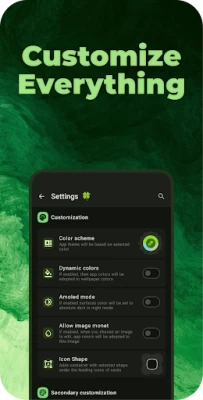

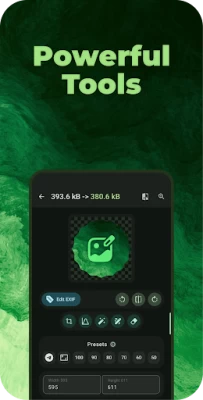
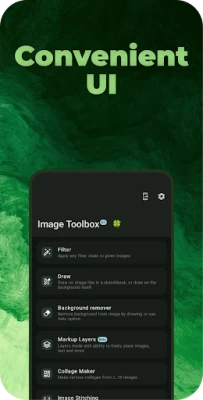
More About Image Toolbox - Edit & Convert
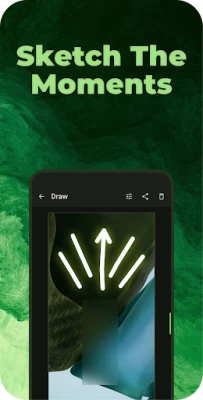
* Precise Drawing Tools: Dive into detailed editing with a wide array of drawing tools, including pen, neon, highlighter, pixelation paint, and more. Perfect for adding highlights, creating custom pixel art, or censoring sensitive areas with privacy blur.
* Resizing & Cropping: Resize images with pixel-perfect precision, maintaining aspect ratio or cropping to specific dimensions. Explore unique crop shapes, including rounded corners, hearts, stars, and even custom image masks.
* Color Utils: Create stunning color palettes with Material You schemes or extract colors directly from your images. Design custom gradients and overlay them onto your photos for unique effects.
Beyond Pixel Editing:
Image Toolbox is more than just a pixel editor; it's a complete image manipulation powerhouse.
* Batch Processing: Edit multiple images at once, saving you valuable time.
* 160+ Filters: Experiment with a vast library of filters to achieve the perfect look. Chain filters together for endless creative possibilities.
* AI-Powered Background Removal: Effortlessly remove backgrounds with automatic detection or precise drawing tools.
* Text Extraction (OCR): Extract text from images in over 120 languages with varying levels of precision.
* Image Format Conversion: Seamlessly convert between various image formats, including HEIF, HEIC, AVIF, WEBP, JPEG, PNG, JXL, and more. Convert GIFs and SVGs to other formats with ease.
* Animation Support: Create GIFs and APNGs, and even explore the cutting-edge Animated JXL format.
* Advanced Features: Edit EXIF metadata, stitch images together, add watermarks, encrypt files, and much more!
Download Image Toolbox today and experience the ultimate pixel edit photo editor! Transform your photos with powerful tools, explore endless creative possibilities, and share your pixel-perfect masterpieces with the world.
Latest Version
3.3.1
September 30, 2025
ProgiX
Tools
Android
254,491
Free
ru.tech.imageresizershrinker
Report a Problem
User Reviews

Spastic Narwhal
3 months ago
Very nice.You can do pretty much everything you need too with an image,crop,resize,remove background,etc.

Al Charles
3 months ago
Very powerful but kinda complicated too. Best for developers and those more familiar with computer science.

Tyler
3 months ago
A million and one options but choosing to simply RESIZE does absolutely nothing. It just creates a copy of the image I'm editing. Bizarre. Uninstalling.

Nicht Verfolgen (Indsiger)
2 months ago
Remarkably powerful FLOSS pixel editor! Many configuration tweaks make it one of the few I have on my device which give me a easy workflow. The lack of documentation is holding it back but documentation is promised to be coming.

Ilmars Kaiva
2 months ago
The app is very inspiring, the name of the app corresponds to the possibilities it is filled with. The app is ad-free. My rating is five stars with a plus. Thanks to the app creators.

TheVariety
2 months ago
It's the best editing software for mobile and nothing is even close, you can do everything you want and it's free...is one of those things you find so few in today's, 11/10🔥💯

Lex G
4 months ago
best free image editor out there, better than most paid ones. not no fancy ai filters, just straight image editing. crop into shapes. create collages. convert formats. and so much more.

Alirezaアリレサ
5 months ago
image toolbox has many useful features, in a clean and good looking UI... I like the fact that I can get all nerdy and technical with compression types or resizing algorithms for images, very impressive

XII-LEGACY
4 months ago
this is a great app for what it's designed to be. for anyone looking for a simple picture editing app.. this isn't it. but if your looking to manipulate images and more from what feels like - coding from terminal - then go hard & get this app.. ( good work to the developer )

Nevyn Noir
3 months ago
fantastic app! great if you just need to resize one photo or batch resize. no in app purchases or annoying ads, and it had WAY more options than I even knew existed. if you do anything with photography, this app is a MUST to download!

D Reit
4 months ago
so far it seems like there's a lot of stuff to pick from and it seems kind of easy to understand what each option does without knowing much about this subject matter at all. it converted a pic to gif what seemed like pretty quick time frame. I'll see how it turned out it kicked me here first for a review so I might edit my review we will see

Known as Blunt & Honest (SNAS)
3 months ago
Beautiful App, I've never seen these many functions in my entire life. Someone either familiar with and know how to utilize the functions and the usage of them, it would be a good App. But, for a beginner like myself it would take weeks to get to know, or learn a bit though it looks easier but not for me. Overall, a very good and functional App. Once again, I have never been to the technical territory and required a lot of time to learn. Interesting App.

na na
4 months ago
I don't normally make a lot of reviews but this is AWESOME.Firstly it has batch mode, filter options, color options. AND WHEN IT'S DONE IT MAKES CONFETTI! 🎊🎉🎊🎉🎊 WHAT MORE COULD YOU ASK!The confetti truly is fun. The only thing I'd like to see added is a better feature to make document images scans black and white text pop more. Yes I see it has some features to do that but when tested against Camscanner the filter for black and white text pops on Camscanner better.Cld that be ADDED? PLZ 🙏

Simone Preston
2 months ago
Good image editor, for some, I'm sure, but I personally didn't find it useful or find anything use for it but each to their own. There was nothing wrong with the app itself, but it simply didn't meet my personal needs. 🤷♀️ Not for me! #ImageEditor #App #PersonalNeeds #Review

Sakamoto Mio
4 months ago
~ 100% BRILLIANT!! - works like a charm, with no issues and I have been using it for just a few hours time! ~ After learning the small (tricks behind it) and figured them out (because of my specififc sizing/compression needs), it does what the other I had installed did (plus even more) without the randem pop-up adverts! ~ DEVS!! ~ PLEASE!! ~ KEEP THIS APP UPDATED!! ~ this is a TRULY A GEM! ~ 100% RECOMMEND!!

Tanya Bones
2 months ago
One App To Replace Them All! Just downloqd, it's crazy good, with the most complete set of features I've ever seen in a single app. I immediately assumed it was going to bombard me with ads and ask for a big monthly fee that I almost didn't even give it a chance after opening it but I'm glad I kept it, can't wait to clean out the 20 low quality image apps I begrudgingly used. Thanks you to the devs!

Jer
1 year ago
wow, a Swiss army knife of functionality. where to begin, it does so much.. one thing I appreciate is images can be shared to Image Toolbox from native gallery, you'd think this is a given but sadly I've encountered many editors that don't. if I could request one feature it'd be an Undo, especially when editing EXIF tags, you can be 5 mins into editing and mess up, and you're out of luck if you don't remember exactly how it was. solid 5 ⭐

Kurt Schmidt
1 year ago
Initial impression it is a good tool. It is not the best FOR ME. The control interfaces could use refinement. Not bad, just does not dovetail with how I am used to work on the phone. I need something simpler, like a step above Paint on Windows. One suggestion would be to be able to manipulate lines, move, stretch, etc., once they are drawn. Another would be to have predefined "shapes," i.e.,predefined line paths, that could be manipulated, enlarged or diminished, without losing their geometry.

Derp Derpington
5 months ago
Okay, I've been testing this app and boy, am I impressed. It has tons of useful features that are convenient and all in one app: cropping, resizing, EXIF data editor, and the list goes on. It's also free and ad free. I've used similar apps that had ads after almost every action you took. It's phenomenal that this app does all of this for free. This is a W developer.

Rob Gellerman
5 months ago
A huge array of tools to manipulate images to any specific types of presentations you want. There are so many options to pick from it's a bit confusing at first, but you catch on quickly. It's just a terrific editing app for anyone with a desire to adjust the presentation of your photos. I gave it five stars and in future updates I'd like to see a comprehensive help menu that covers the scope of editing options available. Great app, highly impressed









