

Microsoft Azure
July 28, 2024
More About Microsoft Azure
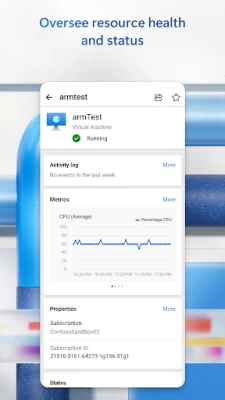
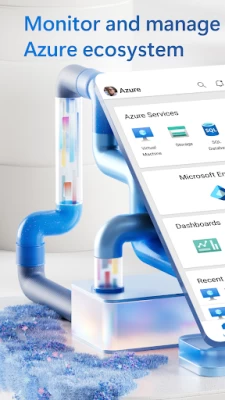
- Stay informed with notifications and alerts about important health issues
- Stay in control of your resources and take corrective actions, like starting and stopping VMs and web apps
--------------------
Microsoft collects data to operate effectively and provide you with the best experiences in our products. This mobile application may collect personal information, for example, the email address used to log in. We do not share this personal information with third-parties without your consent. We do not use your information for marketing purposes.
If you do not agree with Microsoft collecting this data, please do not log into the application and delete it from your device.
Legal terms: https://azure.microsoft.com/support/legal
Privacy statement: https://www.microsoft.com/privacystatement/OnlineServices
Latest Version
6.6.2.2024.07.05-22.46.27
July 28, 2024
Microsoft Corporation
Finance
Android
1,460,734
Free
com.microsoft.azure
Report a Problem
User Reviews

Iain Frankish
5 years ago
Glacial Slow to the point of being unusable. Used to start quickly until a UI change. Now takes close to 40 seconds just to open. In the same time I can unlock my desktop machine, open a browser and login to the web interface version. Hardly useful so don't use it unless I have no other choice.

Raj Jammana
1 year ago
Excellent app, directly i can manage some resources through this app

Kyle Parker
2 years ago
The one feature I need to use - alerts for app insights - is not available. When I try and turn on the notifications, it says I need to install Google Play Services. I have the Google Pixel 7 Pro, which obviously has that installed. However, I have the beta version. I suspect the app does not recognize that version? If there's any way to fix this, it would be greatly appreciated. Please reach out for additional information, if needed.

Gautier B
1 year ago
When I add someone as a contributor to a resource, it instead gives them the contributor role at the subscription level... Pretty scary.

Bhole Shankar
1 year ago
I can see pending invoices in this app. Why can't I pay using the app too? Why do I have to go to the desktop version for this?

Mathew Snyder
2 years ago
I was hoping to have something I could use to play in my Azure sandbox while laying down. Color me disappointed. You can monitor graphs and events, modify some permissions, and work with the Cloud Shell (which isn't particularly convenient with a phone keyboard). You can't create resources or really see how they are interconnected.

Stephanie Saggerson
4 years ago
AWFUL - Great if you want to read what's wrong but not be able to change anything. Can't change pricing tiers, can't manage front door, basically anything you want to manage from portal you can't do from this app. You can read all the details and properties though. Have submitted requests for features and nothing has come to fruition. Complete POS, extremely disappointing since MS has awesome apps like Power Automate. Azure needs to catch up if they want to be taken seriously for mobile apps.

Mike Hancock
5 years ago
UPDATED Doesn't seem to play nice with Intune. Sign-in fails claiming devices are not enrolled when they in fact are. This is the only Microsoft app we use thats having this issue. UPDATE Confirmed this issue is now resolved. 3 stars for now. App Insights could use having the application map as whilst failure notifications are nice its difficult to know what the impact is. Traffic Manager is good.

Neim Echsemm
3 years ago
Dunno how useful the app is, because haven't used it much. But a really annoying thing was receiving notifications for alerts. Azure is spamming alerts of level 4 atm. Might be good to 1) filter by severity, so I'm not receiving any alert above 3 for example and 2) being able to see what the alert is about, because right now, you need to go to the portal to read the detail of the alert, further bothering me when this is something of little importance

Emery Hayward
1 year ago
False advertisement there no free trial they lied by a third party plus it doesn't accept any credit cards as its broken reported this to Google play support trust and safety moderator for publishing scam app and have there app suspend and remove off the goggle play support I will also be flagged there ISP Internet provider IP address for abuse for publishing scam app and credit card fruad. I would not recommend this too anyone or business or students.

Mr C. Chukwu
1 year ago
Great app to manage Cfaith Network VMs. There is room for improvement. A few times it's hard to login in.

Kirishima The Red Riot
3 years ago
Everything is great. Does what it says. I have found 1 issue tho, not so much but it is quite bothersome if you don't know this. So if you stop your VM, it says stopping, but unless you refresh it, or restart the app, it will never say the VM has stopped. Same for starting. The automatic refresh would be nice. Otherwise, great app. Good UI.

Eleazar Redula
1 year ago
Thank's! to this App 😊 No AD'S 🥳🎉👏👍. Keep on Update with More Needed Features Stability and Performance.

Matthew McDonald
1 year ago
This app is far too limited. Cannot see/mange 99% of the properties of an object and IAM is a joke. Have to scroll hundreds of roles (should be search) and can only set select one identity. Not sure why anyone would use this app over the website.

Morero Jim Khasake
1 year ago
I never could have imagined myself being able to have an insight info on technology and only think it is for qualified individuals but Azure changes all that I stand chance now to be a developer thanks to Azure

Andrei Adi
1 year ago
For a sys admin and a student that does projects in azure and forget his VMs on. It's a great app to close it remotely when you're not around the workstation.

Kwasi Ofori
1 year ago
Not a great app at all. You can't do anything with this app except password reset. Missing a lots of functionality compared to the web.

Bryan Williams
2 years ago
Useful for only very high level monitoring of Azure resources, cloud shell (which requires paid storage), and changing resource IAM permissions, but you can't actually open the resources or see any real detail, much less create any new resources without using the shell, so it's for IT Admins only, not resource owners. Even the monitoring charts you can't change the range/filters. 99% of the time I need the portal anyway because the tiny fraction of features included in this app are inadequate.

William Edwards
4 years ago
Love that there's a mobile app, and that I can access cloud shell on my phone. I feel like a major missing feature is a UI within the app to start an automation account runbook and set the parameters. This would allow admins to create runbooks to perform pre-defined corrective actions against resources specified in the parameters for easy break/fix issues (e.g. restart a service that's acting up) when they don't have easy access to a computer and without having to try to script it by hand in the cloud shell on a mobile device.

TᖇᕮᐯOᖇ ᗷᕮᒪᗰOᑎT
1 year ago
What can I say, it's Microsoft. Welcome to the world of illogical UI layouts that leads to a terrible UI experience, easy access to sales but good luck getting a hold of tech support. And when you finally get a hold of tech support be prepared to deal with strong dialect and language barrier issues. It's a terrible service experience. If I can sum it all up, "🖕 Microsoft. "









