

Mobile Authenticator ES
May 27, 2024
More About Mobile Authenticator ES
Two-Factor authentication provided by OneSpan is now in your pocket!
Mobile Authenticator Enterprise Security allow online users to safely connect to your enterprise application or networks from your mobile equipment.
Help on using this application is available on OneSpan website via the Mobile Authenticator Enterprise Security application.
Latest Version
4.30.6
May 27, 2024
OneSpan - The Digital Agreements Security Company
Finance
Android
1,010,871
Free
com.DPMOBESA
Report a Problem
User Reviews

Joris Carpentier
5 years ago
The update of yesterday (29/07/2020) created a big problem: "An internal error occurred with code: %_errorcode_%" In these times where a lot of people depend on this authentication when working from home, this is rather painful. Up until now, it did what it had to do.

Nitin Sadolkar
5 years ago
I uninstalled older version and installed new one. It isn't launching on my device. It just shows black screen. I am not able to work for last 2 days.

Will _
2 years ago
Ridiculous mandatory permissions. You DO NOT require permanent camera and phone permissions for a totp app to operate. Temp access to camera for QR code scanning is acceptable, but to not even allow the App to open after successful setup without camera and phone permissions is Shameful.

Matthew Ackerman
4 years ago
Inconsistent. Most annoying is that app periodically disappears from my home screen, and I have to scroll through apps and try to remember it's name.

Thomas Galea
2 years ago
Camera permission should only be requested if (and when) trying to access the QR scan method. Camera permission should in no way be forcefully required for the app to work. I'm not going to add a new account every time, am I? So why should the app need my camera every time?

ted bonham
5 years ago
Stopped working, the update it just did made the app stop working all together. It throws an error code every time I try to open it. Hope they fix asap so I can access stuff I need with it.

Steve B
5 years ago
Stopped working with the latest update, no error code given. Cleared data, setup again ,all set. Thank goodness I have multiple devices setup. Dev reached out same day and noted update coming with fix.

Erik Buitenhuis
2 years ago
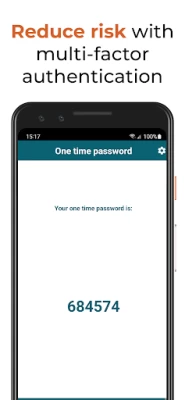
Worked fine, like it better than the Microsoft authenticator. But recently the app closes immediately after startup. Takes a few startups before I memorize the 6 digit number. Reinstall does not help

Alexey Korepov
3 years ago
Several latest releases crash immediately on start! Android 10, Samsung Galaxy S9. Only pretty old release (4.26.1) started working normally! If you don't plan to fix this crash on many devices, maybe republish that old release as latest?

Deepak Dalmia 2000
1 year ago
The biggest problem with your app is it can be used for only one client or only with one profile. It would be very nice, if you can provide an update to use it for multiple.

Andrew Walker
4 years ago
Works ok but cannot activate using QR codes! When you switch to QR activation, the phone screen turns completely green instead of the usual camera view, making it almost impossible to scan the codes. Can activate and use with manual activation though.

David Herring
5 years ago
Requires permissions to my phone and camera for two-factor authentication app. This seems unnecessary to give access to my camera for a security app but it won't work unless you do. It may need camera permissions to activate the app but after it's activated it is a privacy concern on your phone.

JOSEPH FERRAO
4 years ago
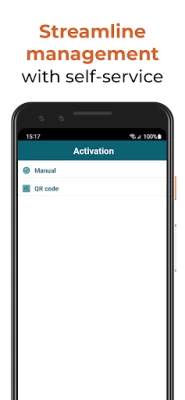
Issue with the app since today. Not getting the OTP screen. Getting the second screen where in its showing as ACTIVATION on the top and under it MANUAL and QR CODE unable to use the app. Uninstalled and reinstalled. Still not resolved. Kindly fix urgently

C S
5 years ago
Update: Yes devs, you need camera to scan QR code. The one time you set it up. For what purpose does it continually need my camera after that? Thanks for your response. Original: Requests permissions it does not need and will not function if permissions not granted. Request access to camera which is required ONE time and only if you choose to scan a qcode instead of manually authenticating. Also requests phone permissions. Maybe something to do with code generation but I have no way of knowing.

Jordan
5 years ago
Unable to click anything on the activation screen. Can't do manual or QR activation, the app is completely unresponsive except for the request for camera permissions which I accepted when the app was first opened. Completely useless and preventing me from working.

Pete Giobres
5 years ago
I originally provided a 1 star review because the functionality of the app was broken after a recent update. However I have changed my review to 4 stars due to how quickly the developer fixed the issuee. I have kept the original review below. The update is broken. When trying to launch the app it shows a message of internal error and will not load.

Chuan Jie Foo
5 years ago
Such a trash of an app. Can't even do one basic thing which is scanning a QR code. I got an error whenever I tried to scan it. The workaround is to enter the serial number and activation code manually, which can be revealed using any other barcode scanner.

Tomer Stern
5 years ago
I read the comments section and I don't get the same experience. The app constantly does what I expect it to. And that's to provide me with a viable token. However, how about that UI? Definitely in need of a fresh coat of paint. Looks like an app from ten years ago. In addition, a widget would be handy.

Craig Lafayette
5 years ago
This application generally functions well and has good customer support. The developer reached out and quickly addressed a crashing bug. It would be nice if the camera permission was only requested when scanning a QR code and not on application launch.

Raj
4 years ago
It needs camera ONLY FOR SETUP time. That too I CAN AVOID by choosing to manually import. But the app WON'T EVEN START without that permission, EVEN AFTER THE SETUP HAS BEEN COMPLETE. Talking about security, the app itself breaching it. Also, every time it updates, the whole icon & shortcut settings vanish. As if it reinstalled afresh. Extremely annoying.









