
My Card Wallet
June 13, 2024
More About My Card Wallet
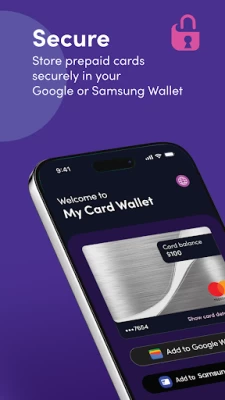
Using a prepaid card in-store is easy and convenient when you add the card to your Google or Samsung Wallet. Just tap to pay by contactless payment in any retailer where your card is accepted. Set your chosen card as the primary payment method in your Wallet if you have more than one card.
Pay online
Add your prepaid card to your Google or Samsung Wallet for quick and easy online payments. No more typing out long card numbers - just select your chosen payment method at checkout. Or use the My Card Wallet app to get your full card details if the retailer doesn't support Google or Samsung Pay.
Check your card balance
When you add your prepaid card to the My Card Wallet app, your current balance will display in the app - so you always know how much you have to spend.
Easy access to card details
Access your card details quickly and securely using the My Card Wallet app.
Help and support
For help and support, contact us at https://myprepaidcenter.com/contactus
Latest Version
3.3.0
June 13, 2024
Blackhawk Network
Finance
Android
446,905
Free
com.blackhawk.myprepaidcenter
Report a Problem
User Reviews

Lance McGough
2 years ago
As most everyone has said, this app is garbage and utterly useless. It is supposed to act as an intermediary between the website and your digital wallet (Google Wallet or Samsung Wallet) so that you can add a virtual card to your wallet, but it simply doesn't work. You need to click the "Add to wallet" button from your mobile browser and it should launch this app and add the card to the wallet. It doesn't do that. Avoid this app and add the card mannually. Or avoid myprepaidcenter altogether.

Andrew Harward
2 years ago
Only works if you click open it using a link to add a card, which is not made clear at all in the instructions. I accidentally made it work when I again tried to add a card and already had it installed, discovering I could add a card by opening the link. Not intuitive at all.

wade cheney
1 year ago
Useless. It won't open past the first page telling me to load a card. Went back to the website opened on my laptop, loaded the card, connected it to my profile (can't remember the order at this point, as I've gone back and forth so many times), but the app still won't open past that first page. The hassle is hardly worth the money that was gifted to me on the card.

D B
1 year ago
The app is as useless as is their website. I'm told to go back to the website and "add to wallet." That results in a card with the #s mostly obscured. There's no way to add it to a digital wallet. Better save the card image. There's no way to print it, and they want $ to issue you a plastic card. The card expires in under 6 months

Antwon Hill
1 year ago
It does work used to add my gift card of 200 to my wallet on android, very simple and easy

Shravan Vallaban
1 year ago
Probably the worst app I have ever used, doesn't even perform the one function that the app was designed for.

Web Dev
1 year ago
Just manually add your gift card to google pay instead. This wallet sucks and doesn't work right.

Ashok Kepchaki
1 year ago
This app deserves 0 stars. First of all this app was suggested by a site that frauds people with virtual mastercard with error and then this app links us to a shopping website that does not exist and gets continuously denied access

freak baba
1 year ago
I thoroughly useless app without direction of use. You click on add wallet from the website and nothing happens on the app. It just stands looking at you

Kimberly Miller
1 year ago
Loaded a prepaid giftcard to this app and it doesn't show up now and says it's been redeemed when I never used it.

Scot Cowley
1 year ago
App doesn't work. I can't add cards when scanning the QR code on the website. App opens and does nothing.

Ben Hammack
1 year ago
This app just objectively does not work. Scanning a valid QR code to add to your wallet does not add anything. You are unable to add any purchased gift cards to your wallet.

TD
1 year ago
These scam companies probably collect millions from class actions that are supposed to send small $ amts to class action members. I got 6 virtual cards from a settlement totalling around $15. olOnly two cards that each had $1.50 or less actually worked. No way in the app to manually add cards. Can't add the cards to Google Wallet (problem adding this card, try again later). Click the 'Add to Wallet' link opens this app but doesn't add the card. No c/service, the card expires, they pocket the $$

Sarah Shapiro
3 years ago
As others have said, this system is designed so that you can't spend the full amount on the card. The best method I've come up with is to use the card number to order food from somewhere like GrubHub, then use adjust the tip amount to fully match the balance on the card. Also, I have a Google Pixel, and this app literally just has a landing page that tells you to go the the website to activate your card and add it to your wallet...the app has no actual functionality.

glitch co.
3 years ago
Might be a good app, but I wouldn't know, since I literally can't get past the first screen. It just tells you to activate the card online, click add to wallet, and then supposedly that should make the card accessible within the app right? Nope. Nothing happens. I'm literally only here because the survey site I use switched to using this gift card service, and I really wish they hadn't

Thomas Turner
3 years ago
Maybe this app is good, but I guess we'll never know since it never finishes installing. The install seems fine up until 92% installed. At that point it just stops and doesn't move/finish. So frustrating. You can still enter the card info manually into your mobile wallet such as Google pay, that was the way I worked around this MAJOR problem. Now that I've done that, I thankfully have no use for this garbage app anyway!

Douglas Ashby
3 years ago
Absolutely USELESS! I have been trying for over a week now to add my virtual egift to this worthless app but all I get for my trouble is "unable to activate your card at this time, try again later." The thing is, the card is already activated and has been used...Maybe if there was a "view activity" button as an alternative to the "Activate" button, it wouldn't keep dead ending me. When I went to the website it said click the link in the email then "add to wallet"...also a NO GO!

Nathan Conquy
3 years ago
My experience with this app has been pretty horrible. In order to "use" the card in a store you've got to have apple pay...otherwise you're struck like me. After setting up an account, adding the cars to the account, adding a pin to the card and 2 phone calls to customer support, it STILL WON'T. The app is useless pointless AND stupid...not to mention that I'm out 125 bucks. Thanks for nothing.

Kent
3 years ago
It can be made to work, just don't expect it to help you figure out how. My first few attempts to add my card to a wallet failed, and the error message gave no hint as to why. I felt immediate regret for not having heeded the horrendous reviews I had read only moments before. Despite being almost certain that I was screwed, I entertained the possibility that maybe the app needed my location for verification purposes. I enabled Locationv and tried one more time. *VIOLA!* It worked!

Korey Burns
1 year ago
Very weird app. As many have stated, it just opens to a landing page. However, settting it up is painless. Yes, the instructions leave a lot to be desired, but it wasn't hard to figure out. You'll have better success if you have a laptop or desktop handy. Go to the site on the other device and click "add to wallet". You'll get a QR code to scan. If you have the app installed already, it'll open a link to add to your device's wallet (in my case Samsung Wallet). You're set from there!









