

National Bank of Canada
July 20, 2024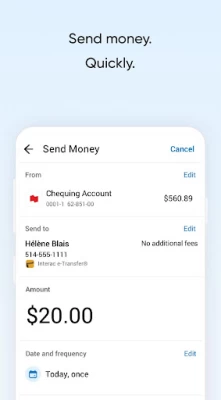
More About National Bank of Canada
Personal needs:
- Use your smartphone to pay for a meal with Google PayTM
- Send money in seconds with Interac e-Transfer® service
- Let us know when you're travelling and use your credit card wherever you are
Business requirements:
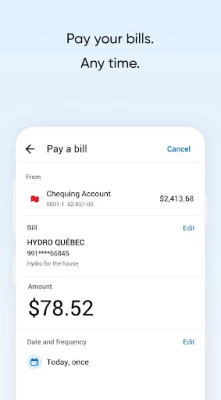
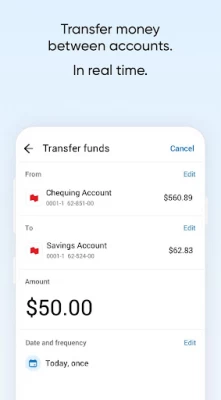
- Manage your company's cash
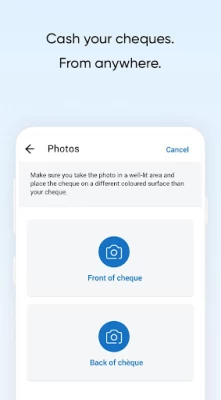
- Deposit client cheques without going to a branch
- Pay suppliers quickly with Interac e-Transfer® service
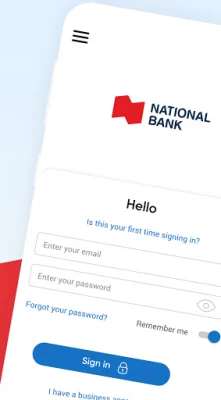
The National Bank app - for all your banking needs!
National Bank
Powering your ideasTM
The National Bank app offers endless possibilities to help manage your personal and professional finances:
Katy, a 25-year-old student, quickly opens a session with her fingerprint and applies for a credit card to deal with unexpected events while she's travelling in Peru.
43-year-old Michelle, a marketing coordinator, cashes a cheque
in the subway on her way to go shopping downtown.
Sergio, a 36-year-old plumber, buys a new fishing rod on his lunch break and pays for it directly from his smartphone thanks to Google Pay.
Mike's just landed his dream job. He signs up for direct deposit to receive his pay by generating a sample cheque directly from the National Bank app.
Alberta entrepreneur Christian always pays his suppliers on time thanks to Interac e Transfer® service available in the new National Bank app.
Samira keeps her shop's finances under control thanks to the National Bank app's cash management service.
* Some features may not be available on tablet.
Location data
We use location data obtained from your mobile device to help you find the closest branch or ABM using the App Locator.
Security
Part of our security measures includes collecting information about your device, such as the model and operating system to help better protect you from unauthorized transactions.
Please read the installation terms and conditions below:
By installing the National Bank App on your device, you also agree to the installation of any of its automatic updates or upgrades, including but not limited to updates designed to correct a failure, protect the security of our network, enhance performance or user experience, or add functionalities. You may deactivate the automatic update/upgrade option on your device so you can install the updates/upgrades manually.
Privacy policy
See our Privacy Policy to know the measures taken by National Bank to protect your personal information.
Peace of mind guarantee
All transactions carried out through our Mobile Banking Solutions are fully protected against fraud by our Peace of Mind Guarantee. It's guaranteed and it's free!
You can therefore bank online securely thanks to our Peace of Mind Guarantee, which protects your interests.
TM Google Pay is a trademark of Google Inc.
® Trademark of Interac Inc. Used under license.
© 2018 National Bank of Canada. All rights reserved. Any reproduction in whole or in part without prior written consent of National Bank of Canada is strictly prohibited.
Latest Version
5.22.1
July 20, 2024
Banque Nationale du Canada
Finance
Android
1,388,528
Free
ca.bnc.android
Report a Problem
User Reviews

A Google user
6 years ago
The user experience is the worst I have ever seen. My phone is a Galaxy A70 and the app just does not work with my phone layout. There are sections of the app I can't access or sont fully open for me to view. I can't even send money to people or pay my credit card. The only thing that works is the view of the dashboard. I have to use chrome everytime to make e-transfer or pay bills... very annoying
A Google user
6 years ago
The app is as broken as ever. Its been months. No way to scroll, gives me wrong info pertaining payments and account balance, crashes, doesnt recognise passwords and fingerprints, gives me double or triple the info for statements on my account. If held vertically, the sub menus don't open; A mess!! I've lost count of how many times I've uninstalled, reset the phone and then reinstalled. I always find myself going for the web version either on my computer or my phone. Not making banking easy.
A Google user
7 years ago
I had to write about the new update. The new sign-in is easy to use, now you see the pending transactions on your mastercard. Now I dont understand why, but now I can't find the option to make a loan payment. It was under banking services, but now it's gone. Also I dont like that all your banking transactions aren't clear anymore. Example ,if I make a bill payment using my mobile, it just says mobile bill payment, if you make multiple mobile payments they all say mobile bill payment, but doesn't say to who anymore. To check I have to click on transfers and payments than payment history to see the actual transaction. It just needs to be clear under your own account. The app was better before.
A Google user
6 years ago
UI is broken when depositing a cheque. Goes to landscape and never comes back properly (work around is to lock auto screen rotation). Log in fails often (spinning wheel after password and then back to login). Transactions services are down quite often. Doesn't refresh properly after a transaction and shows wrong balance, you have to log out and log in again to refresh. When paying a bill if you go double check the amount in another app, when you get back in the app the fields are reset and empty.
A Google user
6 years ago
This app is Half-baked. First off, validation process doesn't give you enough time, 30 seconds to retrieve email and copy and paste is not enough. Same applies to getting sms to validate phone number. Second, the login process doesn't work with finger print ID. It says it does, but you're stuck at login screen. Third, unable to pay any bills, it keeps saying there is a technical issue. I would give zero stars but Google Play doesn't allow that. Unsure how this app got approved, but it did.
A Google user
6 years ago
The auto-logout bug everyone has been commenting on seems to have been resolved now (thank god!) so I'll disregard that issue in my review. One thing I did notice though, when viewing transactions of an account, it would take 8-12 seconds to load but now it takes 2-4 seconds! Also, I've been noticing less random technical issue errors so things do seem to have been stabilizing. You guys are on the right path!
A Google user
6 years ago
A few features important to me are missing: the "postdated" tab, the master card statements organized by statement date and "current status" and the total net assets on the "overview page". I end up going on the full website on my cell phone instead of the app. Very disappointing. Don't like the concept of logging in with email. NOT secure. Also my entire family uses the same email, yet have different bank profiles! How can that work??Download on Quicken puts line of credit as asset not debt.
A Google user
6 years ago
The App is extremely slow! The account summary shows up fairly quickly. The problem is viewing the account details. This is the worst banking App I've ever used. Everything with NBC is just slow🙄. I have restarted my phone and uninstalled the App many times. I'm still experiencing the same issue. The issue is with the app itself. So me calling will not fix the issue. I've done that once before. The problem is the app. WORST APP EVER
A Google user
6 years ago
Very convenient app. However, it has a bug: if a user logs in using fingerprint and then the app is placed in the background, it will log out automatically after a certain timeout period. When the app is brought back to the foreground (awaken) again, it will display the fingerprint prompt again. After the fingerprint is scanned, the fingerprint prompt disappears and the screen stays blank forever. The app always freezes at a blank screen at this point. The issue still exists after latest update.
A Google user
6 years ago
Does everything I need and more. Great app. Edit: New problems since the latest upgrade with deposits (Android 10, Pixel 3XL). When I scan the back of the cheque and the phone switches orientation from landscape back to portrait, the viewport's content does not switch as well. What ends up happening is that all relevant content gets cut off (buttons, information etc.) and you simply cannot proceed. I was forced to use and older version on my previous device - Nexus 6P - in order to submit my cheques.

Diane Gingrich
1 year ago
Again, I've tried to open the app and I'm met with the app is not available. And again the app is not available. I've taken a screen shot of it but unfortunately you don't allow the attachment option

Paul FG
1 year ago
reached technical support, lost a lot of time to be able to deposit a cheque and never been able. pixel 7 or the app have issue. never got feedback from technical support either

Lionel Jean-Francois
1 year ago
Excellent way to helping my children far away from me, very quick and simple

Samy
1 year ago
Getting very worst since months now. It takes a long time and many several freezing for a simple operation as transferring amount between accounts or switching for an account to another. If I May compare your app to my other banks apps, yours is a shame 😭.

JS “SkeptikQcx”
1 year ago
Went from BLC to National Bank, best choice I've made this year so far. Fast, easy to use, convenient. Don't look else where.

Rory Reid
1 year ago
I feel NB's app is the best app in the market. Its easy to use and has every option you need for your day banking. Hands down the best Bank.

Alexis Chenard
1 year ago
Works well. Shows you what you need to see. Rarely downtime if ever. Overall pretty good app.

Shawn Hoskins
1 year ago
The app works great. But what I absolutely hate about new update is the fact that the menu icon is now on the bottom right side and thus when you want to log off and you're in your account you need to press upper lett to get back then bottom right for menu then center for log out. The user interface was better in the previous version.

Eric Berthiaume
1 year ago
This application has a serious problem. When trying to cash a check using the camera it can't focus correctly on a pixel 8. That phone has one of the best camera on the market (also work fine on TD bank and Desjardins bank for the same operations) so they need to fix that app.

Edward Baker
1 year ago
Awful. I entered the correct password and tried several times to login but then the system locked me out. Called the bank. Said they can't do anything for 30 minutes. I need access to my money now. And don't try cashing a cheque. Even if you do get the cheque photo option to work, it was almost a two week hold. Never had a bank hold it for more than 5 business days. Awful app, awful bank.









