
Papaya: Pay Any Bill
August 24, 2024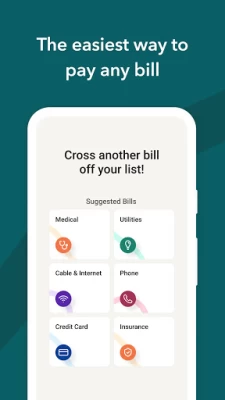
More About Papaya: Pay Any Bill
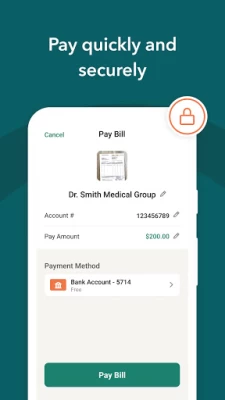
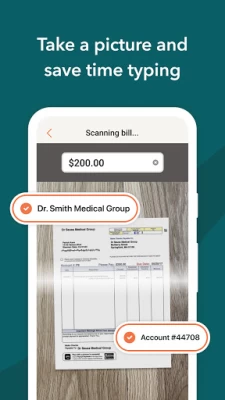
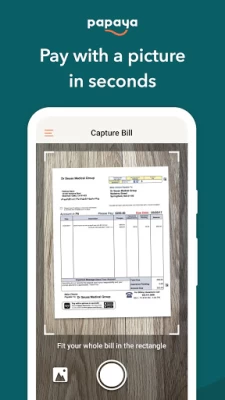
The Papaya app makes bill pay fast, easy and pain-free. In fact, we use the same game-changing technology that you use to deposit a check on your banking app. Simply take a picture of your bill and your payment is sent.
HOW IT WORKS
1. Download the Papaya app (it's free!)
2. Snap a picture of your bill
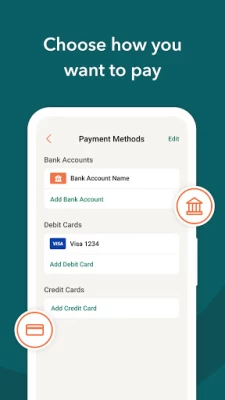
3. Choose a payment method
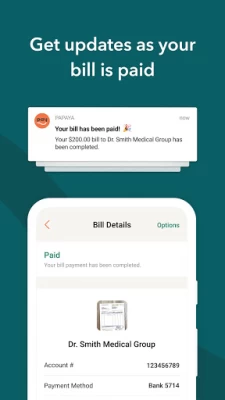
And presto, Papaya sends the payment for you!
PAY ANY BILL
Papaya works for all bills - medical, dental, utilities, rent, insurance, loans, parking tickets, DMV, plumbing services, business bills, your dog's training lessons, your kids' daycare bills and more.
PAY SECURELY
Your security is our priority. Papaya is HIPAA and PCI compliant, and bank-level secure.
PAY QUICKLY
It takes only seconds to make payments, and most are settled within 24 hours.
PAY HOW YOU'D LIKE
You can pay with any payment method: bank account, credit card, debit card or FSA/HSA card, as long as your merchant accepts it.
MORE ABOUT PAPAYA
We are a fast growing FinTech startup backed by the same investors behind Uber, Facebook, Google and YouTube and the winner of the PayAwards "Most Innovative Technology". You can learn more about us at https://PapayaPay.com. Our Terms of Service are here: https://PapayaPay.com/tos.html
Latest Version
13.07.0
August 24, 2024
Papaya Payments
Finance
Android
467,574
Free
com.snappays
Report a Problem
User Reviews

Liam O'Daniels
5 years ago
Good app. I'm never going to use it again because I've never heard of it, never heard anyone using it, and I'm forced to use the app from the website redirect. I don't want to use the app and take twice as long, I'd prefer the webpage. Other than that, VERY easy to understand, quick, and simple enough for anyone needing bills paid without a hassle. Recommended for repeat users.

Doug Hill
4 years ago
Worthless! Snapped picture of invoice. My account was verified by change deposits into my bank account. Next thing I know, a week later I'm notified my payment was declined because account could not be verified. What?! Then how did Papaya deposit $.06 and $.07 into my checking account? I will just send a check, way to much trouble using this app. They have alot of work to do on this app.

jeff st. jean
2 years ago
Slow to start, never really used the app, First time using the bill pay it wouldn't read the pdf correctly and said it was "too blurry". When I took a screenshot it read it scanned perfectly, idk what's up with the system but after that an unknown error occured literally kept popping up everytime I tried to download the bill. At last I get to the pay option and something told me that I should look at the reviews and i was not dissapointed. 1 star. Its an App it may work but not going to find out

Rose Mclendon
5 years ago
I truly believe this is the one and only time that paying a bill has been enjoyable. I can now pay all my bills in a one stop very quick way. Now I don't have to go to separate sites to pay each bill. I just take a picture and voilà! It's free using my bank account information . This frees up so much of my day. I will never procrastinate paying my bills ever again.

Alex Levoff
5 years ago
Total disaster. To start of it takes them a month and a half to process the payment and then they print a check and drop it into the mail box. The operation I could do in 10 minutes with the bank payment system. I've made several bill payments with this app. Now I am getting overdue bills. None of the payments went to the payee. I have no idea where the money is. The app doesn't have the phone number of the tech support. You have to use the comment field in the app. Scam!!!

Laura Labbee
3 years ago
I didn't like that I had to save CC info, no option for one time use. The screen that says preferred contact method, yet I still had to enter both email and phone #. No box to check email as preferred. This app is basically forced on you to pay your bill, unless you want to mail or give information over the phone. Just give us all the info we ask for or you can't continue. No confirmation # once payment was made. I didn't feel safe using this app.

A Google user
6 years ago
The most convoluted way to pay medical bills. One lab sent me a bill with this app being the only option. Normally, a provider has a website, where all data is prepopulated from their end and my wallet and all I have to do is enter CVV. Not in this app. I had to tediously install an invasive app, give it too many permissions on my phone, scanning didn't work, so I had to fill in everything from scratch including CC details, amount plus some more invasive questions on top. 20 mins to pay $15 bill

Hadrien B.
2 years ago
no Google pay integration. asking for email address and phone number when they don't need that info. charging fees for using credit card to pay. no way to pay without having to download the app, the website completely failed to pay my bills. in-app scanning of their own bill doesn't work. slow processing of payments, marking them as pending when you'd expect them to be marked as done with any other payment app

Hollie Dodd
4 years ago
Sucks. Paid 3 bills with this app. All were not paid, says could not process bank account info. I had 2 change deposits added to my bank account, so I know they had the correct info. Decided to put my debit card info in the 2nd time. Still did not make my payment. Not sure what the problem is, but now all 3 bills are LATE! they should pay my late fee.

Buck2552jr
4 years ago
Horrible so far. Submitted 2 payments... several $100s of dollars I might add. Went to to wrong vendors. There is no way to track down where the money was sent because the app does not tell you. Sure it says the name of the business but how many companies have the same name? Alot. Papaya has no one answering the phones, I left multiple messages, sent several emails and still nothing. No one can track it down. Do yourself a favor and just call the place you owe the bill to and make a payment.

Joanne Clawson
3 years ago
Asks you to take a picture of the entire bill. Why? There are 2 QR CODES on the bill, it would seem like one or both have the info needed? I took and submitted twice, first time was my sloppiness but the 2nd pic I followed the rules. Still no good. The ap shows you the pictures, and there is a major problem with alignment. The image they receive is not the image I see in my camera, grossly misaligned.

timothy schaffer
3 years ago
I probably won't use this app again. I mean it pays bills (slowly, very slowly). I sent in a bill on the 5th and it is now the 15th. Still "processing". I mean if I wanted to get old and wither away waiting on this app is it. I would have had a better chance walking there and paying it at this point. Probably would have taken less time. The lack of information on the processing of your payment is very little. It's pay and wait 2 to 3 weeks then get a notification it's paid.

Jessica Johnson
3 years ago
At first I really liked this app. It's easier to pay bills by scanning the bill and hitting submit rather than following numerous phone prompts and entering long account numbers and credit card numbers. But, you may think you've paid a bill on time only to discover days later that it was rejected and you are now late with the payment. AND, the money leaves your bank account even if it's rejected, and then has to be refunded to you. I have one refund I'm still waiting for 6 months later.

RG H
2 years ago
This has been the worse experience - this app was recommended by the billing entity as an online payment option and the functionality seem pretty good, including converting a picture of an invoice into a smart form. However, I have been waiting for an refund on a couple of declined payments for weeks with no resolution in sight, will not be using this app again!!!

Brian Minton
3 years ago
My doctor's office requires this app. I installed the app, scanned a bill, and it asked me for my debit card info. Then it asked me to sign in. Once I signed in, the bill I just paid was not in my history. I scanned it again, and the app didn't say that the bill had been paid. They should use the serial number of the bill (data matrix code) as a key to determine if this exact bill has been paid. Checking if a record is already in a database is something computers are pretty good at.

Steven DeLuca
5 years ago
Slow, crashed multiple times. I was forced to use the app when I went to pay a bill and this was their only online option. The site makes you enter your phone number then it text you a link to download the app. The app is nothing more than a third party billing service and it routinely asks you to pay other bills from the app. You also do not get immediate confirmation of your payment. The app starts the process and tells you they will email you when the payment is made. I will be deleting ASAP!

D Rip
5 years ago
This is not free but it is convenient and easy to use. It was free for the first few bills you pay. Not sure how many are free or if its a time limit before it begins charging but they do pay fast & provide emails to keep you up to date with receiving your payment to it being paid with confirmation number. I can pay any bill without having to set up an account & remember passwords for each bill/company I pay. Great modern day tool to make life a little bit easier. ☺️✌️

Alex Redman
4 years ago
The system seems archaic. Most modern payment systems just use a QR code these days. Much quicker, You don't need an app, and it's an over all quicker and easier experience. I doubt that me taking a blurry picture of a bill is anything more than just proof that I had a bill with the big bold amount due at the bottom, everything else a computer couldn't pick up on. Tl;dr - switch to QR codes. Your customers will thank you.

A.M. Lee
1 year ago
If you make payments on a bill, it does not show your payment or remaining balance. You have no way of knowing if your payment is going where it is supposed to. I don't understand why billers need a shady middle man and not be paid directly. Update: I got another notice from papaya for a bill. Even though I've paid over half, the notice I got shows I still owe the full amount. Not at all surprised.

R. Cash
1 year ago
Company just took my money and won't give back. I payed a bill through this company and they were not able to pay them. They ended up canceling the order and I havent gotten my money back that was deposited into their account. They use the excuse that they can't help but to contact my bank? Stay away from using them! Update: this company gives no assurances except communicate with the bank when I had problems due to my bank account was closed. No other options. What a headache!









