
Pixicade - Game Creator
December 05, 2025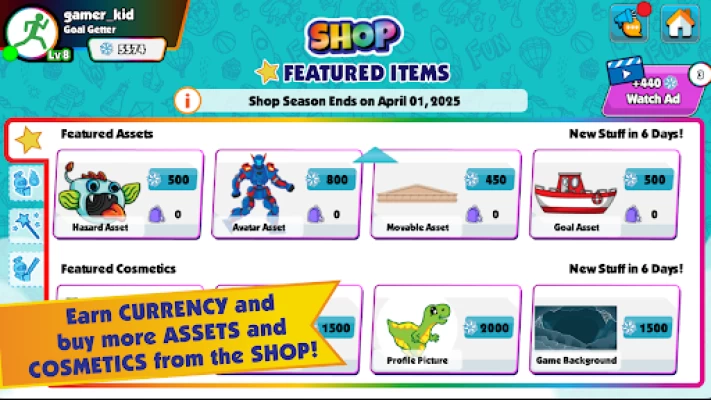
More About Pixicade - Game Creator
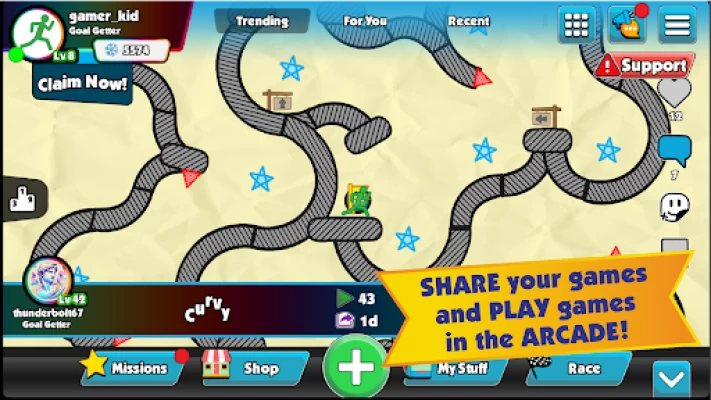
SHARE your games with friends and other creators and build an audience of your own!
Pixicade lets you channel your inner game developer.
PIXICADE - FEATURES
--------------------------------
• Create your very own games with no coding needed!
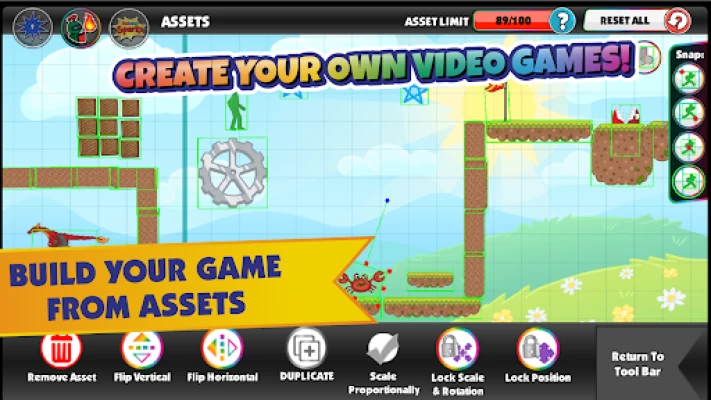
• Browse a library filled with pre-made, full color assets!
• Kid safe & COPPA compliant
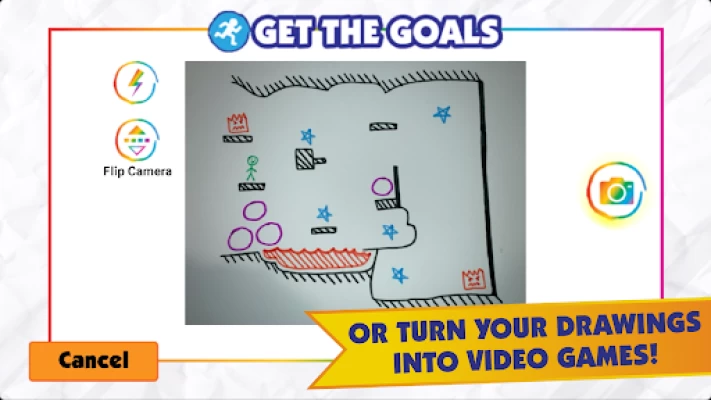
• Snap a picture and add your own drawings into your games!
• Add exciting cosmetics like game borders, backgrounds, music, and more!
• Level-up your creations by adding Powerups!
• Share your game with friends or the community of over half-a-million game creators!
• Follow your favorite creators & build an audience of your own!
• Track your progress as a top creator & player on the leaderboards!
• Play tons of games made by other creators - get inspired!
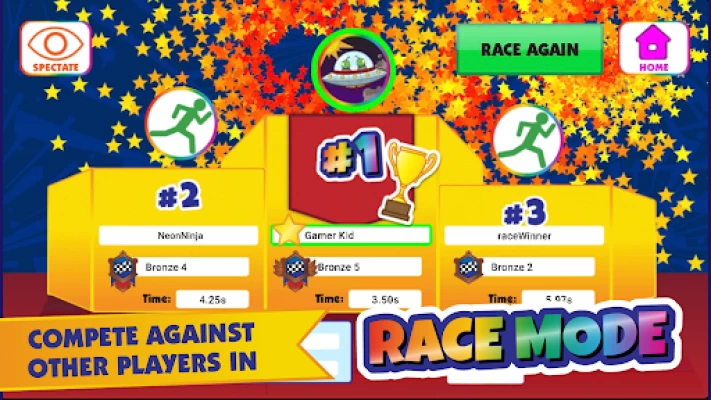
• Race against other players to compete for the fastest times and earn awesome rewards!
• Explore epic multi-level Quests full of interesting characters, stories, and bosses!
• Add friends to see when they’re online & playing!
• Chat with friends, or in group chats!
• Vote for and receive your favorite assets from others in weekly asset making challenges!
• Refer friends to earn special rewards!
BUILD
Creating games in Pixicade is easy. Just choose the type of game you want to make, and start creating!
Pick from a variety of game types like platformers, slingshot games, brickbreakers, mazes and more.
Add walls, obstacles, hazards, powerups & objectives to your games as well as cosmetics like borders, backgrounds and music. Browse a huge library of full color premade assets, or draw your own and upload them with your camera!
PLAY
Play the games you create, or browse the arcade to see what other creators have made. See what types of games are popular, and get inspiration for your next masterpiece!
Compete against other players in races for the fastest times to win rewards. Or, try quest mode to progress through multiple levels filled with interesting characters, stories, and bosses!
SHARE
Once you’re done making your games, share them with friends and the rest of the community!
Follow your favorite creators, and build an audience of your own! You can even track your score as both a player and a creator and get recognized on the leaderboards.
Want to try making your own games? Give Pixicade a try for free!
This application is free to download and play games. An optional subscription is available to enhance your experience. You can manage your subscription, including cancelling it, via Google Play's Subscription Center here:
https://myaccount.google.com/payments-and-subscriptions
* Internet connectivity required to play. Data charges may apply.
* Children under 13 may require parent permission to play.
Latest Version
5.4.5
December 05, 2025
BitOGenius Inc
Action
Android
330,204
Free
com.bitogenius.pixicade
Report a Problem
User Reviews

Diana Sparks
4 months ago
Downloaded this app so we could vote for my granddaughter's submissions in the store on the app. Apparently I need to have a paid subscription to also vote. I don't even want to create games, just play and vote. It keeps wanting me to watch ads. My granddaughter loves it and creates amazing games.

Delores
4 years ago
We had alot of fun creating our games on paper and then being able to play them on pixicade is pretty awesome. They can even edit the game in the app after creating it on paper. We really enjoyed being our own game creator. I would definitely recommend this with kids that are creative and really into gaming.

Gabriel Winston
2 weeks ago
best game ever but why is the app online and make sure it repeatedly dont give a connectoon error the offline version i think the offline is from temu

Wirya Ali
1 week ago
game itself? SUPER FUN but can it last 10 seconds before crashing? meh i dont think so But seriously fix the crashes i wanna play the game!!

Ma. Carmela O. Freyra
2 weeks ago
First of all. it takes VERY long to download Secondly when I was playing a game it crashed. pls fix. but overall even tho I got this app by alan. it's great

Yvonne Shiver
4 years ago
My daughter loved getting to create her own games. We did learn that if you make your avatar a person that you should make sure that all lines touch or you may get a leg that runs by itself with out the body. My daughter loved getting to be creative and deciding what to put in the game.We used printer paper to draw on to save the books for ideas and to use later. It is pretty easy to use. It helped to use paper on behind the drawing for the picture to take better.

Sarri Koziol
4 years ago
Fun & Creative for Kids of All Ages We recently had the opportunity to try out Pixicade games with our friends and family. The kids loved. It actually kept them busy for hours. First, they had to draw what they wanted, and then it was uploaded to the app where it turned into a video game. It was super neat to see each kid's reaction to what they created. At one point, they were passing their game around and taking turns on each other's. What a fun & Creative game!!!

A. D.
4 years ago
I really liked how detailed the instructions and YouTube videos were. These helped tremendously when showing kids how to create, upload, edit, and play their games! Once the kids got the hang of it...the couldn't stop drawing new games!! The only downside was that the upload time of 30 seconds took a little longer than impatient kids were willing to wait, at times. Other than that, it's truly a creative and immersive experience for them!!

Jigar Amroliwala
4 years ago
I got a chance to try Pixicade with my kids and their friends. The kids had a blast creating their own levels, objects, and maps. There is nothing like creating your own video game! The only drawback in the app is that the interface feels outdated. Once that's livened up, I think Pixicade would be a polished and awesome learning game for kids!

Anna Marie
4 years ago
You have no idea how cool this idea is and if you haven't had a chance to test out the game you are missing out. I had a hiccup when I tested the game but the Pixicade team was fast and efficient in getting me a fix. After that I was able to continue testing and prepping for when the kids played. We were able to make a few games and although not all of them worked we were able to edit the games easily and make them playable. My nephew, who is 12, made a game that was playable pretty quickly.

C. Paul
4 years ago
We had a blast with our family and friends creating our own games. The only thing that was complicated was that when we would take a picture of our game the app would read the wrong colors especially cause as you level up or move to the next book the colors change so sometimes it wouldn't work. Besides that I recommend Pixicade! Loved it.

Christina “Christy” Crain
4 years ago
Pixicade is one of the most creative, fun and unique games. This game is one of a kind. It combines art and STEM skills and allows you to turn your drawings into mobile games. The kits come with different colored markers that correspond with an action within the app. There’s multiple types of games you can create promoting critical thinking and problem solving skills all while being super fun! It's made for all ages and genders. It's educational and fun! Highly recommend!!!

Mary Stefanik
4 years ago
If you like to draw and like mobile games, Pixicade is for you! It is easy to make mobile games with Pixicade - just draw a picture, snap it on your mobile device like a phone or tablet, and play it! The workbooks in the game kit have a ton of game ideas to get your creativity started and the markers work excellent. The Pixicade app is easy-to-use and they amazing customer support. My kids are loving creating and sharing games. I love that it is educational fun!

Cuong Vu
3 years ago
Fun game for 6 and 8 year old girls. It did take a few attempts to get the drawings to match the game rules (for example, your green avatar, blue goals, and purple movable objects should be solid shapes). Once we figured it out, these kids love this game. It's so original. They love seeing their creations come to life on their own tablets. Feedback to developer - some colors aren't matching correctly at first but can be edited after the fact, but should be right the first time.

Michelle Nelson
4 years ago
This is a great app! My nine year old and sixteen year old love it! Even my four year old tries to make her own games. Although she does not scan them into the app to make games because she is not quite able to draw the pictures accurately enough so the games will not load properly. In a few years she will be scanning and creating her own games too! I love that you are creating your own games on paper with markers, it gives it a more personal feel. You are able to make the games as detailed as you want or as simple as you want. It really brings out the creative side in kids! I also love that the games are editable once loaded so if you made a mistake you are able to make adjustments so you can get your games to work. I also like that you are able to share your games to a friends list so you can play games that your friends have created as well. Adults also enjoy making their own games as well, this really is a great app for a wide range of ages! You are able to use your own paper and any markers as long as they are the designated colors for each item. There is a cost to load your games but you can pay .99 for 50 games or up to 9.99 for 750. I think it will take awhile to use up 750 games so this is a great deal! Overall a great app and I highly recommend it!

Jenna McCafferty
4 years ago
We love the concept of draw, snap, and play bringing artwork to life. I could navigate the app, for the most part. You definitely need to have decent wifi, otherwise good luck doing anything. And you need a good camera. The kid's tablets are older versions and have difficulty capturing. We follow all recommendations and after it's made, will have missing color marks. I have two kids and didn't like having to sign them up under different emails.

Mary Brouillard
2 years ago
Great idea, but in-app purchases and buggy user interface make it very frustrating. I bought the boxed version of the game on sale, but it runs $19.99 typically. Even the boxed version limits the number of games you can make. The number is high, 1200 games, but every draft is considered a game. My son is 8. He’s going to go through a number of attempts to line up everything just right and get his lighting right. It’s fun when it works right. I would not purchase if I knew what I was getting into

CharlieandLisa Johnson
4 years ago
This game works just like they show on the commercials. The real fun is designing and editing your games, moreso than playing them, so it is totally worth the $20 purchase of the kit. Plus they will learn a lot from the books that come with the kit! It really walks you through the game design step by step and gives lots of ideas to get you started. Highly recommend for creative, artistic screen time!

Jason Lloyd
4 years ago
App Review The app could use a little more user-friendly makeover. It was difficult to know how to share games with friends, and the private rooms made no sense, or at least there wasn't much info on them. when you buy the product, you get 800 games, however, every time you take a picture, the number of games decreases, and Kids don't realize this and take several shots of the same game, wasting game slots. I had an issue where sections of the game did not render properly, such as a wall, and it could not be fixed, thereby causing me to redraw and retake the photo. There is a photo preview but this does not show you if the game will work. but just a preview that its not blurry and doesn't have shadows. Overall this is a great product! review for the The Kit provides you with everything you need to know to create fantastic games. no need to be a computer expert or gamer . The books teaches and gives examples; It also provides inspiration and creative ideas. My kid's faces lit up the first time they saw their drawings come to life, and you can't put a price on that.

aubrey hallock
4 months ago
Absolutely AMAZING game! I'm a grown adult and enjoy making games for my kids to play. My kids love playing the games and making them as well! They are 5 and 9 and can both make games with very little help from me. There's so many game types and options to choose from you could make thousands of games without them being the same. Adding "assets" you've drawn yourself is pretty easy (though some colors don't show up on the camera in app) and you can use them over and over! Very creative and fun!









