

ROAR Augmented Reality App
August 26, 2024
More About ROAR Augmented Reality App
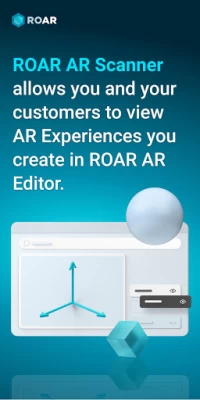
Businesses and individuals can create augmented reality content using ROAR Editor in less than 3 minutes and just a few steps & deploy immersive & interactive digital content to their audience which can be viewed via ROAR AR Scanner App.
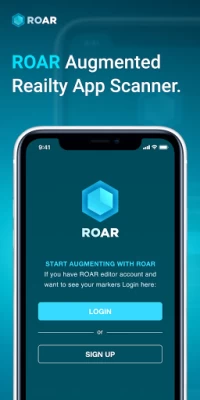
Simply download the ROAR Augmented Reality app, point to an item or space that has been digitally updated with AR through ROAR Editor and press scan to view AR Content. Observe the two worlds, digital and physical, merge in one, bringing you into Metaverse future
To see some examples, use your scanner ROAR app with some of the items found here: https://theroar.io/gallery-en/?category=trending
The ROAR AR Editor Platform (http://www.theroar.io) allows you to create, deploy, manage and share stunning AR campaigns that can be triggered by product labels, images, ads, website links, posters, post-cards, business cards, or any visual image markers. Additionally, AR campaigns can be triggered by geo-location or simply pointing to scanner to physical space where you want to place an AR item. Spatial AR experiences do not need markers or scanning. Simply place your augmented reality in physical space of your choice and interact with it through the lens of your mobile device.
ROAR AR campaigns can include 3d models, animation, video, call to action buttons, motion graphics with chromakey and Geolocation-based notifications. ROAR Editor is a no-code platform, designed for users with no technical skills. It allows anyone to create AR in just few steps.
Small and large businesses alike, can create, publish and deploy Augmented Reality in minutes using ROAR augmented Reality. Brands, Retail, Educators, museums, tour operators, libraries, publishers, print outlets, groceries, manufacturers, packaging companies, fashion brands, celebrities, entertainers, and the like can create Augmented Reality campaigns for customers in just few steps.
For any questions or business inquiries, please email us at info@theroar.io
Latest Version
1.39.7-14
August 26, 2024
ROAR IO Inc
Finance
Android
122,889
Free
com.roar.scanner
Report a Problem
User Reviews

pixelian95
2 years ago
Doesn't work, It glitches

Rédiana Gauises
2 years ago
The app is glitching I can't access camera

Swords Man
2 years ago
Its glitching, not working!

A Google user
7 years ago
Keeps on crashing..cant even scan my own project
A Google user
6 years ago
Love it and have domains in video, audio, tools , and player At adeptiveinc at Gmail
A Google user
6 years ago
Easy for use and small! I like that!
A Google user
6 years ago
feel like being Cheated I using the free plan to test if this app good enough for my project or not if it good I can buy monthly for my project. I make an AR the test with my project team. The free plan let me view for 20 times. After i make the project yesterday and I haven't shared with my team yet. today the app wont let me view the project (the said i try out the 20 views trail which I haven't) and let me buy the monthly plan. so very disappointed ☹️ Edit: after talking with the deverloper I change to 3 stars it is my false that I dont know the view also count on testing (havent not Public yet ) So for the people out there Remember to not test you AR or only test when all project is done because it count as view (either free plan or monthy paid} and for Developer it will be good if the counting only the view after publiced. Because you can get for customers to consider paid the monthly plan (as I will before this happen).
A Google user
6 years ago
Would get 5 star if camera could be silent, i hear "clicks" when i exit the app.
A Google user
6 years ago
i have tried scanning coca cola, doritos among other things and it never works.

Giordano Battilana
5 years ago
Crashes all the time, it doesn't recognize the content

Kah-Ram Uesugi
4 years ago
Works only for Apple. Nothing is found on androids even if it's from the exact spot and angle
A Google user
6 years ago
Wanted to see if this would have worked on my Samsung Galaxy orbit j3 .so I could see if I could play minecraft but it doesn't work

Fazlind Mohd Shuraimi (Fadz)
2 years ago
The scanner doesn't even work. The cam unable to detect the marker hence giving me all black scene.

Gabriel Salazar (Kids' Scissors)
4 years ago
I don't have much to say. The dollar scan works ok I guess but it tells me that an unknown error occurred when I try to create my account.
A Google user
5 years ago
Awesome app, easy to create experiences online. Great customer service too, always fast to respond and help out!

Sophi
5 years ago
Not a bad app. I got a notebook thinking maybe somehow this app will make the cover like move and something but instead I got a Leonardo da Vinci learning video. It's not really entertaining in my opinion if a child get this-
A Google user
6 years ago
Doesn't really work for me. Doesn't load the figures, hard to even access them on the site, there are a lot of "this is private info" messages. Feels like a beta version made for other kind of phones.

Helder Lira
3 years ago
It has been very easy to use from the go. Simple and yet impressive results. I created a business and added 3D content, customers were very impressed.
A Google user
6 years ago
Full screen mode is useful addition but unable to exit from fullscreen mode either during playback or when video is finished. (Not obvious that you need to swipe up from bottom to access 'back' icon.)
A Google user
6 years ago
It's a neat idea but from what I gather the little time I spent on it, is you have to have the app downloaded in order to experience these ar effects. From a business standpoint it's highly unlikely a regular consumer would take the effort to download an app/remember/want to open the app in order to experience such effects. If something like this could be implemented into a consumers stock camera app then I would say it has a chance of catching on otherwise for the everyday consumer, prob not.









