

SecureAuth Authenticate
October 01, 2024

More About SecureAuth Authenticate
Secure your personal accounts from account takeover with 2-step verification. SecureAuth Authenticate lets you protect your personal Gmail, Outlook, LinkedIn, Dropbox, and thousands of other cloud apps.
Personal features:
• Supports multiple accounts
• Quick QR code set up
• Works offline without Wi-Fi or data connection
• Can be installed to any Wear OS based device.
SecureAuth Authenticate for business use
SecureAuth Authenticate provides additional strong authentication benefits when paired with SecureAuth IDaaS in corporate deployments. The app is designed to work with adaptive and passwordless authentication for cloud/SaaS and on-prem app single sign-on (SSO) scenarios.
Business-critical features:
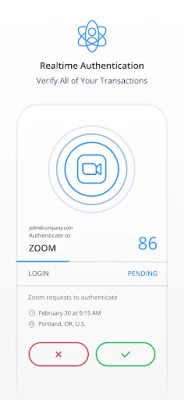
• Push notifications – Prompt to approve/deny a login that requires MFA
• Symbol-to-accept – High-security prompt requiring user to match a specific symbol
• Unlock detection – Security protection when phone lock protection is disabled
• Anti-cloning – Security protection when phone OS is cloned to another phone
• PIN protection – Prompt to enter PIN to display OTP code
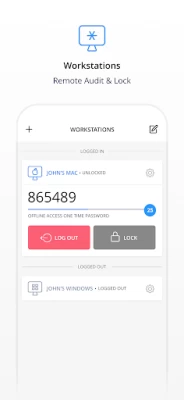
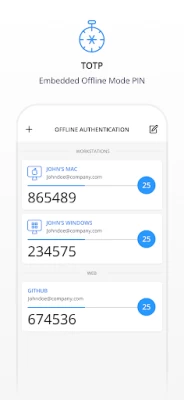
• Offline mode – Generates OTP code for MFA-protected Windows or MacOS login
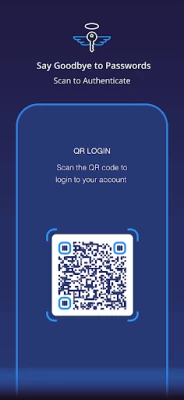
• QR code or activation link enrollment – Convenient methods to configure the app
Getting started
Follow 2FA or MFA setup steps in the app you want to protect. Once you scan the QR code or enter a setup code, your account will be set up for 2FA.
Visit https://www.secureauth.com/secureauth-authenticate to get started.
Latest Version
23.07.02
October 01, 2024
SecureAuth
Finance
Android
614,079
Free
secureauth.android.token
Report a Problem
User Reviews

A Google user
5 years ago
I need it for my work and i use it on a moto e5 and i didnt have any issue, the problem now is that last xmas i changed my smartphone for a better one. but ur app is not compatible and i steel need it for my work. In this moment i have a Honor 10 by Huawei, android 9 EMUI 9.1.0 *Model COL-L29

App Id
5 years ago
I personally am having very good experience with the app. But we wasted one whole week on one of our resources enrollment to device and still we were facing passcode does not match error. Then we changed user's device from redmi note 6 Pro to redmi 7A. And we again re-enrolled on new device which solved the issue. Please can you confirm if redmi note 6 Pro is incompatible.

Guru Swamy
4 years ago
I wants to give zero rating but not there here🙁 while I'm trying to open this app it is crashing and getting an error as authentic keeps stopping. My Mobile model OnePlus 7, I had a call with backend team many times but still didn't found any resolution

Cameron
1 year ago
The secureauth registration straight up doesn't work. Attempted multiple times, eventually it worked. Also stupid that every company decides they need to make a otp app. The protocol is open, just use the existing Google or yubikey apps. Don't roll your own.

Jimmy
4 years ago
Push notifications arrive but error out after selecting Approve every time. Pixel 6 Pro on Android 12. I did not have this issue before switching to my new phone and Android 12, and a friend has the same problem after the same switch. Seems like a Pixel 6 Pro or (more likely) an Android 12 compatibility problem.

Teresa Holt
2 years ago
Doesn't work. Trying to load to new phone and after adding work link it just goes to a blank screen and won't connect so I can login. My only way to access work. This is ridiculous!

No Name
3 years ago
**Update IT GETS WORSE** If you change your lock screen in any capacity it forces you to log into the account in the app AGAIN. Zero brain cells were used in the design of this app. This app is a definition of stupidity. It sets its own lock on each account but ALSO requires the device to have a lock screen set making it extremely cludgy and innefficient.

Robert Walt
3 years ago
Decent enough interface, works for what it does, but forcing a lock onto my phone rather than on the app? Other 2FA solutions opt for encrypting and putting the lock on the app itself with some other sort of login, passcode, or credential.

Faraday Agbontan
3 years ago
I'm unable to login to my company network, getting "Login ID or passcode do not match" error. I believe this may be due to my change of device. Please make it possible for user to be able to "choose delivery method" and select device from which the secureauth code will be used for login. I lost my old device to a fault beyond repair and can't select my new device as the delivery method. This is painful 😔
A Google user
6 years ago
The process of using this app for mandatory reasons as defined by my school has absolutely ruined my entire evening. It is not yet clear if it has ruined the remainder of my week. For whatever reason, such a small app has decided that it requires several gigabytes in order to even commence downloading. While I am aware of this likely being an issue regarding the Play Store, that does not make it any less obnoxious. The effort of downloading this app made gouging my eyes out a more fun activity.
A Google user
6 years ago
it doesn't work from my mobile Redmi note 7. I am able to configure and get otp . But I am not able to access the destination machines using this otp getting error as Invalid OTP. But the same thing with same configuration works in different mobile.

Gergely Tóth
3 years ago
2022.02.08: after account reconnect it works again.. 2021.11.16: 'something went wrong' message, if a push notification arrives, and I try to approve it. This app is worse-and-worse with every update. 2020.12.17: push notifications started to be unreliable again. Permanent 1star from me.

Dhananjay Chavan
5 years ago
app does not open on my Device Xiaomi Redmi note 6 pro. In settings i have not put this application in app lock method, still it keep asking me to confirm my pattern while opening the app. Just because it is asking, i put my pattern there but it stuck on a loop, nothing is happening and it keep asking to put pattern. Fingerprint also not working for the same

Tom Crawford
1 year ago
Used to work decent. Has been slowly getting worse and worse. Lately it will only allow correct number to allow access if you press submit with 10 or less seconds of the original 60 seconds. Now just spinning usually till code times out.
A Google user
6 years ago
I'm required to use this for my job and it just doesn't work. i entered the same registration URL provided by my IT dept that works fine on my laptops and has worked on other phones and the app will not proceed to the login step. No error message. It just sits there.

Greg Corbett
2 years ago
Doesnt work anymore. Doesnt send push notifications to my android samsung a5 anymore. I havent changed any settings. Stopped doing this 4 to 6 weeks ago. I have to open the app and memorize the 6 digit code and type it in before it resets to a new 6 digit code every 60 seconds or less.

Piotr olo
2 years ago
Using it for work on an older phone. The phone is android 8, airplane mode kept only for this app.. even without connecting to the net the app is still sync and I never had issues related to codes not syncing correctly

Benjamin Frugoni Backhaus
2 years ago
After a little while it stopped asking for my fingerprint on Pixel 7. Now the OTP generated does not work anymore. Even reinstalling does not fix it. Oh, and it is impossible to change any setting, it just shows copyright info

Charles Turner
2 years ago
No backup option.. Unlike other 2FA apps, with this one you cannot backup your codes. If you lose or replace your phone, you then have to go and unlink and relink everything assuming you still have your old device. Huge QoL issue with a simple fix.
A Google user
7 years ago
This app works great on my Samsung Galaxy s9. I am trying to get it to work on my Chromebook and every time I open the app it says "This application requires the device screen lock to be enabled". I've triple checked and I have screen lock turned on when it goes to sleep and it can take either a password or a pin (I also tried just a password) and it still gives me this error. Not sure what else I am missing.









