Smart AppLock: Privacy Protect
December 06, 2025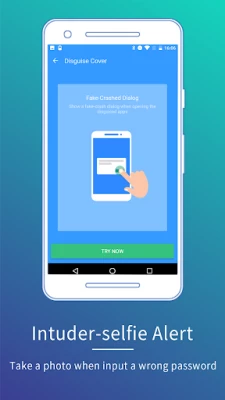
More About Smart AppLock: Privacy Protect
Smart AppLock is a tool to lock apps you like, protect you from privacy leak!
It is your great privacy guard and app lock!
With AppLock, you are able to
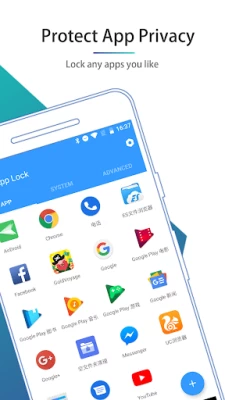
☆ Lock privacy - lock apps containing privacy content, such as photos, videos(Gallery), short messages(SMS or MMS) and call logs
☆ Lock apps - lock SNS apps, such as Facebook, Whatsapp, Twitter
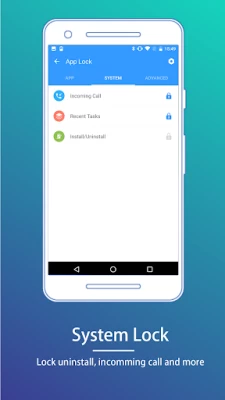
☆ Lock Incoming Calls
☆ Lock settings - lock system settings, install/uninstall apps to keep phone away from being messed up by others or kids
☆ Lock markets - lock games and markets to prevent your kids from addicting in games or purchasing in markets without your knowing
Special Features of AppLock:
• Disguise your lock screen to prevent from breaking into your password
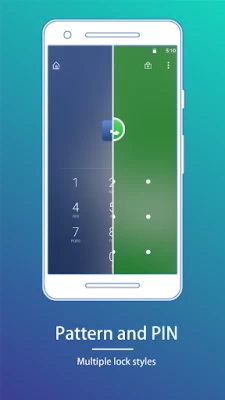
• Protect apps with multiple lock types, such as Pattern Lock, PIN lock
• With AppLock home screen widget, one click to toggle lock status
• Custom lock screen style, custom lock screen background
• Light, less memory usage
• Advice you to lock related apps smartly, privacy has never been so safe
• Beautiful UI and easy to use
• No delay auto start after device reboots
• Lock recent history, prevent app screenshot being leaked
• Hide and encrypt pictures and videos with GalleryVault
• Launch locked app within AppLock without password
• Break-in Alerts: Take a photo when someone tries to enter your locked app with an invalid password
• DelayLock: Once unlock any app, no password is required within a delay time
• Unlock with Fingerprint.
----------- FAQ ---------
► I forgot my password, how to retrieve it?
When you setup the password/pattern the first time, AppLock will ask you to setup a Password Retrieve method: "Security Question".
To retrieve password, tap the "Forgot?" button to show Retrieve Password panel.
Security Question
Input the answer to the question you setup before.
► Dose Smart AppLock support iOS platform?
Yes, we have an iOS version "iAppLock" for iOS users, you can visit http://iapplock.thinkyeah.com to get the download or search "iapplock" in Cydia to install.(requires Jailbreaked iOS)
----
Any issue or suggest for AppLock, welcome to send mail to us! SmartAppLock@thinkyeah.com
We focus on Privacy Protect, provide the professional AppLock to protect your privacy!
website: http://www.thinkyeah.com
Google+ : https://plus.google.com/105614151477767438997
Facebook: http://www.facebook.com/smartapplock
Twitter: https://twitter.com/thinkyeahapp
Supported languages:
English, Russian, Spanish, Turkish, German, Portuguese, French, Japanese, Korean, Polish, Simplified Chinese, Traditional Chinese.
Latest Version
4.3.11
December 06, 2025
Smart Protect Mobile
Tools
Android
16,227,919
Free
com.thinkyeah.smartlockfree
Report a Problem
User Reviews

JC R
1 year ago
Good app but need lots of improvements. There should be an option to avoid the app to be uninstalled by unauthorized ones. Anyone can uninstall it and grant access to the apps and files as easy as just restarting the phone. Even this app can't be locked to avoid access by others. Other App Locks has the option to block itself to acomplish this. The app takes longer to reactivates itself when restarting the phone, it has to be done manually. Has annoying ads too when online.

J H
3 years ago
Works well, simple, no bugs, fast, effective. Only thing I'd change would be to not have to see the intruder selfie immediately at login. When in hurry it is a bit frustrating. And mostly always yourself anyway due to phone or screen or water causing error. Should have a off toggle for that. Otherwise best I've used.

Carol
4 years ago
For the first time an app actually had me afraid. I'm out camping in the wilderness, & my phone locked up due to something I accidentally pressed in this app. It was demanding a pattern lock to open ANYthing on the phone. I was new to the app & had never even set up a pattern lock for it. I could not make a phone call, get into my own contacts, open Settings--NOTHING! I restarted, powered it OFF, pulled the battery. Everything I could think of. I could not get online to get instructions to boot my phone into Safe Mode, because my browser too was locked up by this app. I couldn't even send or receive a text message. It was a brick! Thank goodness I wasn't camped completely alone as I often am, & could borrow a friend's smartphone to look up Safe Mode instructions. Going that route, I finally got my phone back into a working state after uninstalling this app. But this was a scary wake up call, as I was in the middle of nowhere with a totally inoperative phone. It would have been impossible to call for help if it was needed. And of course if I'd been out hiking & using the phone's GPS for navigation, I could have been lost & in need of rescue.

Michael DK
4 years ago
You can indeed lock apps nicely, however it's very intrusive and puts widgets in your notifications, tries to offer all kinds of other services we don't want. To turn them off (!) it warns you it might become 'unstable' without them and tells you to do disable it, I need to give it permission to read notifications. Almost virus like and very dishonest from the devs, praying on less experienced users. Don't do that.

bartman156
1 year ago
It's ok for securing apps against children or people who know very little about smartphones but anyone with even basic knowledge can figure out that you can just force stop the app to get around any protection. Restarting your phone also stops it from working as it can't open itself from the start. All of this happens even if you give it all the permissions. It's too easy to get around it for me to recommend for actual security.

Alan Chen
2 years ago
I mean if the stealer of your phone was smart enough, they would probably figure out that to get rid of password, just delete the app. Also, when I play some games, there is a small leak of background that shows the app is still working when the app says I need password, kinda telling stealer that you have a password app and not that the app has stopped working.

Jimmy Reilly
1 year ago
I needed an app that would give me an extra layer of security on my phone. Free from prying eyes, so to speak. One feature I really appreciate is the option to capture a picture of anyone who might try to access my apps. I lock my messages because many times apps need to send a code through SMS to verify your identity. This way, if someone tries to change a password on my apps, the text message with the code will be locked up and out of sight. The app is very easy to set up and use.

A Google user
5 years ago
My favorite app for my teens phone. She has a tendency to either put her phone down somewhere or let her friends take her phone. Favorite feature is that the app takes a picture of whoever tries to take her phone and uses the wrong password. The app emails me that picture with GPS location to where the phone was. Makes grounding from specific apps super easy. You just log in and block them. Make sure you block phone settings and set it up to prevent uninstalling. Good app guys!

larry dooby
5 years ago
This does so many things, it locks your apps that you do not want starting, it cleans up junk left behind by files when you uninstall. It tries to do many things at once, But it does not do this very well. For example I cleaned up 26mb excess spam off my phone, but when I ran CC cleaner, it found an extra 400 MB of junk. It stops many apps from starting, but it won't stop Google play or any Samsung app. These are the apps that drain your battery the most. Still an outstanding app

wyxd14
5 years ago
Actually pretty good! Helps me sort through my photos and cool down my phone, I would recommend it ! The actual app lock is very efficient and easy to use, the app is unlocked for the time you have your phone on so if you want to lock the app again then you need to turn your phone off and on, which is very useful so I don't need to keep unlocking every single time I open the app!

Sundus Ishaque
4 years ago
Installed it two days ago. Was working perfectly until it didn't? And when I opened the app to check if it was enabled or not, it was enabled and after closing it started working again? Honestly download this app only when you want your apps to be occasionally locked, not all the time because if you're looking for full time this app ain't it.

Kilee
3 years ago
Has an always-there notification that you can't turn off. When you try to disable it, it gives a million warnings that the app might not run correctly without it, then even once you hit "turn off," it doesn't actually turn it off. Too annoying to keep.

Klei M
4 years ago
It was a great app. What's with the "Junk clean", "Phone Boost" and whatnot...especially that obnoxious bar in the notification area? I wanted to block certain apps from being opened, never asked for these. Stop pushing apps that no one asked for. Keep it to only advertising them (if you have to). It's annoying. Extremely.
A Google user
7 years ago
I wonder why the most recent versions released the last few days no longer provide the Self Protection option, which was very useful to prevent the app itself from being uninstalled. And I would also point out that now the title and the text of the app-related permanent notification turn out to be invisible on Android Marshmallow, while they were white on dark background before.

Maria Ruicu
4 years ago
I would give you 5 stars, since it works and I have no problem, with the advertisements. The only problem that bothers me, is that I have to unlock every app, multiple times, even if I don't turn off my screen. Sometimes, I open an app, I unlock it and after a few minutes, while I'm still using it, the lock pops out of nowhere and I have to unlock it, again. Please, try to fix this problem.

Israr Ahmad Khan
4 weeks ago
Developers of this app died long ago. App can be uninstalled anytime if a person finds your phone unlocked and wants to see your locked apps. They'll just have to tap, hold, and uninstall the app, and all your locked apps will be open for them. There should be protection from the main settings locked by this app, and it should be able to prevent unauthorised uninstall.

Nobody
4 months ago
The cleaning tool is annoying and when I try to turn off the notifications, it forces the user to turn them on. I'm looking for an app to do just that job, with no extra-annoying tools, besides, the extra-cleaning tools aren't necessary anymore because most of the Samsung models have a maintenance tool natively installed. UNISTALLED.
A Google user
6 years ago
I changed my 5 stars review for a 1 star because this app went to the trash can. They changed it into something totally unrelated to what I installed it for. Now it's a cleaner, optimizer, blah, blah, blah. I don't want that. It's intrusive, everytime I do something on my phone, their pop ups show with stupid messages and ads. And the main function of it stopped working. When I try to access my protected apps, they force close and can't open them. One star rating is way higher than it deserves.

Rick Chaumin
1 year ago
The app works pretty well. Im giving it a low rating because of the annoying number of ads, that cannot be stopped no matter what you do.. And I've been their product Gallery Vault Pro for years and I love it. Because you just pay for the Pro Key and all the ads stop. There is no way to stop ads on Smart Lock app. Which is ridiculous because it lets you eliminate junk and notifications, but at the cost of getting bombarded with their ads. I emailed support and as usual they hardly ever respond.

William Davies (Mandalore668)
1 month ago
Good app. I've had no problems with it so far, other than some notifications aren't visible unless I view them through the smart app lock notifications section. Edit - Tuesday, November 4th: As of today, the app seems to glitch out, and instead of bringing up the lock screen when opening a locked app, it sometimes opens Smart App Lock. It seems almost random because it doesn't open until after the app has already been open for about a minute.









