Tab Display - Portable Monitor
November 06, 2025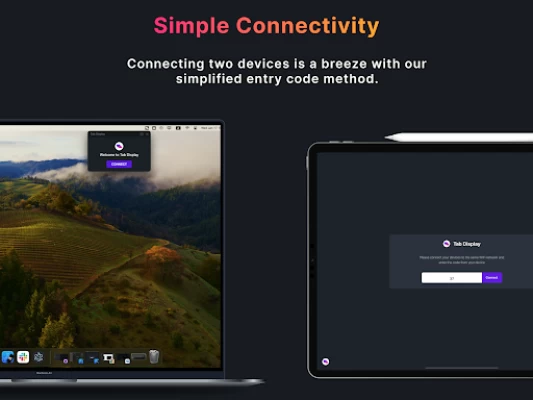
More About Tab Display - Portable Monitor
⚠️ Note: For macOS and Android combinations, USB tethering is not supported. However, Wi-Fi connections can still be used seamlessly. All Android devices are compatible, but devices that do not support USB tethering (Wi-Fi only devices) cannot use the wired connection feature.
💸 Pricing: Tab Display is free to download and use. However, an in-app purchase is available to remove advertisements.
🔄 Tab Display supports both portrait mode and landscape mode, giving users the flexibility to choose the orientation that best suits their needs. It also allows for customizable resolution settings, enabling users to adjust the display resolution freely for the optimal experience.
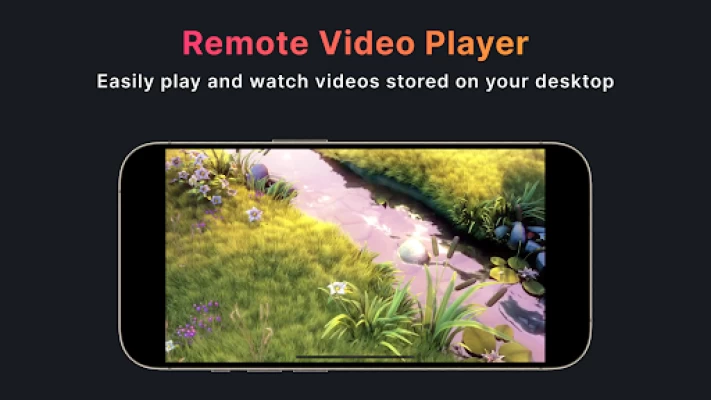
🎬 Additionally, Tab Display offers a remote video playback feature. By placing videos in a designated folder on your desktop, you can freely enjoy watching them on your tablet.
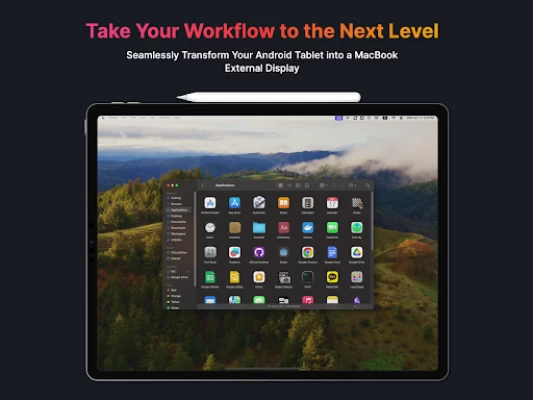
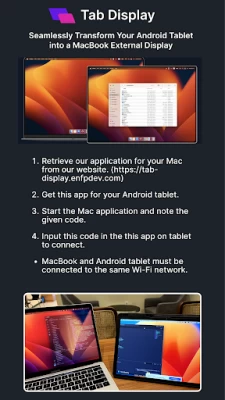
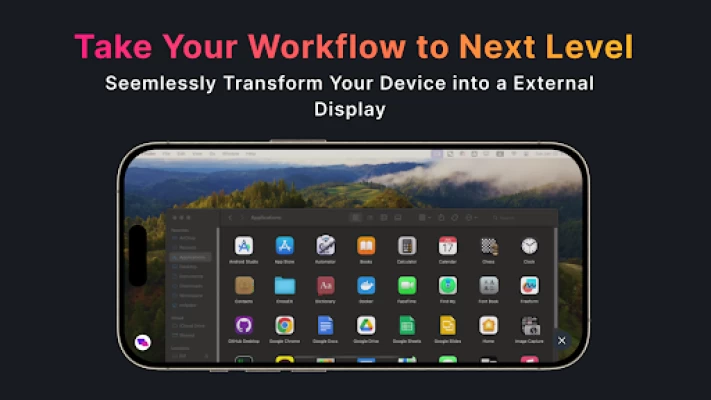
🖥️ Tab Display is designed to make the process of extending your MacBook screen as simple and seamless as possible. The app uses WebRTC technology internally to ensure that the video is streamed smoothly and without any lag. This means that users can enjoy a high-quality display experience without any interruptions or delays.
🎥 Check out the tutorial on how to use the Tab Display feature by watching the video at https://www.youtube.com/watch?v=qtSTy58u57E
📋 Similar apps: Duet Display, spacedesk, superdisplay, TwomonAir.
Latest Version
0.1.20
November 06, 2025
ENFP Dev Master
IT Tools
Android
54,993
Free
com.enfpdev.tabdisplay
Report a Problem
User Reviews

Caio Wilson
1 year ago
In my specific case, (using a cable) it works but not as good as duet on cable.

Michael Scott Wilson
4 months ago
does not with with fold 7. Connects, but unable to rotate to fill screen.

Eugene Ostapets
1 year ago
Everything is almost perfect, but the screen rotation on the tablet is missing

Countryboi 10
2 years ago
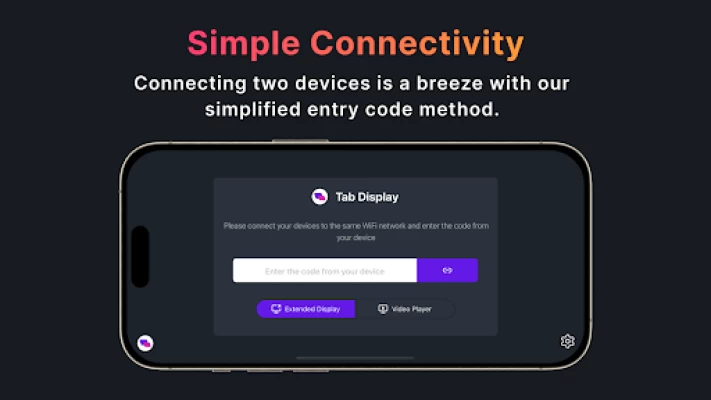
what code?where can I find the code from my device.it didn't show any instructions watsoverer,just the "connect the devices to the same wifi and enter the device code".Do I need the app for the desktop where I can acces the code? edit:I did eventualy found how to acces the code and I need an apple device to connect the external display(my phone).

Mwanda Chipongo
10 months ago
Works perfectly. That's it. With really easy pairing and configuration.

Dina78
1 year ago
It's just stuck on waiting for screen transmission, I tried on two devices one Android version 13, and one version 9, both didn't work, whts the issue then?

Will Haynes
1 year ago
enabled all permissions. on the same wifi network. app simply does not work.

Abhay Ranganath
10 months ago
Works really well, had to fiddle with resolution settings initially, but works great after initial setup. My Galaxy Tab S9 Ultra now works like a second monitor for M2 MacBook Air with the full 16:10 screen being used (unlike AirPlay mirroring that caps at 1080p)

Josh Goldhirsch
1 year ago
unable to get this to work on a OnePlus Open and my M1 MacBook pro. The screen shows up for just a second and then the Mac app force closes

Jan
1 year ago
Tried to connect Tab S9 Ultra to my Macbook Pro M3 Pro - getting the code on Macbook side but cannot connect the tablet - nothing happens, they are both searching (same WLAN ofc.)

Alvin Dimas
1 year ago
Amazing! Everything works like as I expected and the touch bug is fixed. I'm still waiting for wired feature to reduce latency.

Michael D
1 year ago
Worked instantly with very little setup, easy 5 out of 5 and easy decision for the ad free upgrade.

Misbauddin Chowdhury
2 months ago
too much ads. distracting

Robert Toutant
1 month ago
it just works . fantastic

Liam B
10 months ago
It was working well. It sopped working about 8 weeks ago (it wont connect). Sent 2 x seperate message via their website over a period of about 6 weeks and not a single response. Software without support is useless. Save your money.

JC Tanedo
1 year ago
Had an issue in earlier versions where the icon and close buttons in the corner were static so they covered parts of the screen at times. Gave feedback to the dev and immediately got a response that they'll work on it. A few updates later the ui now hide automatically. 5 stars

Rob
1 year ago
I was looking for an app to give me similar reliability and functionality like Super Display does for Windows and Android but for Mac and Android and after trying a few other ones that were completely unusable I landed on this and am very happy I did! Great interface and the only app of this kind (Mac to Android) that doesn't lag for me. Dev says they're working on a wired mode and I can't wait for that. Pay for no ads and trust me you'll be happy. Keep up the great work!

Alan Sukiennik
4 months ago
The only app that works with Mac totally seamlessly. Allows me to use my 15" Galaxy S9 Ultra as an extended monitor. Love it!!

Nflict G
2 months ago
simple and effective way to add screen real estate to Windows or MacOS. setup was self explanatory, but the documentation is robust enough for someone not tech savvy. purchased the full version as it saves time from me trying to build a solution from scratch.

Karl Gephart
4 months ago
This program is under-rated. Does the job very well and easy to connect to Windows 11 as an extra monitor. I have a Galaxy Tab A9+ that's pretty slow and useless because of low memory (I'll never buy anything under an S Ultra tablet again) and now it has a useful purpose thanks to this app! Just download and quickly install the Windows driver after this from the website. This is well worth the $2.50 or whatever to get rid of the ads and support the developer!









