

Tradovate: Futures Trading
August 03, 2024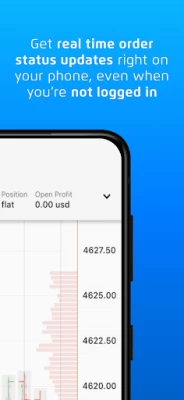
More About Tradovate: Futures Trading
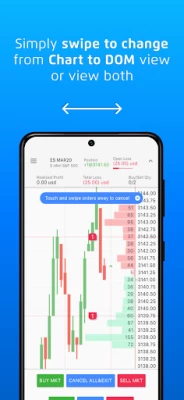
• See the Action as it Happens - Swipe to change from Chart to DOM view or view both on the same screen.
• Designed for Simplicity and Ease of Use - We're like you, we use our phones for everything and don't want to have to go through more steps than necessary to get to important information.
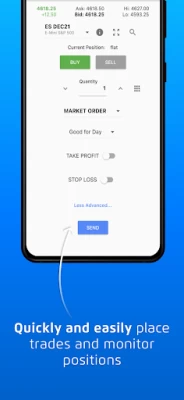
• Quickly & Easily Place Trades - Touch and swipe to manage your trades, positions or accounts. Important information is where it needs to be and accessing additional details is simple.
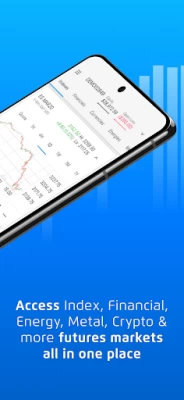
• Access Index, Financial, Energy, Metal, Crypto, & more futures markets all on your phone.
• Simple & Powerful Order Management Tools - We’ve made the interfaces for position and order management simple and powerful so you can take action when you need to, and easily view trade reports right on your phone.
• Access Over 40 Built-In Indicators PLUS Custom Indicators - Tradovate has made it easy to view the most popular indicators on your mobile chart, plus you can add any of the customer indicators you have built or have been shared with you through the Tradovate community.
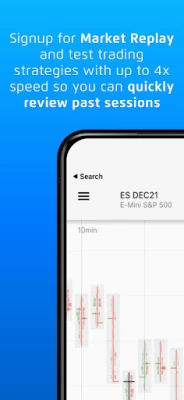
• Quickly Review Past Market Sessions - Sign up for the Market Replay add-on and test trading strategies with up to 4x speed so you can view historical session data.
• Get Real Time Updates Right on Your Phone, Even When Not Logged In - Our smart assistant-based messaging will provide important information based on the products you trade and monitor.
• Get the Latest Market News & Insights Delivered to You - Stay on top of what is going on in the markets with our real time streaming news service.
• Stay on the Forefront of Mobile Technology - We built this mobile application on Google's mobile UI framework, Flutter. This advanced mobile technology enables us to develop even faster for mobile, it provides some great new UI features and has fantastic performance providing you with modern interactions and navigation.
Latest Version
2.5.5
August 03, 2024
Tradovate, LLC
Finance
Android
480,103
Free
com.tradovate.pulse
Report a Problem
User Reviews

robert paonessa
1 year ago
Seriously everytime they update the app it becomes unusable. Works for a few weeks then just gets stuck at the opening page when trying to use the app. Used to love the app for trading on the go but now it is total junk.

Timóteo Barros
1 year ago
Simple horizontal drawing tools needed. If I can do this in the website via mobile why can't I do in the mobile app. Also on web I can scroll to past data while mobile just squeezes the chart. Please fix this

kevin
1 year ago
BACK TO BACK FAILED UPDATES! This MAY update is no different! Same million notifications you have to constantly swipe away that you can't turn off even when they are off. Theme contrass hurts the eyes & STILL HIGHLY UNSTABLE!!!!! REPLACE THE ENTIRE DEVELOPMENT TEAM THE CRAYON EATETS HAVE KILLED THIS APP!!!, ROLL ALL!!! UPDATES BACK TO 2018 COMBINE THE BOTTOM TRADE PANEL TO THE LEFT TRADE PANEL, ADD ON GRAPH DRAWING/ TOOLS!!! 3 DAMN THINGS!!! YET YEARS!!! OF BACK TO BACK FAILED UPDATES.

Splat
1 year ago
Needs more and why are the indicators depicted in images for the app not available the only one that is is the alligator, I mean I can't find any indication that changes candle color. ex ATR where is that.

Joshua Mullinax
1 year ago
Screen constantly goes black and kicks you out while you in a trade. Also takes forever to load. Having the same issues on Wi-Fi or cell towers

jasin1000
1 year ago
While its a great app, and I love the dom feature, I can't sign up, it gets stuck on creating account, also when I tried to view the charts at a later time, only a blank black screen appeared, no chart ,nothing at all, just a black blank screen.

Markara D
1 year ago
Have to relogin constantly. Settings often reset, such as Daily Loss Limit, Flatten Today, and notifications. The desktop version is fine, but mobile isn't as useful for entering positions on the go. Exiting positions on mobile is OK, and thankfully that works.

Sean P Nelson
1 year ago
Great app... do most of my trading on it lately. Does get the occasional bug that requires me to completely close and and restart. Thankfully it hasn't happened with an open position and a large loss lol. *fingers crossed* Overall I enjoy the app and it's features a lot and would recommend giving it a try.

Orval Stuckemeyer
1 year ago
This app is plagued by pop ups on the DOM telling you about your open position, the price of the market, etc, and you cannot get them to stop despite turning them off in the settings. In addition, there's times where the DOM jumps around with price when you are trying to touch it to place an order. It's extremely frustrating.

Jon Weber
4 years ago
Love tradovate desktop but their mobile apps are so frustrating. Pulse is efficient but offers no TA (can't even put in moving averages, customize daily/hourly etc charts). No dark mode either. I like to view charts while placing orders. Trader features all the charting but placing orders is like trying to drive a power wheels on the highway (no chart trading, moving bn slow windows to enter trades). Tradovate, PLEASE feature charting tools on pulse. CQG's app is a good example of how to do so.

Hebrew Lawaya
3 years ago
Don't do it alone. The software is not for beginners. Take what you like but you better have another chart. Don't just touch to experiment or end up blowing everything in seconds. Need better tutorials or something. On recent notice, this may apply to a different app. So it is that same app. I must have gave up early. I went back and think I earned $1,100,000 on that one trade. Still don't know what im liking at though. Help would be nice. Customer service offer the phone was cool once.

Tyler M
2 years ago
Update: As of the most recent update, March 6, 2023, i cannot open the app. All I get is a blank screen. I have deleted and reinstalled the app multiple times. please advise. Thank you so much for listening and adding a dark mode. I keep loving this app more and more, the new charting preferences are great. Edit: After this most recent update around 9/9/22, all I get is a black screen when I open the app. Could I get some help?

Bevis
2 years ago
Not good at all. Stay away, you'll lose $$$$. Tried this app out at the request of a friend. While the simulation is okay, the customer service and application is horrible. Had a few friends who lost hundreds of dollars because their systems crashed. On the edge of scaming folks because this isn't the first time they've had this issue. How they remain in business is beyond me.

Lee
2 years ago
Chart won't load so I have to use a different app to look at charts. When I switch back to this app it takes so long to load that more times than not I miss a take profit. UI feels very clunky at times and the chart can be a nightmare to work with. Sometimes the zoom function doesnt work. Trade on the mobile app only if you cant stand having a functioning platform

Charles Kuykendall
2 years ago
apps buggy. my candles dissappear from the chart (which is ridiculously difficult to use) and I have to reset all settings every time to fix it. charts can't be set to custom time frames and you have to change zoom to change time frame, which means you're stuck at 1 zoom level to see the time frame you want. buying/selling is pretty simple which is the only good thing about the mobile platform.

Rudy Moore
2 years ago
This app is trash! First off, you can't even plot Support & Resistance zones. No button to let you create a rectangle or a trendline. And that's basic 101 stuff for a trading app. Then the chart timeframes are horrible. It'll put you on automatic. It had me on a 280 minute chart. I scalp, so what can I possibly do with a 280 minute chart? Can't customize at all. You're stuck with red & green candles. I can name plenty more flaws but I'll end here. Tip: Use the mobile Web browser instead.

Andrew Hoshovskyj
2 years ago
Pretty poorly written app and poorly managed brokerage. Often the app freezes while I have multiple positions in play and will not allow either to sell or buy or close. The web version does the same thing, so it's a bigger problem than just the app. The margins can change very quickly, which is understandable, but there is nothing to notify of margin changes in real time. The charging is rough to say the least. Other than that, it works.

Brandon Bolt
2 years ago
The recent update is awful. This app used to be great. It worked, was easy enough to understand and use, and had decent speed. Now I've had nothing but trouble with it. Reinstalled several times. Had the blank screen issue, now it isn't keeping my settings. And why did the buttons change? The original UI was WAAAAAAAAYYYY better. Tradovate seriously needs to roll back.

James Workman
1 year ago
The user interface is dated.. but the biggest problem is not knowing what tradeovate would prefer. I signed up from a mobil device. Maybe if you signed up and paid from a computer and then added a mobil device? I don't know, and tradeovate doesn't explain what works best with their interface. Don't plan on being able to pay to look around. Tradeovate only wants you to blindly move money into their accounts without ever seeing the user interface. Paid subscription canceled after 48 hours.

D N
1 year ago
I don't like the constant useless popups on the bottom. I've disabled all notifications. Just add a percentage change on the chart instead of stupid popups that come on every 10 seconds that tells you the price has changed. Now there are so many service outages or when all indicators just disappears too. UPDATE: with the new updates, now the app is showing even more useless popups that blocks the screen- the same tooltips and news over and over again. Do they want to make it less usable?









