

USB Camera Viewer Pro
December 16, 2025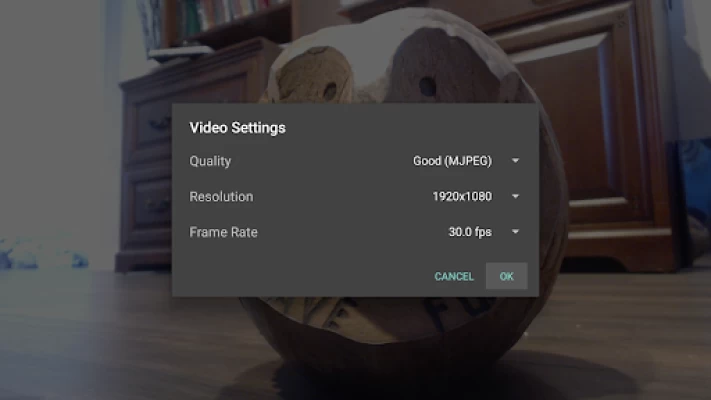

More About USB Camera Viewer Pro
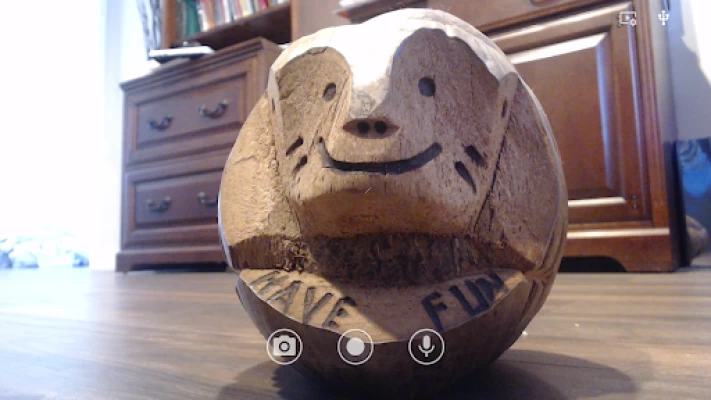
- Capture Images
- Record Video and Audio
Pro Features:
- No ads
- Change Camera Control Settings
- Remember prior codec/resolution
- Zoom & Pan/Scan (Beta)
- Multiple centering modes (Beta).
-- Remember last Zoom/Pan/Scan (Beta)
- Customize Storage Location
- IR view for Logitech Brio
Latest Version
2.9.2
December 16, 2025
Homesoft, LLC
Tools
Android
3,690
$4.99
com.homesoft.usb.camera.pro
Report a Problem
User Reviews

john kalamazoo
2 years ago
Keeps asking for USB permission. Never connect.

Michael Wayne Patterson
4 months ago
awesome app works awesome for my Deep Sky Camera for my telescope

ERNEST GARCIA
1 year ago
Very basic and simple to use.

rafael david
8 months ago
audio is enabled yet I have no audio when recording, why?

Harley B
1 year ago
has no timer when recording but it's good apart from that.

Jeffrey Vingin
6 months ago
Bought pro version and pro features don't unlock. Getting refund

Joshua Eah
2 years ago
Works perfectly. Literally the only app that works consistently

Adam
2 months ago
Great awesome on phone. Please release for Chromebook!

Boris Lipschitz
11 months ago
Works fine with my capture device. Wish it would have a setting to enable (unmuted) audio by default.

Geraldo Arnoldo
2 years ago
Fantastic compared to other that barraged me with ads constantly. Pay the $5 and get to work. Avoid being harrassed and stalked by irrelevant products and vendors.

t0j007
10 months ago
Does not record audio nor does it save the videos taken to folder. Video plays in app but when you go to the folder location, it falls to play.

Tracy Reynolds
1 year ago
Brilliant app, I tried loads before a fantastic Indian man on YouTube showed this one working with video capture. Saved a decent amount of money paying for this rather than splashing out on a secondary monitor. 5 stars indeed 👍

C.H. Ling
1 year ago
Version 2.5.3 solved the audio problem, now it works fine in video and audio recording. The setup is straight forward and easy to use!

Jelly Burghers
2 years ago
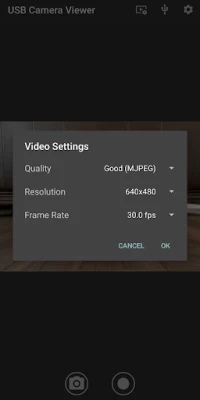
Help, your 2.4 update broke the app! This pro version crashes whenever you attempt to record a video, with or without audio, and it also crashes when you try to change the video format.

Patrick Slusser
8 months ago
Great app, but on my Pixel 8a Video recording doesn't work. That wasn't my main use case, but it would be nice to see it working. figured it out, it cannot record video if the audio is enabled. Is there any fix for this?

DaConnect ATL
1 year ago
Simple and straightforward, and functions as advertised, except for a few minor issues. The orientation settings don't save, and automatically revert to back to Default after closing and reopening the app. I prefer the Mirror Horizontal view and must select it on every use. Also the focus range is limited.l, while the Autofocus option constantly makes adjustments to any captured motion. The Zoom feature doesn't seem to work, but that could be a camera issue.

Steven Watson
2 years ago
Not impressed with pro for the price I was hoping for more features which were promised when I upgraded. But all it did was remove the adverts and give me the option to add brightness and contrast. A few more custom resolutions would have been nice and the ability to make it fullscreen instead of windowed.

Joe Joe
1 month ago
I am confused! I connected my 4k usb camera with this App and selected the resolution of 3840 x 2160 but the app sets it to 2560x1440. Every time I check I find it sets to 2560x1440. I confirm, I saved and redid it few times. I also restarted the app, but I still get the below results: On Xiaomi Redmi 9T I get resolution of 1920x1080 in taken video and pictures. On Samsung Galaxy Note 8 I get resolution of 3840 x 2160 in taken video and pictures. When I check the App I find it sets to 2560x1440.

JJ Lee
6 months ago
Intially I paid and had great difficulty installing it. It wouldn't let me. I got a refund. About a week later I was finally able to buy it and try it. I'm disappointed it doesn't shoot at 24fps. Which was the whole reason why I purchased it. It does work and the footage is usable. I do wish for a pro model it had more fps options. I like the fact that you have gain, sharpness, backlight, gamma, etc sliders. I originally gave one star. Bumping it up now that it works.

Marshall Holmes
2 months ago
I get constant frame errors that suggest lowering the frame rate or resolution that locks up the app. when locked up, or before connecting the camera, the settings don't have any options to change these settings. restarting or getting lucky and the app recovers, you can change these settings. stability is still low even with settings set very low. using a pixel 9 pro xl.









