USB OTG Connector Phone to USB
September 25, 2025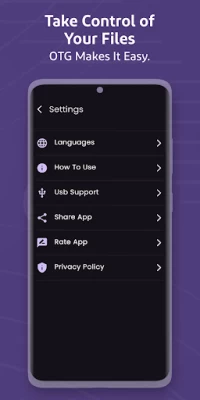
More About USB OTG Connector Phone to USB
USB OTG Connector – Phone to USB File Manager & Transfer Tool
Looking for a powerful and easy-to-use solution to connect your Android phone to a USB flash drive, SD card, or external hard drive? With USB OTG Connector, you can quickly transfer files, manage your storage, and back up important data — all in one lightweight tool.
This app acts as your all-in-one USB connector, OTG file manager, and backup utility, with built-in OTG compatibility checker to help you know instantly if your device supports USB On-The-Go (OTG).
No more struggling to move files between your phone and USB storage — get full access to your data in just one tap.
🔧 Key Features:
✅ USB OTG Connector & Checker
Easily detect if your Android phone supports OTG. This app automatically checks OTG compatibility and lets you know whether your device can connect to USB drives.
✅ Phone to USB File Transfer
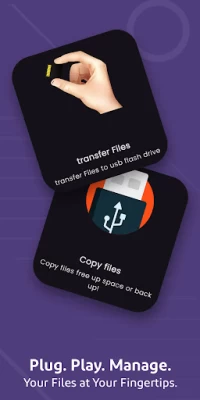
Transfer images, videos, music, documents, and other files from your phone to a USB drive or SD card — fast and securely.
✅ File Manager for USB Storage
Browse, organize, copy, move, rename, or delete files stored on your external USB device or SD card.
✅ USB Backup Tool
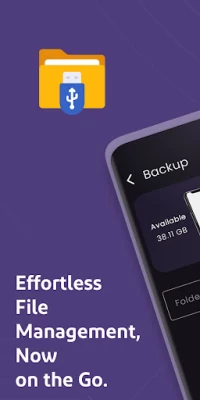
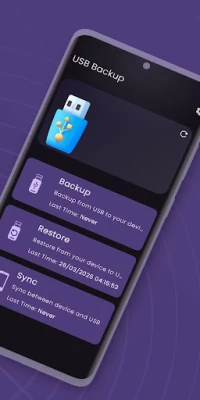
Back up your phone’s storage to USB drives or SD cards. Preserve your important data with one-tap backup and restore.
✅ OTG Connector & Explorer
Use this app to explore files on any connected OTG-compatible device. Great for photographers, students, professionals, and anyone needing extra storage.
✅ Supports All File Types
Compatible with popular formats like images (JPG, PNG), video (MP4, MKV), audio (MP3), documents (PDF, DOCX), and more.
✅ Auto-Detect USB Devices
Just plug in your USB or SD card reader, and the app will automatically detect and open it — no root needed.
📱 What is USB OTG?
USB OTG (On-The-Go) allows Android phones to act as a USB host, enabling you to connect external devices like flash drives, card readers, keyboards, and more. Not all phones support OTG, so this app includes a built-in OTG Checker to verify support before use.
If your device supports OTG, you can instantly connect a USB drive and start transferring files, backing up data, or even playing media directly from the USB device.
🚀 Why Use This App?
Whether you're looking to:
Transfer large video files from your phone to a USB drive
Free up space on your phone
Back up important data before a factory reset
Manage USB files easily on the go
USB OTG Connector makes it fast, safe, and hassle-free.
⚠️ Disclaimer
This app does not provide APK files or access to restricted system partitions. It works only with user-accessible files and is 100% compliant with Google Play policies. Your phone must support OTG functionality to connect external USB devices.
Start managing your USB and OTG storage like a pro.
📥 Download USB OTG Connector – Phone to USB Tool now and unlock your device’s full potential!
This app acts as your all-in-one USB connector, OTG file manager, and backup utility, with built-in OTG compatibility checker to help you know instantly if your device supports USB On-The-Go (OTG).
No more struggling to move files between your phone and USB storage — get full access to your data in just one tap.
🔧 Key Features:
✅ USB OTG Connector & Checker
Easily detect if your Android phone supports OTG. This app automatically checks OTG compatibility and lets you know whether your device can connect to USB drives.
✅ Phone to USB File Transfer
Transfer images, videos, music, documents, and other files from your phone to a USB drive or SD card — fast and securely.
✅ File Manager for USB Storage
Browse, organize, copy, move, rename, or delete files stored on your external USB device or SD card.
✅ USB Backup Tool
Back up your phone’s storage to USB drives or SD cards. Preserve your important data with one-tap backup and restore.
✅ OTG Connector & Explorer
Use this app to explore files on any connected OTG-compatible device. Great for photographers, students, professionals, and anyone needing extra storage.
✅ Supports All File Types
Compatible with popular formats like images (JPG, PNG), video (MP4, MKV), audio (MP3), documents (PDF, DOCX), and more.
✅ Auto-Detect USB Devices
Just plug in your USB or SD card reader, and the app will automatically detect and open it — no root needed.
📱 What is USB OTG?
USB OTG (On-The-Go) allows Android phones to act as a USB host, enabling you to connect external devices like flash drives, card readers, keyboards, and more. Not all phones support OTG, so this app includes a built-in OTG Checker to verify support before use.
If your device supports OTG, you can instantly connect a USB drive and start transferring files, backing up data, or even playing media directly from the USB device.
🚀 Why Use This App?
Whether you're looking to:
Transfer large video files from your phone to a USB drive
Free up space on your phone
Back up important data before a factory reset
Manage USB files easily on the go
USB OTG Connector makes it fast, safe, and hassle-free.
⚠️ Disclaimer
This app does not provide APK files or access to restricted system partitions. It works only with user-accessible files and is 100% compliant with Google Play policies. Your phone must support OTG functionality to connect external USB devices.
Start managing your USB and OTG storage like a pro.
📥 Download USB OTG Connector – Phone to USB Tool now and unlock your device’s full potential!
Latest Version
Version
1.4
1.4
Update
September 25, 2025
September 25, 2025
Developer
high-tech
high-tech
Apps
Tools
Tools
Platforms
Android
Android
Downloads
21,431
21,431
License
Free
Free
Package Name
com.sdcard.usbbackup
com.sdcard.usbbackup
Report
Report a Problem
Report a Problem
Add Comment & Review


User Reviews
Happiness Caro
4 months ago
it's good
yosef yeshanew
4 months ago
nise
Andile Pepese
5 months ago
good
Pakundu Rudolf
5 months ago
l love it, but not sure enough
Marcus “MERC”
3 months ago
WORKZ EVERYTIME FOR ME, GALAXY 25 ULTRA
Edna Hemming
4 months ago
l found it difficult to use. l couldn't transfer my photo, as l couldn't get into my photos just other documents. sorry l am deleting this app. not happy.
Comments will not be approved to be posted if they are SPAM, abusive, off-topic, use profanity, contain a personal attack, or promote hate of any kind.









