
UVCAD - CAD 2D Draw & Drafting
December 03, 2025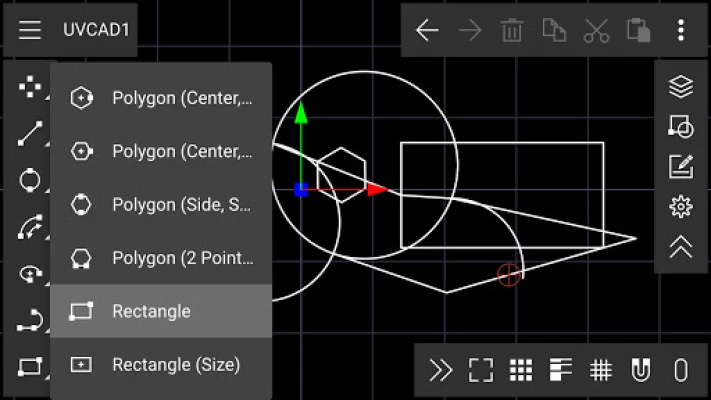
More About UVCAD - CAD 2D Draw & Drafting
UVCAD mostly used for architecture, designing, electrical and mechanical use.
Users are mostly engineers, architects, industrial designers and students.
UVCAD mostly used in automotive, engineering, construction and education industry.
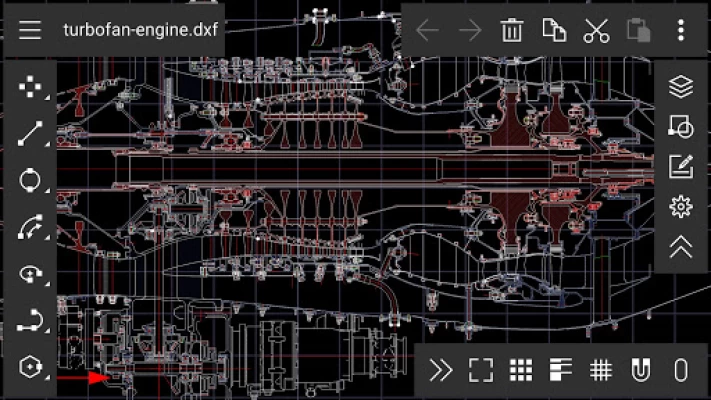
Support of Autodesk AutoCAD DXF open format (import and export).
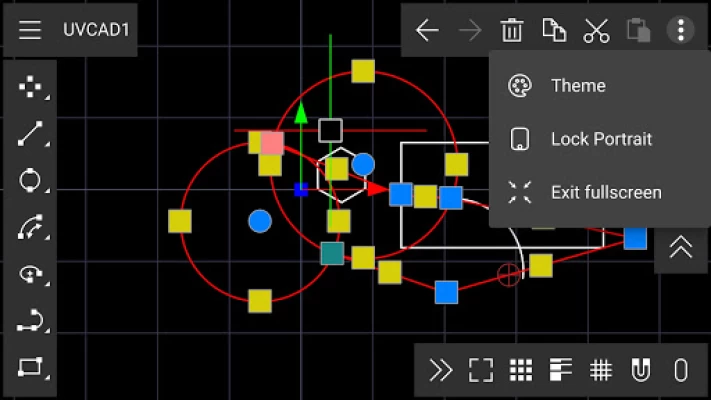
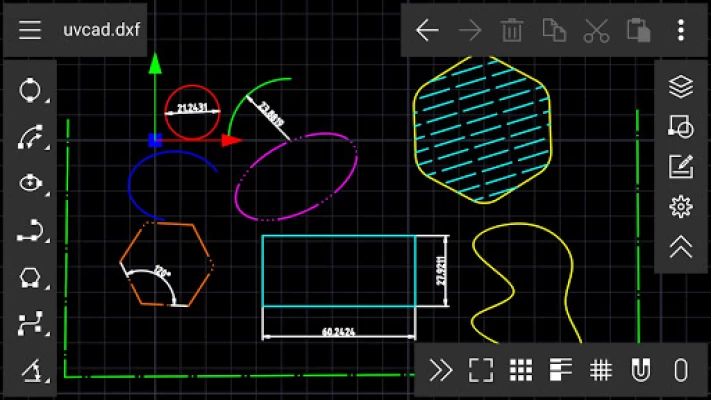
Powerful Drawing Tools: Line, XLines, Ray, Arc, Circle, Ellipse, Ellipse Arc, Polyline, Polygon, Rectangle, Text, Spline (NURBS) Curve, Bezier Curve, Hatch, Image.
Object snaps: snap to grid, endpoints, points on entities, snap perpendicular, snap tangential, snap to center points, snap to middle points, snap to intersections
Cartesian and polar coordinate systems.
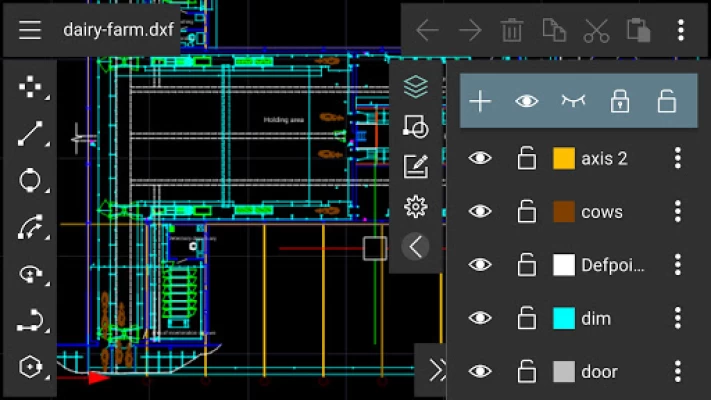
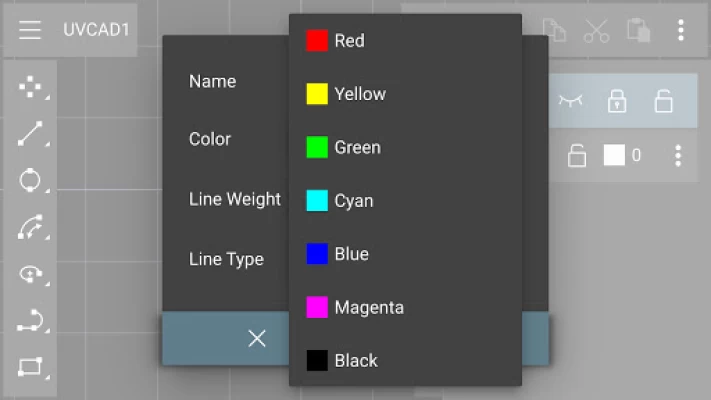
Layer support: Entity properties driven by layer properties (color, line width, line type), layer creation, layer deletion, layer rename, etc.
Blocks can be created and inserted.
Block support (grouping) : block list view, add new empty block, create block from selection, edit block, insert block into drawing, nested blocks, remove block, rename block
Entity modification: move, rotate, mirror, scale, offset, trim, fillet, chamfer, rectangular, Polar & Linear Array.
Dynamic Editing Functions with Visual Handles and Snaps
Annotation and dimensioning that complies to world standards: Linear, Angular, Radial, Diameter and Arrow Dimension Tools.
Measuring tools
All installed scalable system fonts (e.g. TTF) available for texts
Unlimited undo and redo
Clipboard support: copy, cut, paste, duplicate
Zoom tools: auto zoom, zoom in / out (mouse wheel or two fingers), panning (middle mouse button or two fingers)
Projections: isometric projections (pseudo 3d)
User interface customization: Dark or light theme. UI controls background, foreground, and text color customization.
Fullscreen, screen orientation landscape and portrait switch.
Latest Version
1.2
December 03, 2025
Mozongsoft Co. Ltd.
IT Tools
Android
568,908
Free
com.mozongsoft.uvcad
Report a Problem
User Reviews

Caleb Adeyi
3 years ago
The app is really good but the fact that it doesn't allow transfer of files and the files cannot be found on phone storage is annoying. Please make it able to transfer files

Thomas Gorrell
1 year ago
I think this ap is a 3 star ap rite now however i am going to give it 4 stars for now in an effort to motivate the developer to continue trying to improve it. Whenever i try to open a file i saved it is blank is easier to figure out without instructions than other cad programs are with instruction if the developer were to put in some time on creating an n depth video tutorial and a written instruction plan with examples i think this program has the ability to be the go to cad program on android

Big Haggis
2 years ago
This looks very useful indeed, I like the UI and the controls are easy to understand, it would be nice to have a tutorial for things like, Offset, copy, move and an option for circle from centre would be nice too ohh and fillet, trim, explode 😊.. Great work thanks 👍

Daniel Matthews
1 year ago
Useless, can't save a file to directory of choice, can't find a saved file except within app in sandbox, can't move files from sandbox to folder within sandbox, can't delete files, can't create files anywhere other than sandbox. About as much use as a snorkel at the bottom of the Mariana trench.

Gerard Smith
1 year ago
I rate this app 💩💩💩💩💩 And no..that's NOT choc ice cream 🤢🤢🤢 Clearly the developer had their friends give false good ratings 👎👎👎 Edit. Do you honestly think that I would keep an app on my phone, that hardly does anything close to what you say it allegedly can do🤣 Nah, that train left the station. My rating of this app is as accurate as can be..and I stick by it. Your app is junk ( and that's being nice, to say the least) 👎👎👎👎💩 Ps, that's still NOT chocolate icecream

Josh Simpson
1 year ago
Needed to use for a quick draft up to explain something, did a great job. Aside after switching into paste mode to copy and paste something.. It got stuck pasting the same thing every tap and I couldn't work out how to stop it!

Martin R
2 months ago
First thing it does when started is paste from the clipboard. As far as I can tell it doesn't use the clipboard in the rest of the app so this is looking a lot like spyware.

Duane Dean
4 years ago
Nicely laid out, doesnt drag my phone down and pretty snappy. However, it definitely needs a trim command. Id give it a 5 star, but no trim. Keep up the good work, looking forward to using it more.

Tuvia Nesher
1 year ago
You can draw your own DXF in app, however you cannot load from a blender created DXF. The controls are strict and slightly ambiguous, leading to parts that you cannot interface to each other, such as bridging vertices. It's not terrible but for my purpose it's not well suited.

Todd H
3 years ago
Can't where I want my first origin point for a line (in this case 0,0) always selects 1 grid snap higher (0,1). Then second point does same thing, one y snap higher. I'm using a stylus so it's not my finger. Wish it would work or at least be able to enter coordinates. So far I can't find units preference. Can't grab handle to move point or line. No setting for dimension text properties. No annotations. Seems like it needed more work before releasing. I'll try again if it gets updated.

Mike Lipphardt
4 years ago
Simple quick and easy. I am an AutoCAD geek. But I appreciate this for quick work on my tablet. I agree that it needs a trim function. It would get another star if it did. As it is it's quite usable. Add the trim and you're golden.

P H
3 years ago
Those drawings they use to draw you in sure look cool but as the one gentleman said, I have been trying to figure out how to create something other than the egg-headed stick figure I've been allowed to with zero luck. I also went on a scavenger hunt online in search of some shred of a tutorial only to find some video that had no relevance to anything on his planet. Thanks but no thanks.

Justin Hair
1 year ago
I really like how the app operates, but I cannot find a way to change the measurements to standard. If you draw in mm its a nice little app for a quick drawing and saves documents in .dxf. If there is a way to change to standard I would like to know or will update when I find it.

Theuns
1 year ago
Once you open the app it looks good. Reminds me of Arccad l used to work on thirty years ago. It just seems a little complicated for me. I couldn't draw a simple rectangle. You should ad a grid that the curser snap onto. Now when l draw a line on the x axis, it's impossible to get it fixed on the horizontal.

Tim Karlskind
2 years ago
This app is so underrated. I don't want to have to learn an entirely new drawing method just to use my phone, yet every cad program I have downloaded up until now has been another effort to reinvent the wheel, and a learning curve to go with that. This cad software reminds me of Claris Cad that used to be available on Mac years ago. Straightforward tools, layers and tool modifiers. Not plagued with advertisements or promp I'm going to start reconsidering apps that have less than four stars.

CaptianBarouq
2 years ago
Number processing is absolute garbage. It tries to update the drawing as you write your dimensions, but it has no idea what number a negative symbol is, and sinceit can't update the drawing to reflect that, it just deletes it from the text box. The only way to write a negative number is to write out the number, then go back and add a "-" at the beginning. It also doesn't process polar coordinates at all and takes them as absolute coordinates.

Santosh Sharma
11 months ago
Great program. Only difficulty is attempting to enter a "." Or "-" before the coordinate. I don't know if it's a bug but the entry automatically removing the . and -. For example I enter x .23 and when I go to click y and the x is now 23 its really annoying. Adding the z axis would be great

Mark Redhill
4 years ago
If you're drafting or doing anything technical you need a program like this that is automatically able to establish a good foundation to build upon for an engineer an architect somebody who is just playing around, the design elements modules and everything are unbelievable. I had intended once just to sit in the car for a moment and look at it and I ended up 2 hours later still sitting in the car with the motor running.

Jim Macaulay
3 years ago
I've been trying to learn this app for over an hour. There's no tutorial, only a wordless video that goes too fast to follow. If you tap the settings gear most of the settings are truncated so you can't read them. I haven't figured out a way to tap a point on the grid to start a line. I haven't figured out a way to set the units, and when entering numbers for a point, they're initially huge numbers that could be microns or something. I have used various cad apps for several decades AWFUL!

Duncan Meyers
2 years ago
I give tha app 3 stars, because it has lots of potential... It has a lot of potential to be a great little 2D cad tool. But I can't get a line to actually stop on a grid point to make a box. I can start a line at an end or midpoint, but getting the line to stop when it's 90° from the end of another line is impossible... In CAD, getting a line to snap to a point on the grid or to another line's endpoint is absolutely necessary!!









